Object counter and extractor
LiveImage
Preview mode
Sensitivity
Minimum size
Merge nearby
Exclude text
Padding
Max objects
Preview
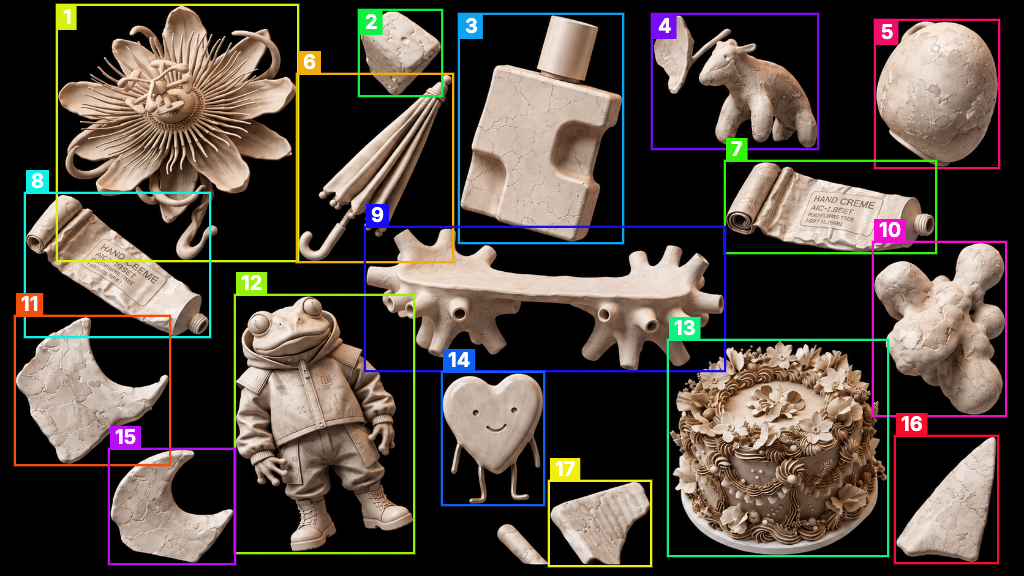
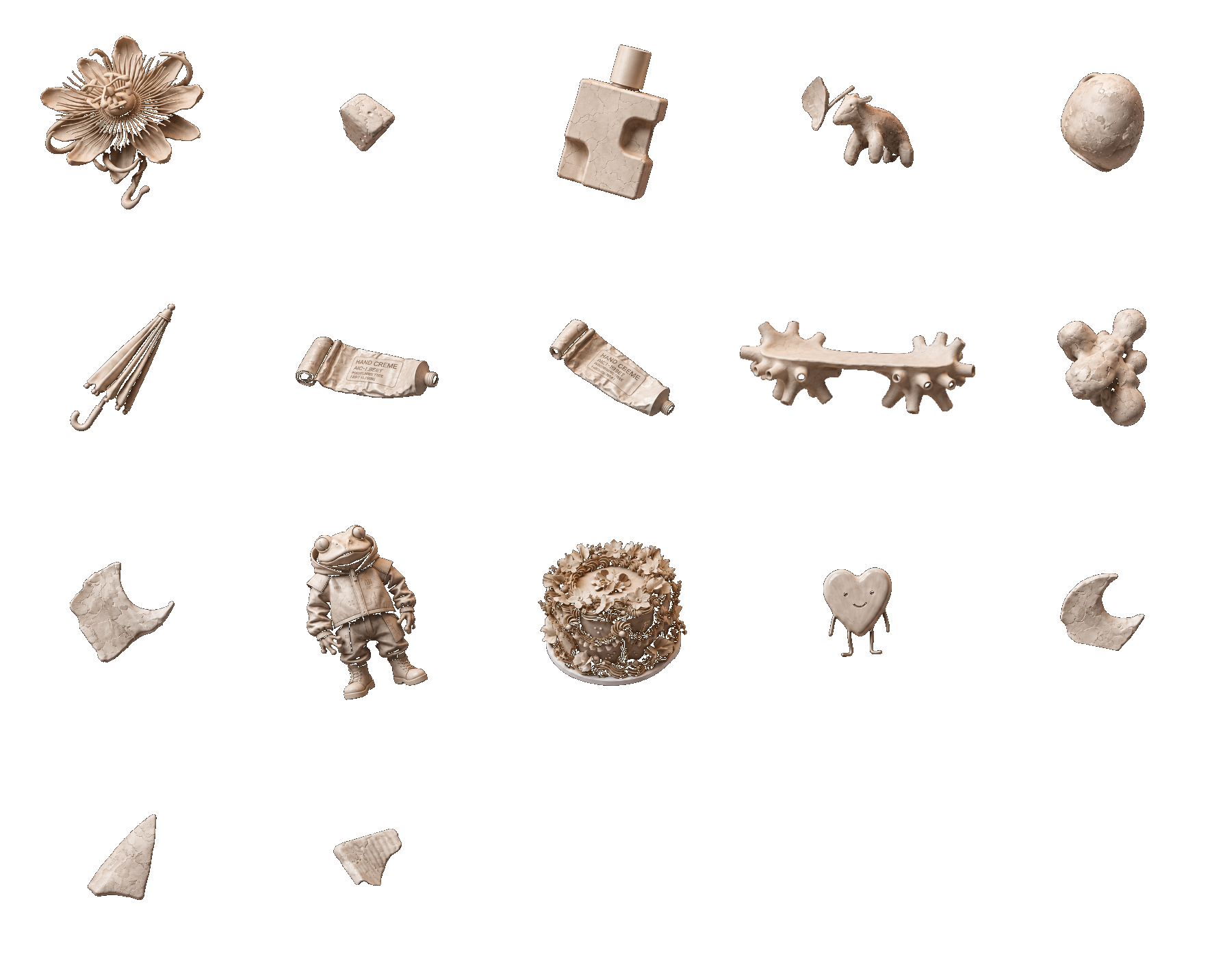
Count
17
Metadata
{
  "count": 17,
  "image": {
    "width": 1024,
    "height": 576
  },
  "objects": [
    {
      "id": 1,
      "bbox": {
        "x": 58,
        "y": 6,
        "width": 239,
        "height": 254
      },
      "padded_bbox": {
        "x": 58,
        "y": 6,
        "width": 239,
        "height": 254
      },
      "area_percent": 5.21
    },
    {
      "id": 2,
      "bbox": {
        "x": 360,
        "y": 11,
        "width": 81,
        "height": 84
      },
      "padded_bbox": {
        "x": 360,
        "y": 11,
        "width": 81,
        "height": 84
      },
      "area_percent": 0.73
    },
    {
      "id": 3,
      "bbox": {
        "x": 460,
        "y": 15,
        "width": 162,
        "height": 227
      },
      "padded_bbox": {
        "x": 460,
        "y": 15,
        "width": 162,
        "height": 227
      },
      "area_percent": 3.84
    },
    {
      "id": 4,
      "bbox": {
        "x": 653,
        "y": 15,
        "width": 164,
        "height": 133
      },
      "padded_bbox": {
        "x": 653,
        "y": 15,
        "width": 164,
        "height": 133
      },
      "area_percent": 1.7
    },
    {
      "id": 5,
      "bbox": {
        "x": 876,
        "y": 21,
        "width": 122,
        "height": 146
      },
      "padded_bbox": {
        "x": 876,
        "y": 21,
        "width": 122,
        "height": 146
      },
      "area_percent": 2.28
    },
    {
      "id": 6,
      "bbox": {
        "x": 298,
        "y": 75,
        "width": 154,
        "height": 186
      },
      "padded_bbox": {
        "x": 298,
        "y": 75,
        "width": 154,
        "height": 186
      },
      "area_percent": 1.35
    },
    {
      "id": 7,
      "bbox": {
        "x": 726,
        "y": 162,
        "width": 209,
        "height": 90
      },
      "padded_bbox": {
        "x": 726,
        "y": 162,
        "width": 209,
        "height": 90
      },
      "area_percent": 2.02
    },
    {
      "id": 8,
      "bbox": {
        "x": 26,
        "y": 194,
        "width": 183,
        "height": 142
      },
      "padded_bbox": {
        "x": 26,
        "y": 194,
        "width": 183,
        "height": 142
      },
      "area_percent": 1.9
    },
    {
      "id": 9,
      "bbox": {
        "x": 366,
        "y": 228,
        "width": 358,
        "height": 142
      },
      "padded_bbox": {
        "x": 366,
        "y": 228,
        "width": 358,
        "height": 142
      },
      "area_percent": 4.14
    },
    {
      "id": 10,
      "bbox": {
        "x": 874,
        "y": 243,
        "width": 131,
        "height": 172
      },
      "padded_bbox": {
        "x": 874,
        "y": 243,
        "width": 131,
        "height": 172
      },
      "area_percent": 2.5
    },
    {
      "id": 11,
      "bbox": {
        "x": 16,
        "y": 317,
        "width": 153,
        "height": 147
      },
      "padded_bbox": {
        "x": 16,
        "y": 317,
        "width": 153,
        "height": 147
      },
      "area_percent": 1.82
    },
    {
      "id": 12,
      "bbox": {
        "x": 236,
        "y": 296,
        "width": 177,
        "height": 256
      },
      "padded_bbox": {
        "x": 236,
        "y": 296,
        "width": 177,
        "height": 256
      },
      "area_percent": 4.4
    },
    {
      "id": 13,
      "bbox": {
        "x": 669,
        "y": 341,
        "width": 218,
        "height": 214
      },
      "padded_bbox": {
        "x": 669,
        "y": 341,
        "width": 218,
        "height": 214
      },
      "area_percent": 5.84
    },
    {
      "id": 14,
      "bbox": {
        "x": 443,
        "y": 373,
        "width": 100,
        "height": 131
      },
      "padded_bbox": {
        "x": 443,
        "y": 373,
        "width": 100,
        "height": 131
      },
      "area_percent": 1.37
    },
    {
      "id": 15,
      "bbox": {
        "x": 110,
        "y": 450,
        "width": 124,
        "height": 113
      },
      "padded_bbox": {
        "x": 110,
        "y": 450,
        "width": 124,
        "height": 113
      },
      "area_percent": 1.3
    },
    {
      "id": 16,
      "bbox": {
        "x": 896,
        "y": 437,
        "width": 101,
        "height": 125
      },
      "padded_bbox": {
        "x": 896,
        "y": 437,
        "width": 101,
        "height": 125
      },
      "area_percent": 1.17
    },
    {
      "id": 17,
      "bbox": {
        "x": 550,
        "y": 482,
        "width": 100,
        "height": 83
      },
      "padded_bbox": {
        "x": 550,
        "y": 482,
        "width": 100,
        "height": 83
      },
      "area_percent": 0.87
    }
  ]
}Extracted