Fuser vs Krea Nodes

A Krea Nodes alternative for work that keeps evolving.

The image is approved. Now comes the headline, the layout, the next campaign and the tool your team needs to make it all again. Keep that work connected in Fuser.

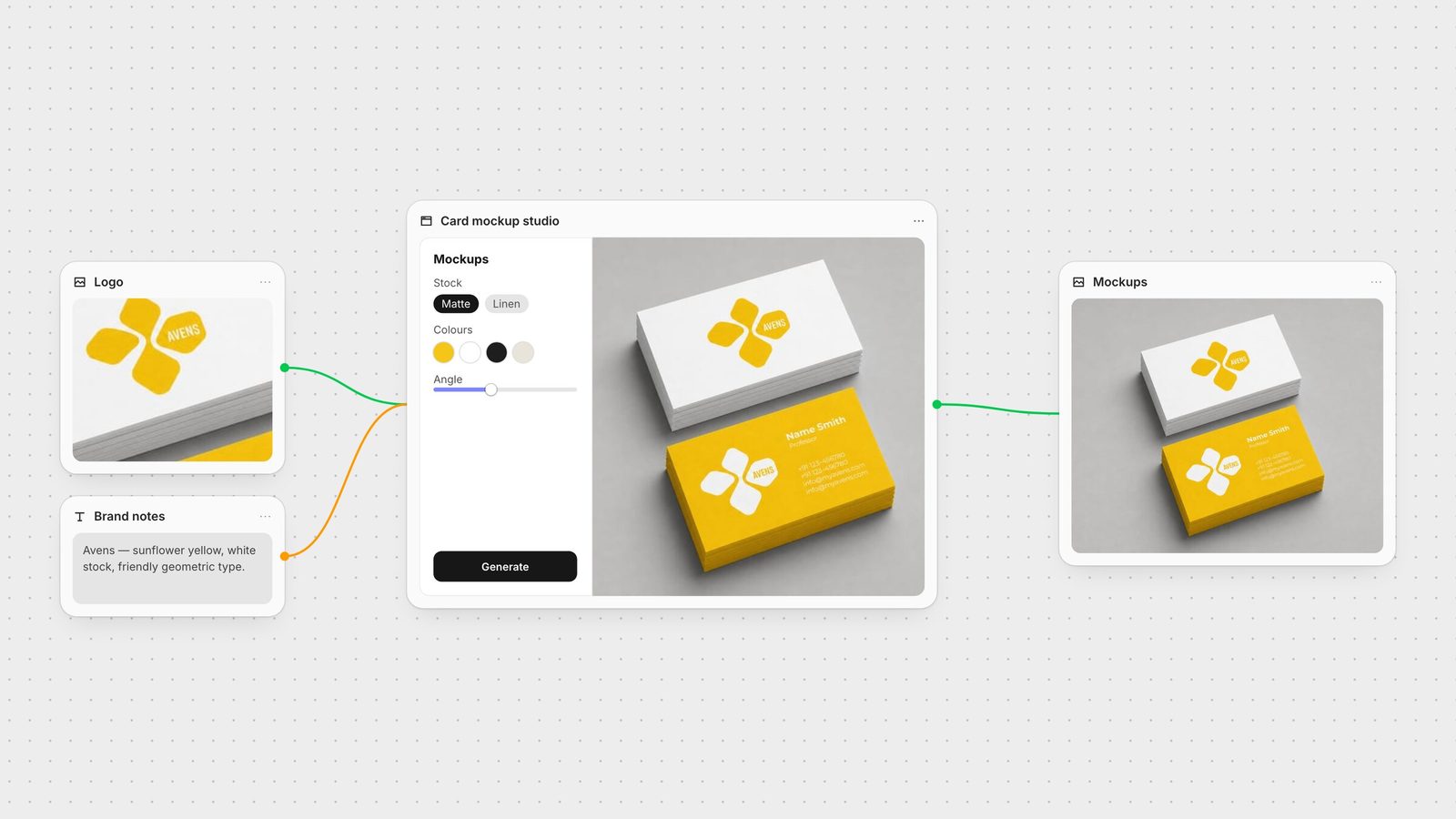
Fuser canvas: a logo and brand notes feed a card-mockup App running on the canvas, which outputs business-card mockups.

Keep the approved image. Change the design around it.

Fuser is a node-based AI workflow builder on an infinite canvas, built for creative agencies and studio teams.

When a client asks for a new offer or a different logo position, keep those decisions in editable layers. Compositor lets the team change real type, arrange brand assets and mix image, video, vectors and 3D. Then save the generation process as a Recipe and build custom controls for the steps your studio repeats.

Fuser vs Krea Nodes, side by side.

Compare the workflow you need to run, the design you need to finish and the tools your team needs to build.

What mattersFuserKrea Nodes
From the first input to the next brief
Connected generation

Image, video, audio, 3D and language-model nodes on a shared canvas.

Nodes connects creative tools, runs sequences and branches work across models.

Krea Nodes capabilities
Reusable creative workflows

Recipes package a workflow with inputs and outputs; copy the graph to adapt it.

Compositor layers

Node templates and workflow Apps offer reusable processes and interfaces.

Final composition

Compositor combines editable text, images, footage, vectors and 3D.

Generation, enhancement and image-editing tools across Krea’s creative suite.

Tools you can build

Creative Code adds adjustable design tools; Apps builds running web tools with canvas inputs and outputs.

App Builder and Nodes Agent help create workflow apps and node processes.

Team controls

Teams adds shared credits, roles, spend limits and SSO.

Business lists roles and private Node Apps; Enterprise adds per-member compute controls.

Krea Nodes plan details

Keep the campaign editable through every revision.

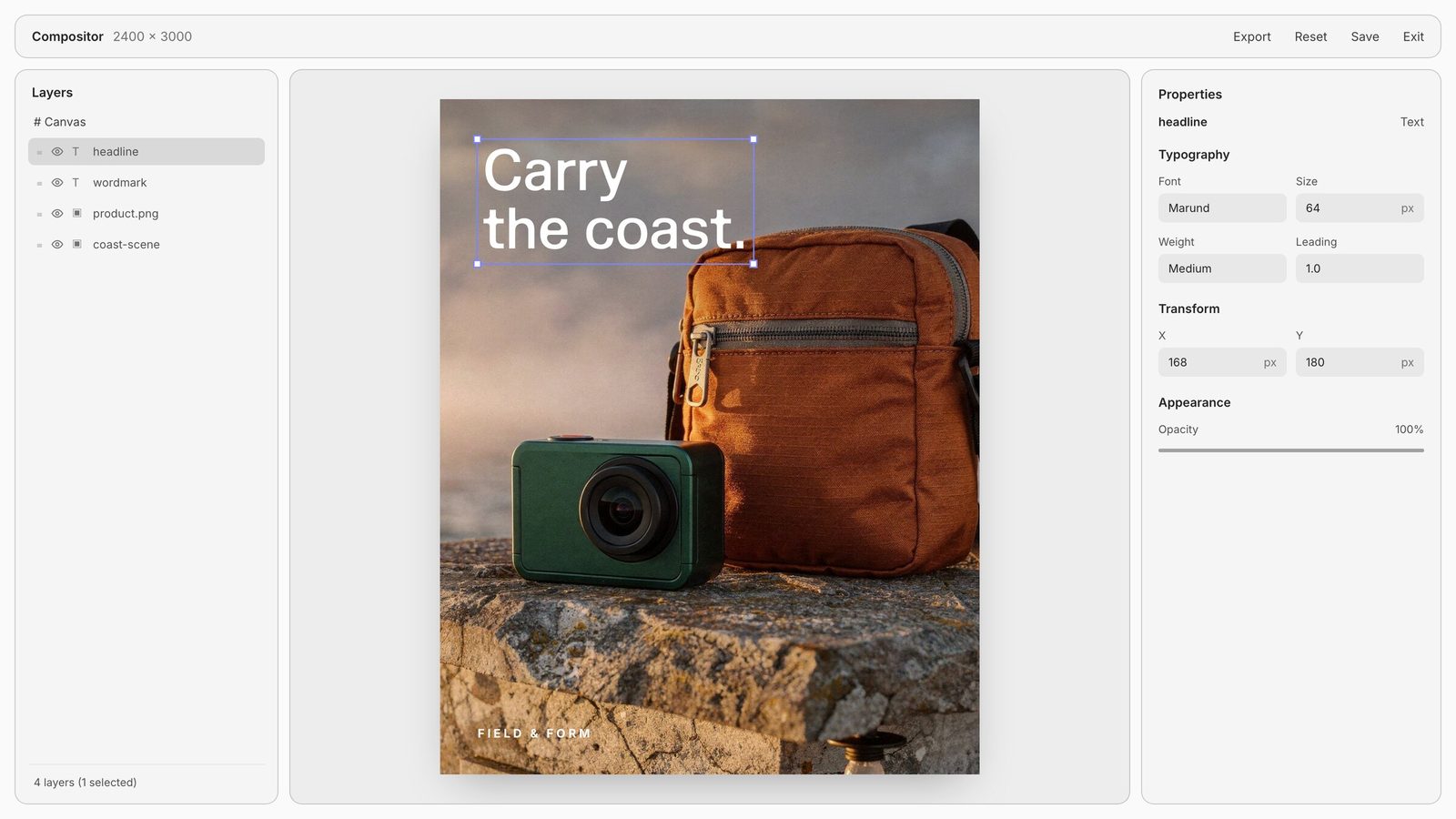
The product shot is approved. Now the client wants a different headline and a larger logo. In Compositor, those are separate layers you can change directly. Set real type, combine images, footage and 3D, then export a PNG or MP4 or send the composition into the next node.

Fuser Compositor editor with a finished campaign: scene, product, wordmark and a selected headline on separate editable layers.

The bottle stays. The headline changes.

Separate image, logo, text and background layers in Fuser's Compositor. Feed the composition into another node, or export a PNG or MP4.

Build the tools your workflow is missing.

The way your studio works can become part of the tool. Build a pattern maker with the controls you need, an image treatment that accepts your latest generation, or a web app for organizing a brief. Refine it in Fuser and connect it to the rest of your process.

Apps

Give your process its own interface.

Build a reference browser, a brief builder or another web tool for your studio. Ask for inputs and outputs to connect it to the canvas. Preview and refine the running app, then publish a URL when you want to share it.
Creative Code

Make your own design instrument.

Build a pattern maker or image-treatment tool with sliders, color pickers and text controls. Feed it images, footage or text from other nodes, tune the result live and save a still or video to use in the next step.

Prompt Crafter

Give the next generation a clearer brief.

Use Prompt Crafter to turn a rough idea into an editable prompt for the model and medium. Refine the direction before generating your next variation.

Recipes

Turn one product image into your next campaign direction.

Run Professional Product Campaign for studio, handheld and poster directions. Refine the layout and keep the useful steps for the next product.

When to choose Fuser. When to choose Krea Nodes.

Choose Krea Nodes when Krea’s generation and enhancement tools already anchor your process. Choose Fuser to connect that kind of generation work with editable Compositor layouts and bespoke tools built in Creative Code and Apps.

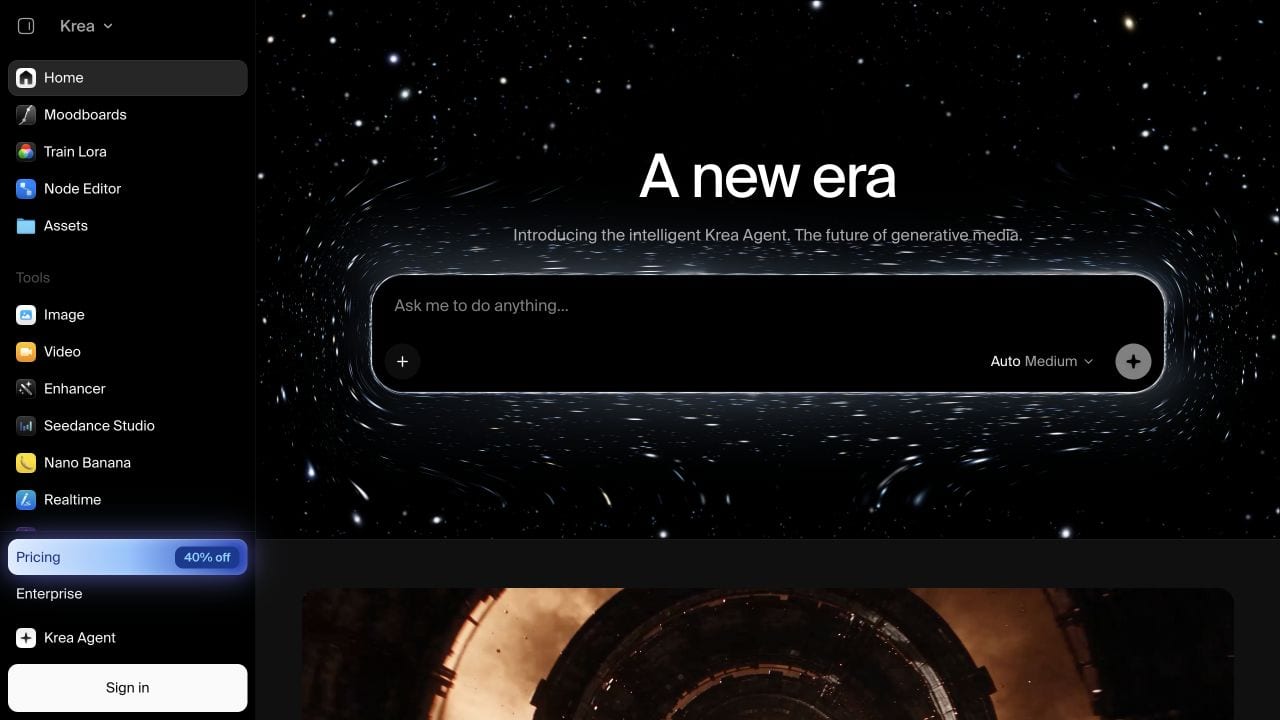
Krea Nodes public landing page, captured September 15, 2026.

Krea Nodes: the product’s own starting point

Homepage captured September 15, 2026. Details last verified September 26, 2026.

Questions about Fuser and Krea Nodes

When a client asks for a new offer or a different logo position, keep those decisions in editable layers. Compositor lets the team change real type, arrange brand assets and mix image, video, vectors and 3D. Then save the generation process as a Recipe and build custom controls for the steps your studio repeats.

The names cover different product contexts. Krea presents Apps as reusable creative workflow tools, so compare that job with Fuser Recipes. Fuser Apps builds running web tools, interactive experiences and websites, with inputs and outputs that can connect to the canvas.

Yes. Creative Code supports adjustable design tools with custom controls and connected media. Apps supports running web tools with inputs and outputs. Build a pattern maker, image-treatment tool or reference browser around your studio’s process.

Recipes are prebuilt AI workflow templates. Run one with your inputs, inspect the connected nodes or copy the workflow to change it. Start with this Recipe.

Bring your references and assets onto a canvas, then connect the generation and design steps your brief needs. Start with a Recipe, copy its workflow and adapt the inputs, models and controls to your process.

Compare the models, settings, generation volume and team features your workflow needs. Different platforms’ credits are not equivalent units. Check Fuser pricing and Krea Nodes plan information.

Find the workspace for your next brief.

Turn one product image into your next campaign direction.

Run Professional Product Campaign for studio, handheld and poster directions. Refine the layout and keep the useful steps for the next product.