Kling 1.6

  • Kling AI
  • Kling

byKuaishou Technology

Photorealistic cinematic scenes with physical weight, natural light physics, and seamless camera choreography

Kling 1.6

How Kling 1.6 Video works

Compose your initial frame or text prompt, configure motion parameters, and generate high-fidelity cinematic video in seconds.

Frame the Scene

Frame the Scene

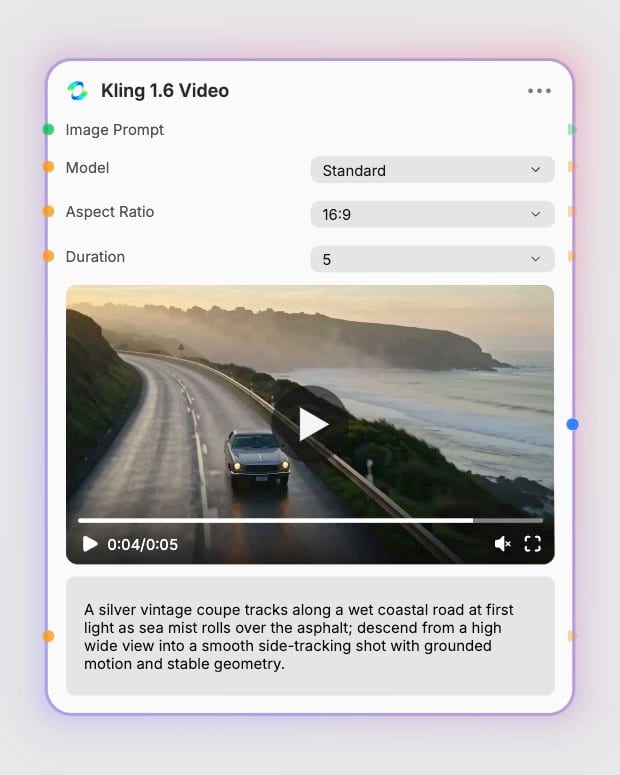
Provide a descriptive text prompt or upload an initial 960x544 image to anchor your visual composition and character details.

Set Motion & Tier

Set Motion & Tier

Choose between Standard for rapid prototyping or Pro for native 1080p fidelity, then select your duration and aspect ratio.

Direct the Action

Direct the Action

Generate physically coherent video clips with dynamic virtual camera motion, realistic lighting, and natural inertia.

What Kling 1.6 Video is good at

From spatiotemporal 3D reasoning to dual-tier rendering, discover the generative capabilities powering Kling 1.6.

Spatiotemporal Physics & Inertia

Spatiotemporal Physics & Inertia

Kling 1.6 calculates volume and gravity in continuous 3D space, preserving physical momentum in collisions, fluid splashes, and mechanical weight without rubbery distortions.

Pro & Standard Tier Rendering

Pro & Standard Tier Rendering

Switch effortlessly between Standard mode for rapid 720p narrative storyboards and Pro mode for full 1080p high-definition delivery with refined micro-expressions and complex multi-action prompts.

Image-to-Video Temporal Consistency

Image-to-Video Temporal Consistency

Transform static concept frames into fluid motion while locking character facial landmarks, realistic subsurface skin scattering, and intricate garment folds across 5 to 10-second sequences.

Cinematic Camera Choreography

Cinematic Camera Choreography

Direct complex virtual optics with prompt-driven crane reveals, dolly zooms, and tracking passes that maintain rigid geometry and natural lighting depth throughout the camera path.

Made with Kling 1.6 Video

Explore high-definition motion studies, editorial sequences, and visual effects clips generated directly with Kling 1.6.

Archival deep-sea expedition in oxidized copper armor

Archival deep-sea expedition in oxidized copper armor

Surreal sonic visualizer with acoustic water dispersion

Surreal sonic visualizer with acoustic water dispersion

Minimalist limestone pavilion with dynamic sunlight progression

Minimalist limestone pavilion with dynamic sunlight progression

Runway motion study in waxed canvas and mist

Runway motion study in waxed canvas and mist

Macro product reveal of anodized aluminum aerodynamics

Macro product reveal of anodized aluminum aerodynamics

What people build with Kling 1.6 Video

See how directors, fashion brands, visual effects artists, and creators produce cinematic sequences with Kling 1.6.

Feature Film & Storyboarding

01

Transform written script beats into dynamic 1080p preview sequences with realistic character gravity, believable physical weight, and nuanced micro-expressions.

High-Fashion Lookbooks

02

Animate editorial portraiture into flowing garment showcases that preserve fine textile textures, subsurface skin scattering, and authentic motion inertia.

Automotive & Industrial Design

03

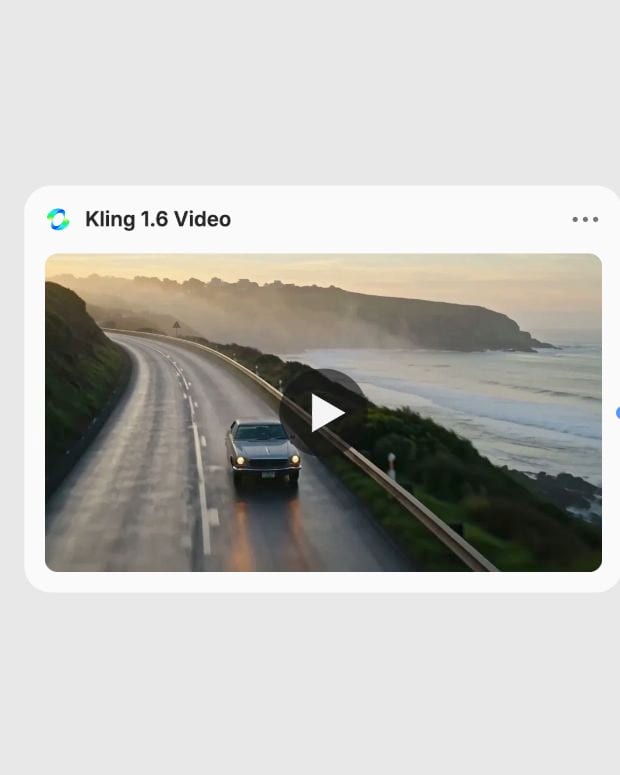
Generate high-impact tracking shots and mechanical reveals that simulate accurate vehicle dynamics, surface reflections, and ground-truth physics.

Music Video Visualizers

04

Craft hypnotic, surreal looping sequences and dynamic music visualizers with precise spatiotemporal coherence and dramatic optical choreography.

Short-Form Social Campaigns

05

Rapidly prototype 9:16 vertical motion hooks in Standard mode before exporting broadcast-ready 1080p commercial cuts in Pro mode.

Frequently Asked Questions

Yes, Kling 1.6 is the major generational release of the Kling AI video model family developed by Kuaishou Technology. It is powered by a 3D Variational Autoencoder and Diffusion Transformer architecture designed for synchronous spatiotemporal compression and physical motion fidelity.

Pro mode outputs native 1080p full HD video with 30 FPS playback, superior facial temporal consistency, and support for complex multi-action prompts across 5 or 10-second durations. Standard mode generates 720p video capped at 5 seconds at roughly half the computational cost, making it ideal for rapid storyboarding and prompt testing.

Use Image-to-Video when you have an existing visual keyframe or character concept and need strict visual continuity, accurate lighting, and preserved facial landmarks. Use Text-to-Video when generating entirely new scenes from scratch without reference imagery, directing the composition through descriptive camera and motion prompts.

For standard generation, crop input images to 960x544 pixels to preserve 1:1 pixel fidelity and avoid automatic resizing or cropping. Ensure your image aspect ratio matches your generation settings within the supported 2:5 to 5:2 range, using clean, high-contrast imagery with well-defined borders.

Kling 1.6 is not designed for rendering crisp legible text or signage, multi-character crowd scenes with overlapping action paths, or static ambient loops, which can induce background warping or frozen subject glitches.

Try Kling 1.6 Video on Fuser

Photorealistic cinematic scenes with physical weight, natural light physics, and seamless camera choreography