MiniMax H3 Reframe

byMiniMax

Turn landscape footage into vertical, square or ultrawide, with new edges that inherit the original light, grade, grain and sound
How MiniMax H3 Reframe works

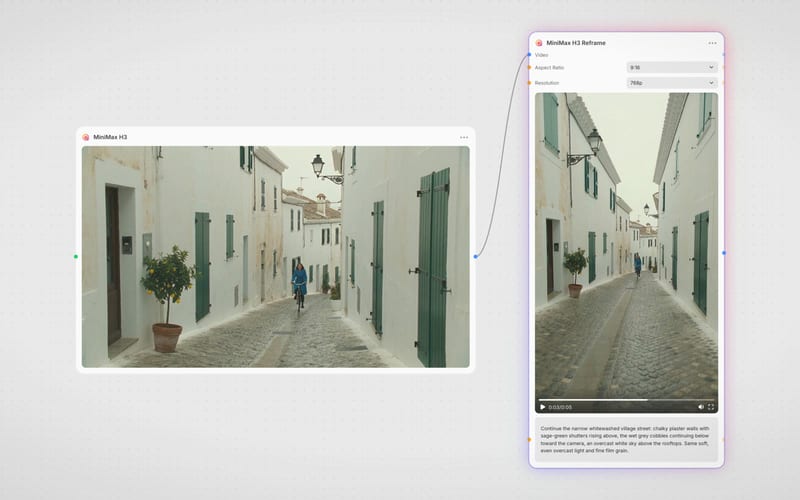
Bring a clip, choose the shape you need, optionally describe the surroundings, and the model fits your footage inside the new canvas and paints only the missing edges.

Drop in your footage

Add a clip from a quarter-second up to five minutes; its timing and sound stay exactly as shot.

Pick the new aspect ratio

Choose 9:16, 1:1, 4:3, 3:4, 21:9, 9:21 or 16:9, and the clip is fitted inside the new canvas.

Direct the edges, then render

Name the surroundings you want or leave the prompt empty, run a quick 480p test of the framing, then render the final at 768p or 1080p.

What MiniMax H3 Reframe is good at

How much gets invented depends on the ratio jump, from thin side strips at 21:9 to large top and bottom fills at 9:16, so the bigger the jump, the more your prompt matters.

Edges that match the shot

The generated fill inherits the source's lighting, color grade, grain and camera movement, so the new area reads like a wider lens rather than a different clip.

Sound and timing stay untouched

Source audio carries through and the output keeps the exact length of the original, so a landscape cut becomes a vertical one without re-editing. Clips run up to 5 minutes, with the longest ones stitched from overlapping windows.

Seven target ratios

Go from 16:9 to 9:16, 9:21, 1:1, 4:3, 3:4 or 21:9. The jump to ultrawide only adds thin side strips and is the most seamless; landscape to vertical invents the most, so prompt for sky and ground continuity.

Test at 480p, finish at 1080p

A 480p run is a fast check of framing and motion, but it paints its own edges, so the final fill will differ. 768p is the native balance of quality and cost, and 1080p is a learned upscale of the 768p reframe that adds sharpness but not new detail.

Made with MiniMax H3 Reframe

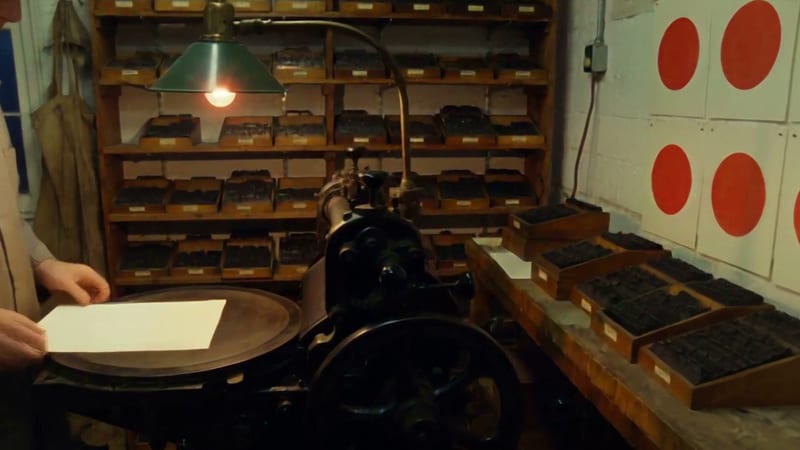
Each example shows one source shot pushed into a new ratio, with sky, walls, floors and foliage continuing past the original frame.

Market reportage opened up from vertical to widescreen

A stage shot stretched to 21:9

Road-movie horizon, sky and ground continued

Runway cut recomposed for a different feed

Landscape skate clip filled for Reels and Shorts

What people build with MiniMax H3 Reframe

Social editors, filmmakers, brand teams, documentarians and shop teams reach for it when footage exists in the wrong shape and a plain crop would throw away the shot.

Social repurposing editors

01

Turn one 16:9 master into 9:16 and 1:1 cuts for Reels, Shorts and TikTok without re-shooting. Timing and audio stay locked, so captions and edits still line up.

Filmmakers going ultrawide

02

Stretch standard 16:9 footage to a 21:9 letterbox look. The side strips are thin, so the extension is the most seamless option and keeps the original grade.

Brand campaign adapters

03

Deliver one commercial in every placement ratio. Prompt the edges with the environment you need and keep the product shot untouched at the center.

Documentary and archive recuts

04

Rescue vertical phone footage for a widescreen cut, or loosen a tight frame. Street scenes, interiors and landscapes extend most convincingly.

Product and e-commerce teams

05

Make square and 4:3 feed versions of landscape product footage. Check labels and logos in the center after rendering, since original pixels can be re-rendered slightly.

MiniMax H3 Reframe specs

Plans and credits
Inputs
Video, Prompt (text)
Output
video
Resolution
480p, 768p, 1080p
Cost
138–26,450 credits per run

MiniMax H3 Reframe questions

It is a video-to-video outpainting model: it keeps your clip and its audio, fits it inside a new aspect ratio, and generates the missing edges. Instead of cropping or adding blurred bars, the fill continues the scene's surroundings, lighting and grade.

Not exactly: it is built on MiniMax's H3 (Hailuo 3) video foundation and post-trained specifically for reframing. It does not generate new videos from scratch. It extends the frame of footage you provide.

Yes. Source timing and audio carry through and the output has the same duration as the input. A silent source stays silent.

Clips from 0.25 seconds up to 5 minutes are accepted. Clips of about 15 seconds or less run in a single pass and tend to be the most consistent, while longer ones are processed in overlapping windows, where the edge fill can drift between windows.

Going from 16:9 to 21:9 is the safest, because it only adds thin side strips. Landscape to 9:16 or 9:21 invents the most, with large top and bottom fills, so prompt for sky and ground continuity. Extreme flips on tight close-ups are a poor fit.

Not when the center must stay pixel-exact. The original center can be subtly re-rendered, so check text, product labels and faces after generation. Burned-in bars or watermarks at the edges may also be extended as if they were scenery.

Try MiniMax H3 Reframe on Fuser

Turn landscape footage into vertical, square or ultrawide, with new edges that inherit the original light, grade, grain and sound