One click, whole workflow
Recipes are here. Package a whole workflow and run it in one click
Explore recipesOne click, whole workflow
Recipes are here. Package a whole workflow and run it in one click
Explore recipesbyGoogle DeepMind
Turn moodboards, clips and brand books into shot lists, prompts and critiques, organized and ready for the next node
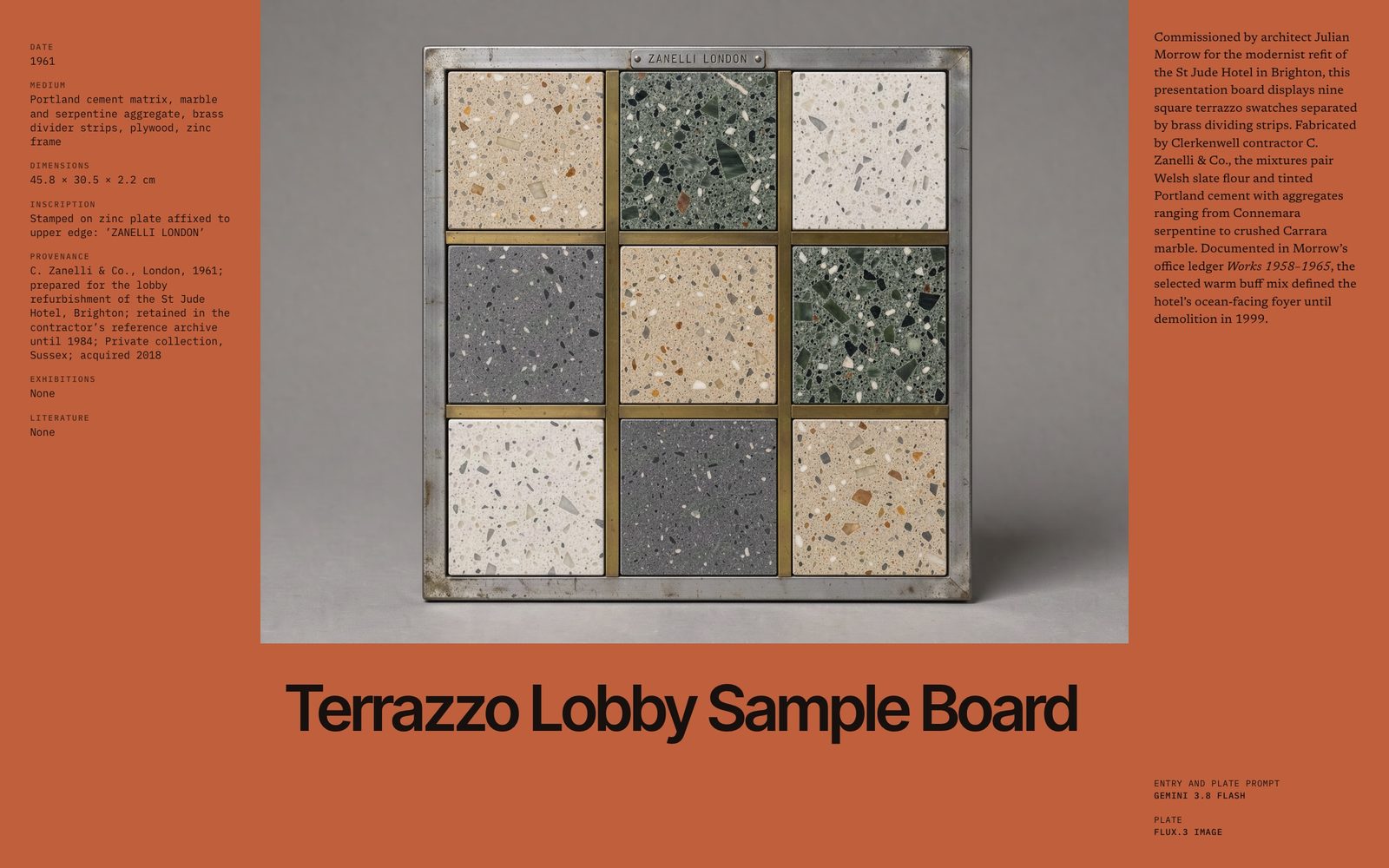
Attach what you have, say what to extract, and set the format you want back. The reply arrives organized, so it can drop straight into the next node.
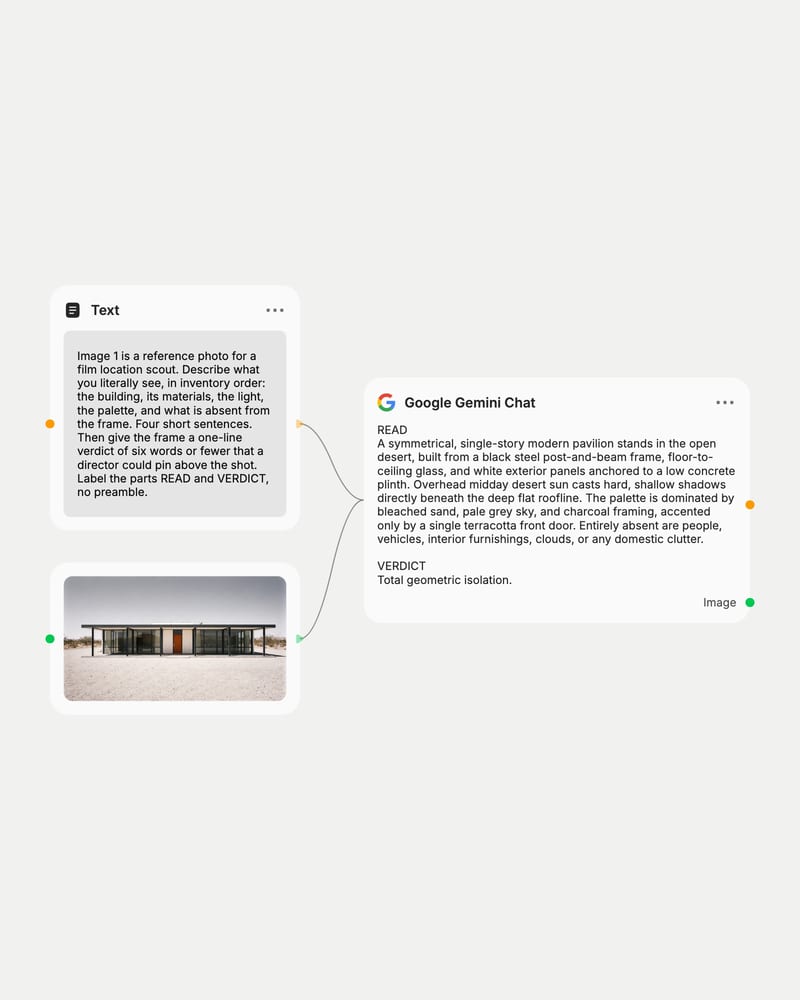
Attach your references
Drop in images, video frames, audio or documents, and label each one in your message so the model keeps them apart.
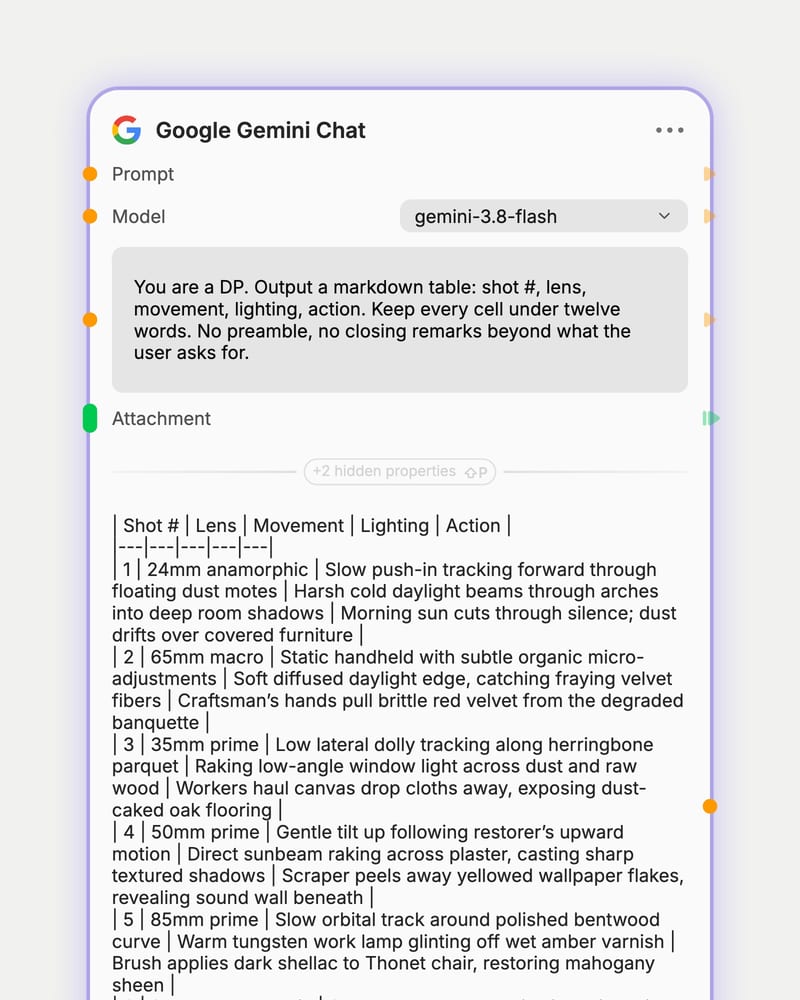
Set the role and format
Give a system prompt a role and an output contract, like a markdown table or tidy JSON, then pick Flash for speed or Pro for depth.
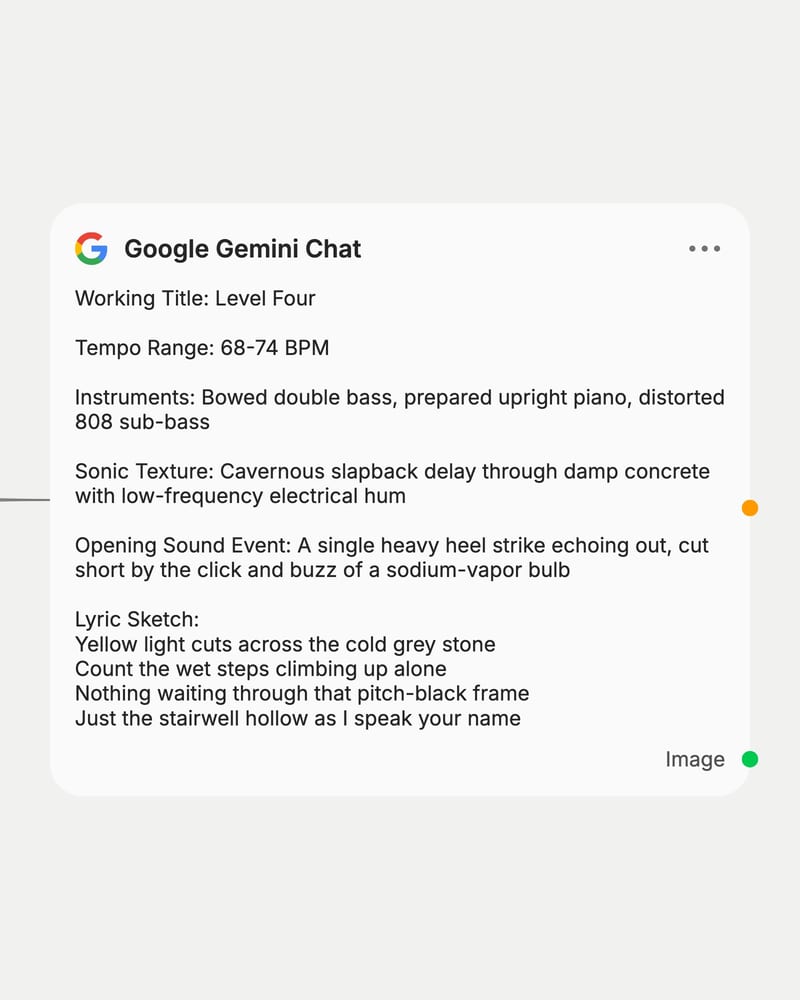
Send it down the canvas
Run the message and wire the structured reply into image, video or audio nodes as prompts, captions or shot lists.
Practical, inventory-style reading of images and video, camera vocabulary that holds up, and replies that obey the table, list or JSON you ask for.
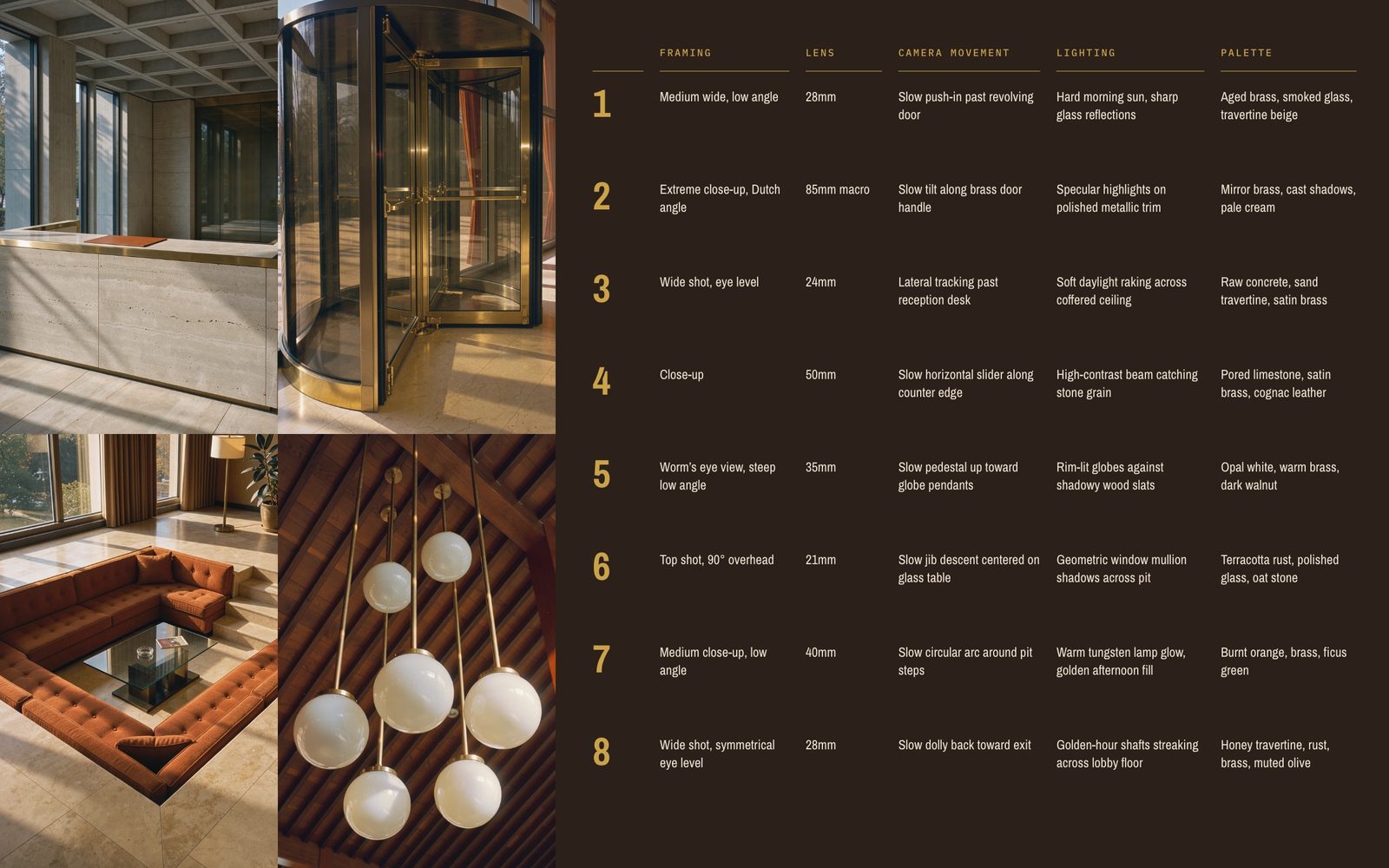
Moodboard to shot list
Reads a stack of reference images and returns a structured table of framing, lens, camera movement, lighting and palette, fluent in camera vocabulary like low angle and Dutch angle.
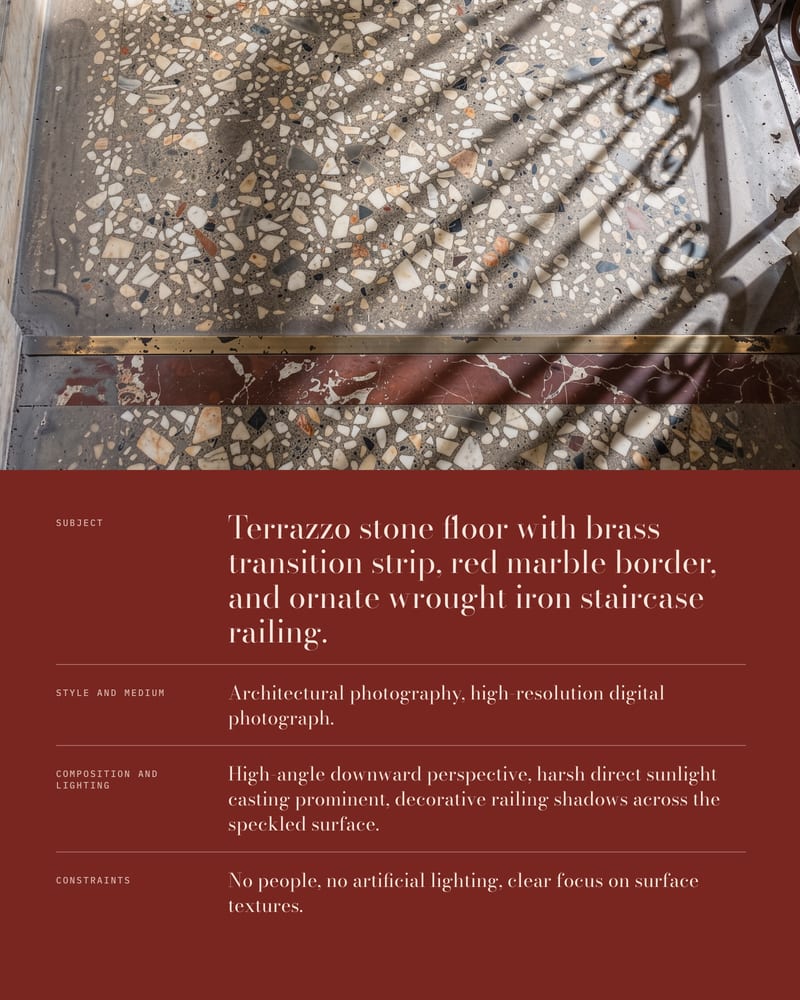
Reference-to-prompt drafting
Captions a reference frame in inventory-style slots (subject, medium, composition, lighting, constraints) so you can feed clean prompts to image and video nodes at volume.
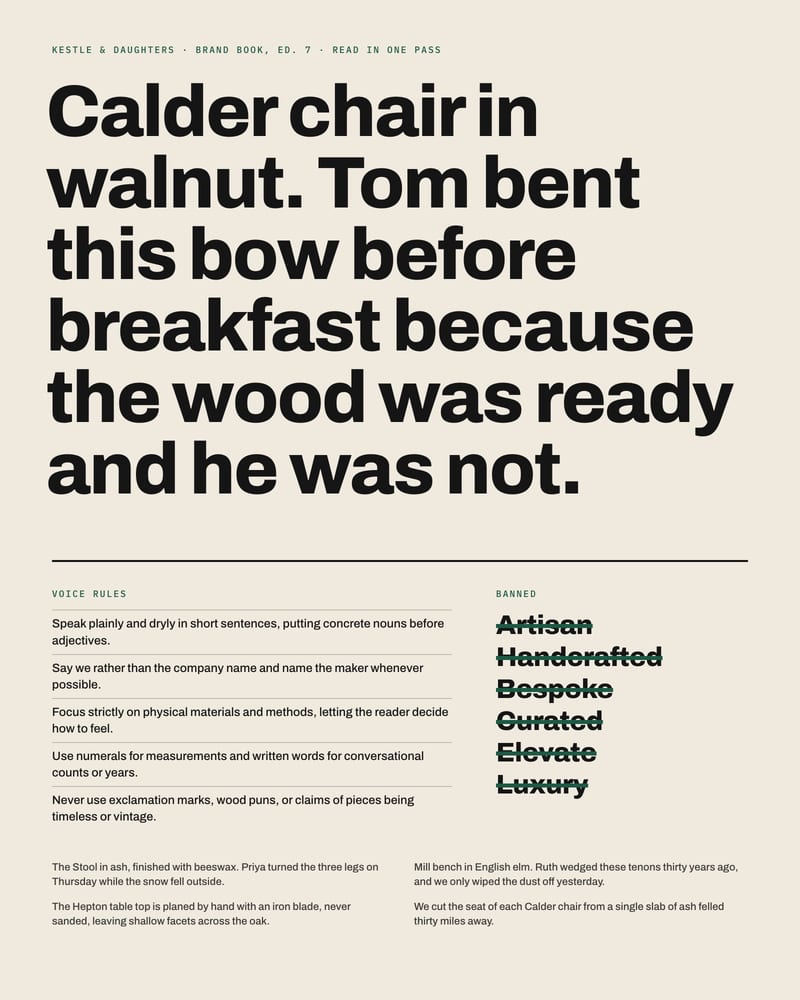
Whole brand book in one pass
Digests a long brand document or script in a single read and returns a taglines-and-voice summary, so campaign copy starts from the real rules instead of a skim.
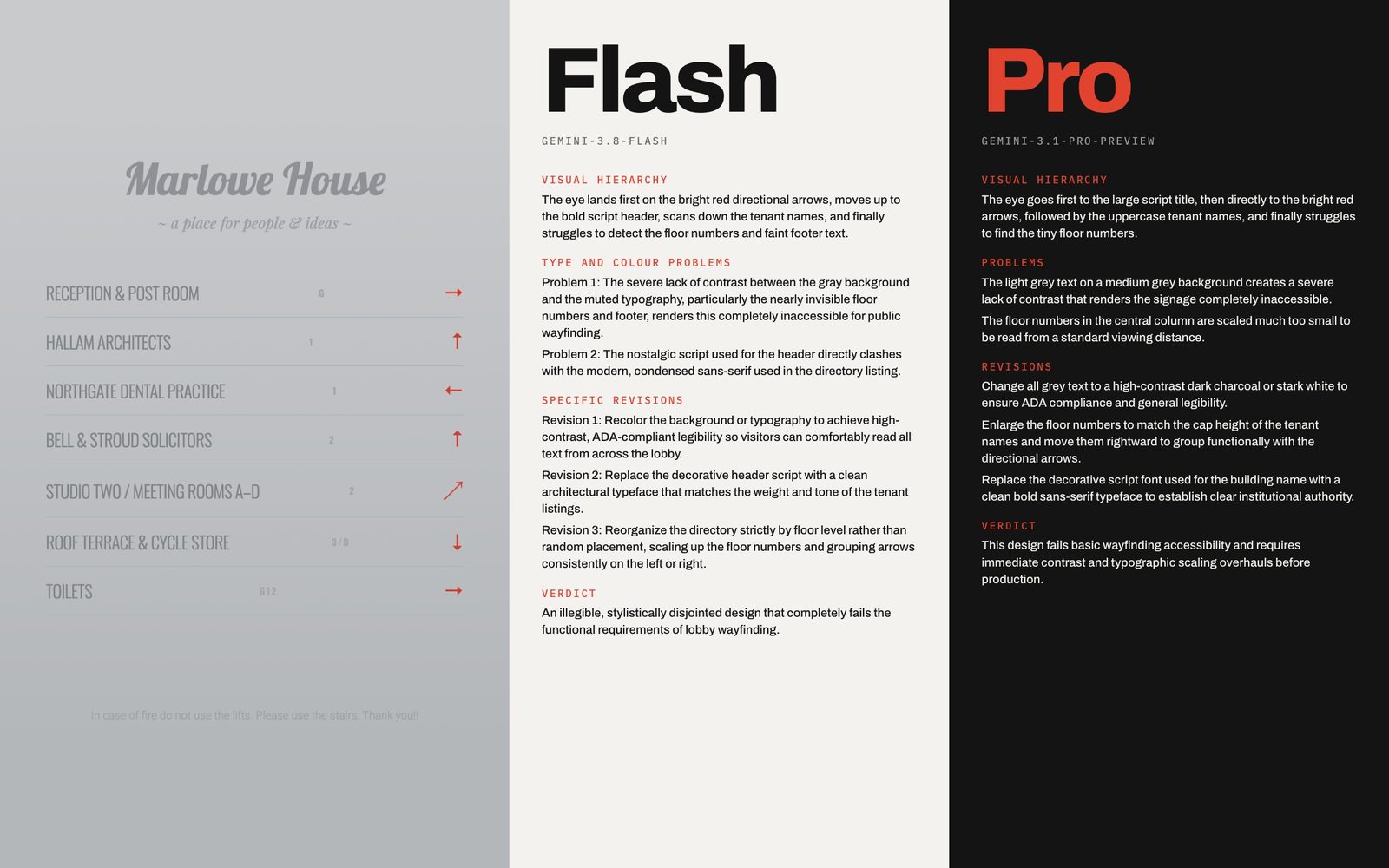
Flash speed, Pro depth
Pick a Flash tier for brisk captioning, or gemini-3.1-pro-preview for subtler critique. The default Generic route supports attachments and all sampling controls; the alternate routed path has its own quota, so test attachments first.
A gallery of prompts that put the model to work: shot breakdowns from video, library tagging in strict JSON, voiceover under voice rules, and a song brief from a single image.
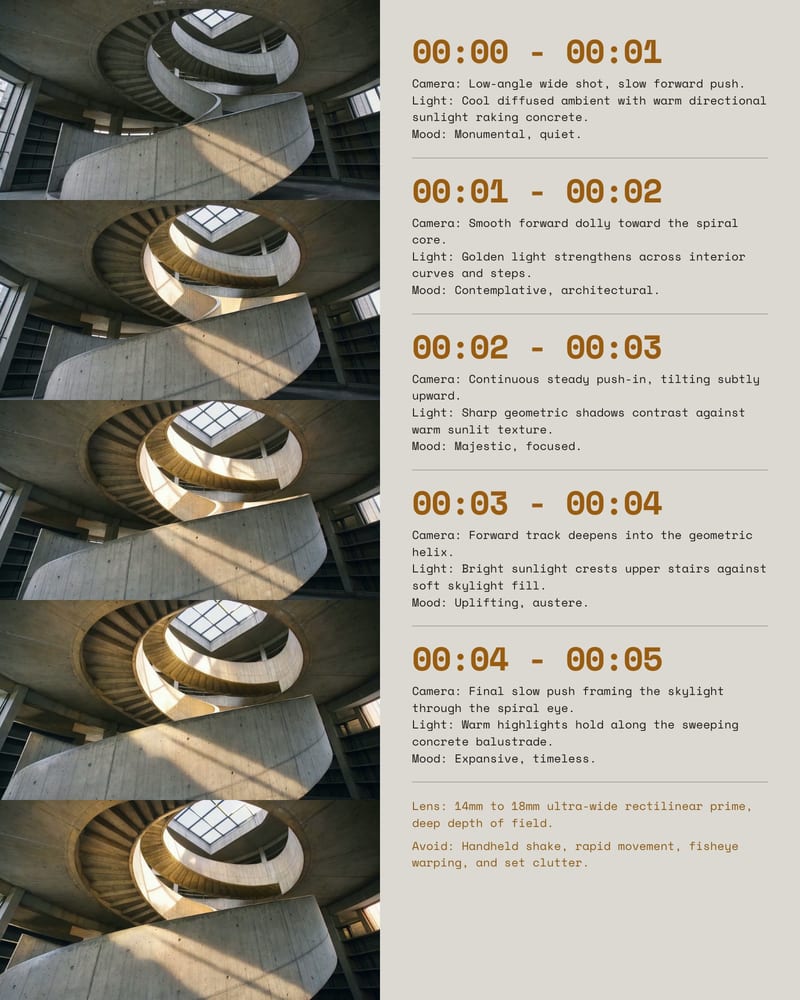
Video reference analysis into production notes
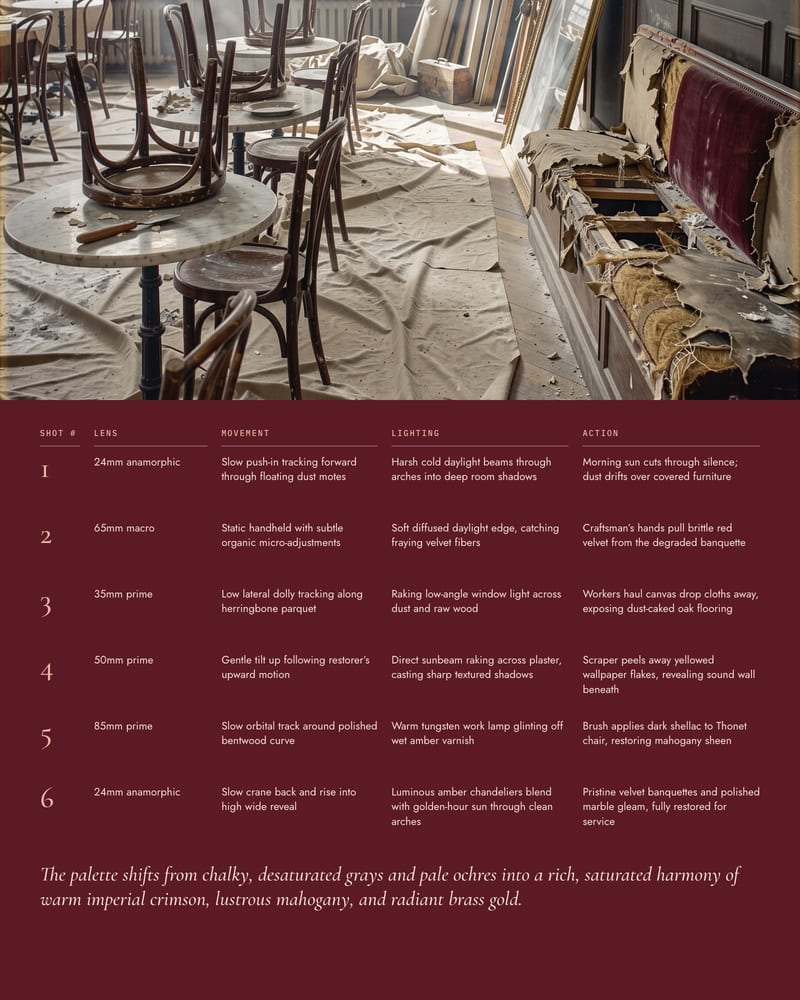
Role plus output contract gives a clean shot table
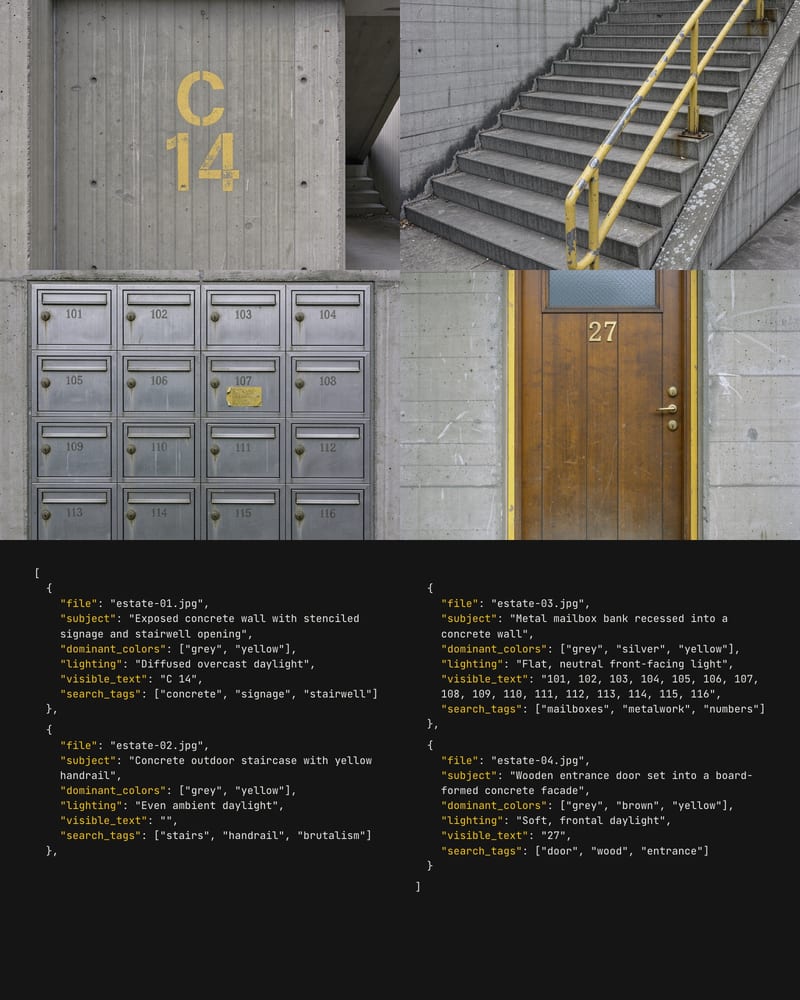
Asset-library tagging in strict JSON
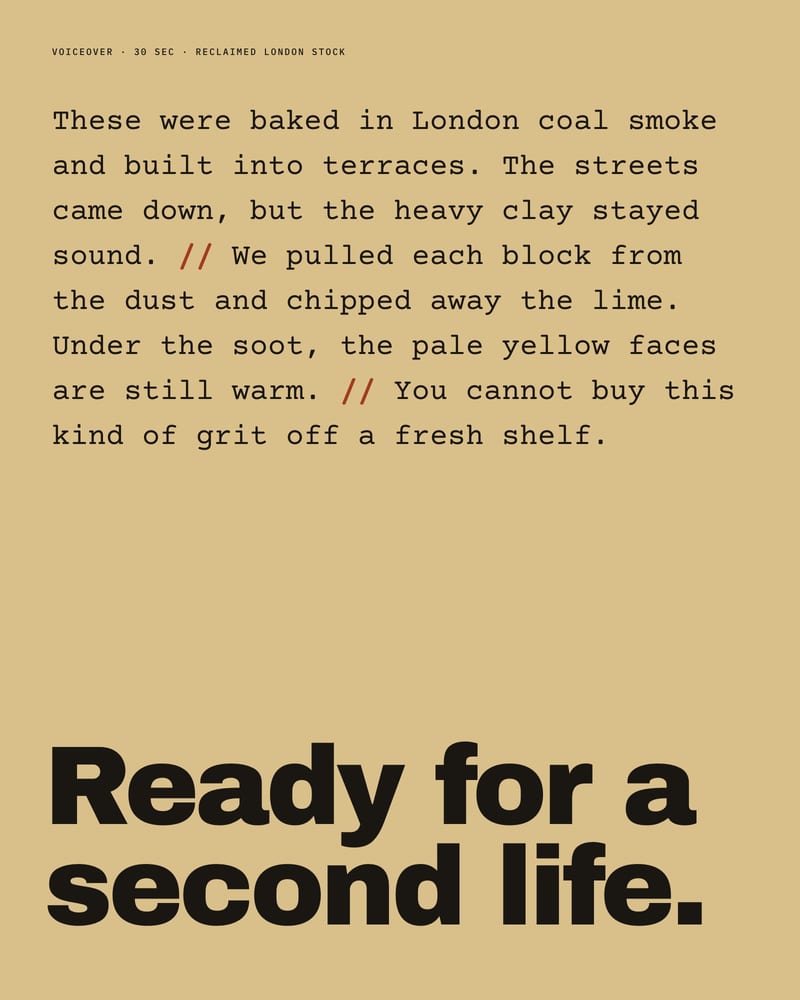
Voiceover with enforced voice rules
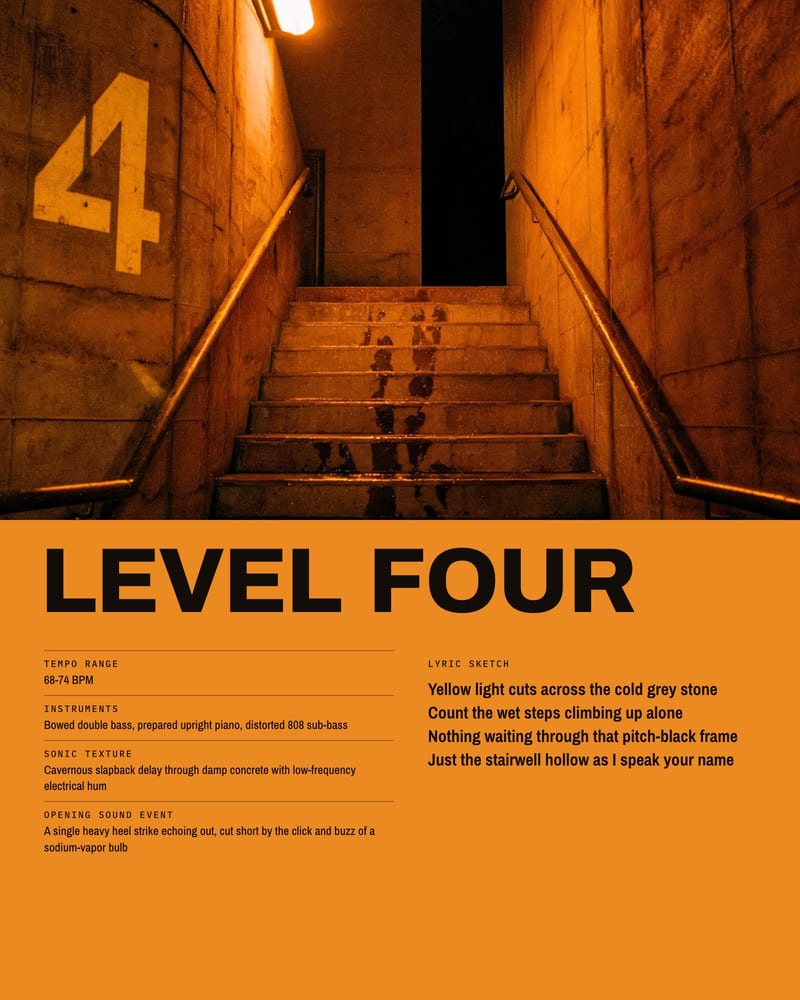
Image-to-song direction brief
Directors, prompt writers, art directors, brand teams and archivists reach for it as the eyes and organizer of a creative graph, then pass the results on to generative nodes.
Yes. Gemini reads video and audio as well as images, so attach the clip to the Attachment input and ask for a numbered shot list with framing, camera move, lighting and approximate timing. Asking for one shot per line makes it easy to split the list and feed each shot to a video node.
Yes. By default each run sends the conversation history along with your new prompt, which helps when you're refining one idea over several passes. For batch work like captioning a set of frames, turn on Last Message Only so earlier answers don't leak into the next one. Rules that should apply every time belong in the System Prompt.
Start with the default gemini-3.8-flash for most prompt drafting and captioning. Drop to the flash-lite entries for batch captioning of many frames, and choose gemini-3.1-pro-preview for long multi-document synthesis or subtle visual critique. Pro is slower and costlier, so don't spend it on simple captions.
The node accepts text, images, video and audio, plus documents. Say explicitly what to extract, such as palette, lens, lighting, on-screen text or pacing. With several attachments, label them in the prompt, like 'Image 1 is the style ref', so they stay separate.
Not reliably. The image output is conditional and only fills when the selected model returns an image, so most text-tier selections leave it empty. Treat it as a text collaborator that writes prompts, shot lists and critiques for your image nodes.
No, not guaranteed. Sampled outputs vary. Reusing the same seed, prompt and model improves repeatability, but it is best-effort. Keep temperature low for captions and structured output, and pin a model for repeatable pipelines, since preview models can change over time.
Turn moodboards, clips and brand books into shot lists, prompts and critiques, organized and ready for the next node