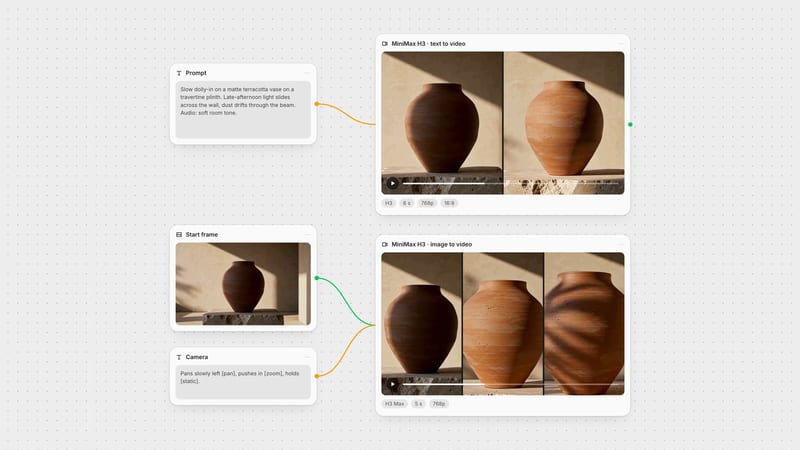
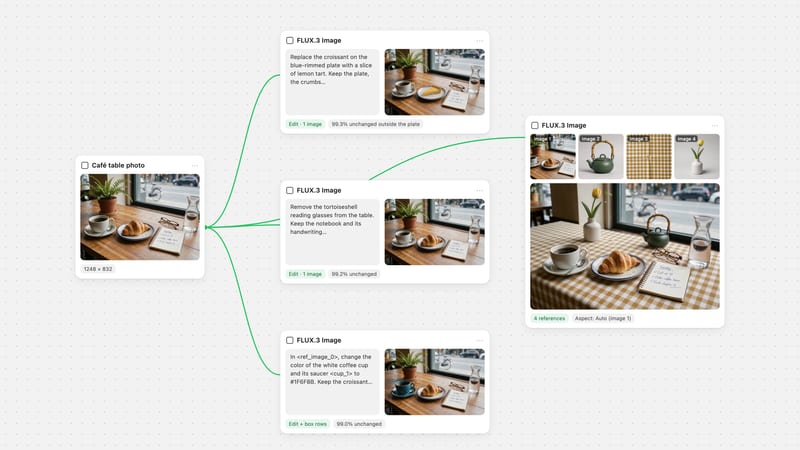
One click, whole workflow
Recipes are here. Package a whole workflow and run it in one click
Explore recipesOne click, whole workflow
Recipes are here. Package a whole workflow and run it in one click
Explore recipesHow to change a video’s aspect ratio with AI outpainting instead of cropping: MiniMax H3 Reframe in Fuser turns 16:9 into 9:16, 1:1, 3:4 or 21:9, with real runs, prompts, resolutions and the failures to watch for.
All guides · MiniMax H3 Reframe in Fuser
Quick answer: the best way to change video aspect ratio without cropping is MiniMax H3 Reframe in Fuser. It fits your whole shot inside the new frame (9:16 for TikTok, Reels and Shorts, 1:1, 3:4, 4:3, 21:9 or 9:21), generates the missing edges and hands back a clip with the source's exact length and soundtrack. The trade-off is how much it has to invent: converting 16:9 to 9:16 keeps your footage in a band about a third of the frame tall, so roughly two-thirds of the vertical video is new. In our 13 runs on 5-second clips at 768p, the edges matched the scene with no visible seam, even on a whip-pan and a crowd. What went wrong was predictable: wide shots leave the subject tiny, burned-in subtitles end up mid-frame, and anything outside the band, like a person's clothes below the collar, is made up. Open MiniMax H3 Reframe in Fuser.
Every video aspect ratio converter does one of three things:
Crop. Keep the native pixels and cut the rest. Auto-reframe in editors such as Premiere Pro and CapCut is a smarter crop: it tracks the subject and moves the crop window. From 16:9 to 9:16, a crop keeps only 32% of the width.
Fit with a fill. Keep the whole frame and pad it with black bars or a blurred copy. Nothing is lost, but about 68% of a vertical frame is filler.
Outpaint. Keep the whole frame and generate the missing picture around it. This is what an AI video expander like H3 Reframe does, and the only one of the three that gives you a full-frame vertical shot with everything in the original still in it.
Look at the left tile: the crop holds the cyclist large but loses both walls and the lemon tree. The blurred fill keeps everything but shrinks it to a strip. The reframe keeps the strip at the same size and builds the rest of the street around it: rooftops, a second wall lantern, shutters, cobbles running to the bottom edge.
MiniMax H3 Reframe runs on H3 Max, the post-trained variant of MiniMax H3 that MiniMax describes as optimized for faster generation (MiniMax API docs). The model contain-fits the source onto the new canvas and outpaints the rest; it never crops. The API reports where it put the source: in our 9:16 runs, a 438-pixel band in the middle of a 768 × 1,344 frame.
In Fuser the node has four inputs:
Video (required): 0.25 seconds to 5 minutes. Its timing and sound are kept.
Prompt (optional): what the new surroundings should show. Leave it empty and the model captions the source and uses that.
Aspect Ratio: 16:9 (the default), 9:16, 1:1, 4:3, 3:4, 21:9 or 9:21.
Resolution: 480p, 768p (the default) or 1080p. 1080p is upscaled from a native 768p reframe.
The model behind the node accepts a seed, but the node doesn't expose one, so every run generates the edges anew.
Sound and timing check: we compared the soundtrack of eight outputs with their sources. Every one matched (waveform correlation 0.9999 or higher, no offset, same loudness), and every 5.17-second source came back as 124 frames at 24 fps, the same as it went in. That held even when the model's own caption invented a score: for one close-up it wrote "a gentle, reflective acoustic guitar and soft piano progression" into its prompt, and the output still carried only the original voice.
Add your clip with a Video node, or generate one with MiniMax H3 or another video model on the same canvas.
Add a MiniMax H3 Reframe node and connect the clip to Video.
Pick the Aspect Ratio: 9:16 for TikTok, Instagram Reels and YouTube Shorts; 1:1 or 3:4 for feed posts; 16:9 to turn a phone clip into a YouTube video.
Leave Resolution on 768p for drafts. Use 1080p for the final if you need the pixels.
Optionally write a Prompt that describes the new surroundings and what must not appear (see below).
Run, then scrub the result at the band edges before you post it.
Our 5-second runs at 768p took a median of 46 seconds each (38 to 67 seconds across 13 runs), measured through the same endpoint the Fuser node calls on 23 October 2026. That's an informal timing from one day, not a benchmark. Try it on your own clip in Fuser.
The source always keeps its full width (going taller) or full height (going wider), so the share that is generated depends only on the two shapes. For a 16:9 source:
9:16 (TikTok, Reels, Shorts, Stories): about 32% kept, 68% generated. Our band measured 438 of 1,344 pixels.
3:4 (Instagram's tallest feed post, 1080 × 1440): about 43% kept, 57% generated.
1:1 (square feed posts): about 57% kept, 43% generated.
4:3: 75% kept, 25% generated.
21:9 (cinematic): about 77% kept; only the sides are new.
9:21: about 24% kept, 76% generated.
Going the other way, a 9:16 phone clip reframed to 16:9 keeps 33% of the width and generates the sides. 4:5 is not one of the node's options. You rarely need it now: Instagram's feed accepts 3:4, the nearest portrait shape, and 1:1 works everywhere. If a spec still demands exact 4:5, send the 3:4 output to a Compositor node, set the canvas to 4:5 with a centre anchor (768 × 960 from a 768 × 1,024 reframe trims 32 pixels off the top and bottom), and export an MP4; check that the export kept the sound. See Instagram post sizes for the rest of the specs.
On a canvas you can fan one source out to several Reframe nodes and run them in parallel: one per platform, each with its own aspect ratio.
All four outputs extend the fog and the water convincingly, and the trees on the far shore continue past the source's edges in the 1:1 and 21:9 versions. The 9:16 version shows the cost of a wide source: the rower sits in a thin band with fog above and water below. The 3:4 and 1:1 versions give the boat more of the frame and invent less.
With the prompt empty, H3 Reframe captions the source and paints whatever it thinks belongs there. A prompt replaces that guess with yours. We ran the same street clip three times:
No prompt. The model added overhead cables strung across the street and a round manhole cover in the cobbles.
Scene-continuation prompt: "Continue the narrow whitewashed village street: chalky plaster walls with sage-green shutters rising above, the wet grey cobbles continuing below toward the camera, an overcast white sky above the rooftops. Same soft, even overcast light and fine film grain." No cables; a large wrought-iron lantern on the left wall instead.
The same prompt plus "No new people, no signs, no text." No cables and no lantern: plain walls, shutters and square drain grates.
None of the three added people. The constraint sentence gave the plainest result, and it's the one to use when the edges should stay out of the way. Describe materials and light rather than objects, name what must not appear, and keep the prompt about the empty space, not the subject. The same rule holds for Luma's reframe mode; see the Luma Ray 3.2 guide.
We reframed the street clip to 9:16 three times with no prompt, once at each resolution, and cropped the same corner of the generated top edge.
480p (480 × 832) is visibly soft: shutter slats smudge together. 768p (768 × 1,344) is clean. 1080p (1,080 × 1,920) has crisper edges and a slightly sharpened, painted look on the plaster, because it is the 768p reframe upscaled rather than a native render. Each run also invented different details, since there is no seed to hold them. The 480p run took 42 seconds and the 1080p run 50, inside the 768p range. In Fuser's credit estimate, 1080p costs twice as much per second as 768p, and 480p about five-eighths. Draft at 768p, and use 1080p only for the final export, or upscale a 768p keeper with SeedVR.
The same node works in reverse. We reframed a 9:16 phone clip of a pianist in a sunlit courtyard to 16:9.
The reframe built the rest of the courtyard: a barred window to the left, more of the ochre wall, the vine climbing on the right and the tiled floor, all under the same hard sunlight and leaf shadows. The blurred fill, the usual fix for vertical footage in a horizontal timeline, can't compete. Going from 16:9 to 21:9 is the easy case, because only the sides are new; in the fan-out above, the 21:9 lake is hard to tell from a native widescreen shot.
We also fed it sources built to break it.
Wide shot, tiny subject. Reframing a wide 16:9 shot to 9:16 keeps the subject at its original size in a band a third of the frame tall. The rower is a sliver. Fix: start from a tighter shot, or use 3:4 or 1:1, as in the fan-out above.
Fast whip-pan. We expected a seam at the band edge while the camera swung. There wasn't one: the generated quay moved with the pan and the fisherman's body continued below the band once the camera settled. Still scrub fast moves frame by frame.
Crowd. People walking out of the band at the bottom kept their legs and shadows, and we found no extra limbs or new faces. The rest of the street became a long, tall brick terrace in strong perspective, plausible but entirely invented.
Flat sky and fog. We measured frame-to-frame change in the generated fog above the lake: it moved less than the real footage in the band, with no flicker.
Long clips. Cost scales with length, and the model's API documentation notes that longer sources are processed in overlapping windows whose overlap is billed too. Fix: trim to the part you will post before reframing.
Two failures are worth seeing side by side.
Burned-in subtitles. The subtitle stays in the band, so after a 9:16 reframe it floats at chest height in the middle of the frame, far from where vertical captions normally sit. The model even read it: its caption described "the clean, legible subtitle text". Fix: reframe the clean clip and add captions afterwards, placed for the vertical frame. The same applies to logos and lower thirds near the frame edge.
Close-ups invent the body. A tight close-up reframed to 9:16 becomes a medium shot, and everything below the source's collar is new. Our two runs gave the same woman two different jackets: a heavy navy coat in one, a shirt with a breast pocket over a red top in the other. For a real person, a product or a costume, check what was invented and run it again if it's wrong.
Outpainting is not always the right call:
The subject already fills the middle third. A centred talking head or a product on a turntable crops to 9:16 with nothing lost.
The edges must be real. News, documentary, evidence, or anything where an invented wall or crowd would mislead. Label AI-extended footage wherever a platform asks you to.
Speed and cost. A crop is instant and free; a 5-second reframe took 38 to 67 seconds and costs credits per second.
Reframe wins when the whole composition matters: wide establishing shots, two people at opposite edges of the frame, landscapes, interiors, and anything you would rather show complete than cropped.
The cover of this guide is the vertical cutdown pipeline we tested: a MiniMax H3 node generating a 16:9 shot with H3 Max, wired straight into H3 Reframe at 9:16. Prompt the original shot for its own frame and let Reframe make the vertical version, instead of generating twice. The MiniMax H3 prompt guide covers prompting the source, and MiniMax H3 vs Kling 3.0 compares the generator.
Other chains work the same way:
Recast, then reframe. Replace the people in a clip with MiniMax H3 Recast, then send the result to Reframe for each platform. See the Recast guide.
Edit, then reframe. Re-light or restyle a take with one of the best AI video editing models, then reframe the version you keep.
Fan out. One source into three Reframe nodes at 9:16, 1:1 and 3:4 gives a full social pack in one run.
All runs used MiniMax H3 Reframe on 23 October 2026, one run each, through the same endpoint the Fuser node calls, at 768p unless a caption says otherwise. The sources were 5-second, 16:9, 768p clips we generated with MiniMax H3 Max and H3 Max Turbo (one 9:16 for the reverse test), plus a subtitled copy of one of them. Everyone shown is AI-generated. No independent leaderboard covers video reframing, so everything here comes from these runs.
Options on the Fuser node, with what we measured in our 23 October 2026 runs on 5-second clips. Shares are for a 16:9 source unless noted.
| Setting | Use it for | What to know |
|---|---|---|
| Aspect ratio | ||
| 9:16 | TikTok, Reels, Shorts, Stories | About 68% of the frame generated; the subject keeps its size in a band a third of the frame tall |
| 3:4 | Instagram feed posts (1080 × 1440) | About 57% generated; the nearest option to 4:5 |
| 1:1 | Square feed posts | About 43% generated |
| 4:3 | Classic TV and slides | 25% generated; not in our test |
| 21:9 | Cinematic widescreen | About 23% generated, at the sides only |
| 9:21 | Extra-tall vertical screens | About 76% generated; not in our test |
| 16:9 (from 9:16) | YouTube from a phone clip | About 67% generated, at both sides |
| Resolution | ||
| 480p | Quick previews | Soft; 42 s for our 5 s clip; about five-eighths of the 768p credit cost per second |
| 768p (default) | Drafts and most posts | Clean; 38 to 67 s per 5 s clip, median 46 s |
| 1080p | Final exports | Upscaled from a 768p reframe; twice the 768p credit cost per second; 50 s in our run |
| Prompt | ||
| Empty | Fast reframes | The model captions the source; it added overhead cables and a manhole cover in our test |
| Scene continuation | Matching materials and light | Followed the walls, shutters and cobbles; added a wall lantern |
| Plus constraints | Keeping the edges plain | “No new people, no signs, no text” gave the plainest edges |
| Versus other methods | ||
| Crop or auto-reframe | Subjects already in the middle third | From 16:9 to 9:16 it keeps only 32% of the width |
| Fit with blurred fill | Fast, nothing lost | About two-thirds of a 9:16 frame is blur |
| MiniMax H3 Reframe | A full-frame version of the whole shot | The edges are invented; check them before you post |
Use an AI video expander that outpaints instead of cropping. In Fuser, connect the clip to MiniMax H3 Reframe, pick the new aspect ratio and run: the whole source stays in the frame, the missing edges are generated, and the length and soundtrack are kept.
No. It fits the whole source inside the new frame and generates everything around it. Converting 16:9 to 9:16 keeps your footage in a band about a third of the frame tall; the rest is new.
Connect the clip to MiniMax H3 Reframe in Fuser, set Aspect Ratio to 9:16 and Resolution to 768p or 1080p. For wide shots with a small subject, 3:4 or 1:1 may suit better, because a 9:16 reframe keeps the subject at its original size.
Not directly: it offers 16:9, 9:16, 1:1, 4:3, 3:4, 21:9 and 9:21. Use 3:4, which Instagram’s feed now accepts, or 1:1. For exact 4:5, crop a 3:4 output in a Compositor node and export an MP4.
Yes. In our tests every output’s soundtrack matched its source, with no offset and the same loudness, and the clip came back exactly as long as the source.
The node takes clips from 0.25 seconds to 5 minutes. Cost scales with length, and longer clips are processed in overlapping windows whose overlap is billed too, so trim to the part you will post first.
768p, the default, for drafts and most posts. 1080p is the 768p reframe upscaled, at twice the credit cost per second; use it for final exports. 480p looked soft in our test.
Auto-reframe tools track the subject and crop, so they keep real pixels but lose the edges of the shot. MiniMax H3 Reframe keeps the whole shot and generates new picture around it, so nothing is cut but the added edges are invented.
Yes. Set Aspect Ratio to 16:9 and MiniMax H3 Reframe generates the sides. In our test it extended a 9:16 courtyard clip with a window, wall and vine that matched the light of the original.
Generating new picture outside the edges of an existing video so it fills a larger or differently shaped frame, consistent with the scene and its motion. MiniMax H3 Reframe outpaints to change aspect ratio while keeping the source’s timing and sound.
Connect a video to MiniMax H3 Reframe, pick 9:16, 1:1 or 3:4, and get a full-frame version with the original sound.