Recipev7
Cinematic Storyboard
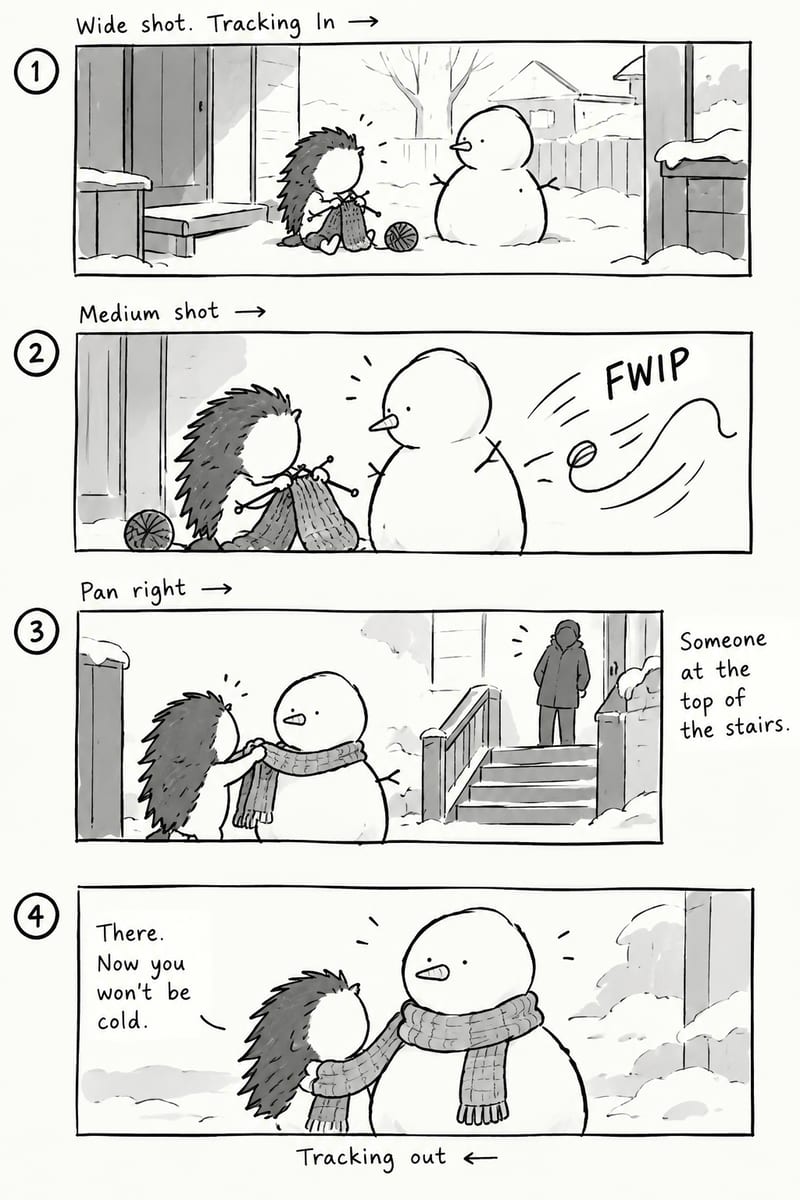
Generated Image
One click, whole workflow
Recipes are here. Package a whole workflow and run it in one click
Explore recipesStoryboards & Comics
Write a story and receive a loose black-and-white four-panel storyboard with cinematic framing, expressive characters, and dynamic blocking.
Generated Image
A recipe turns a reusable workflow into a simple set of inputs and outputs. Start with a community recipe and make it your own in Fuser.

1. Choose a recipe
Find a workflow for the result you want. Review what it does and how to use it before opening it in Fuser.
2. Make it your own
Check the recipe’s available inputs. Add your own text or media where supported, or start with the saved defaults.
3. Run and refine
Run it in Fuser and review the result on your canvas. Tweak the inputs to try another direction.
Use a written story as a starting point for visual planning, comic-style sequences, and character-driven scenes.
It turns a written story into a loose black-and-white four-panel storyboard image. The recipe is intended to express cinematic framing, expressive characters, dynamic blocking, and comic-style storytelling.
It can help writers, illustrators, comic creators, and storyboard planners visualize a short narrative. It is most useful when you want to explore how a written action or character interaction might unfold across four panels.
The recipe has one editable Text input, so provide the story or scene you want represented. A concise description of the characters and their main action can give the recipe a clear narrative starting point, as shown by the saved hedgehog-and-snowman example.
Yes. Visitors can change the exposed Text input in Fuser to describe a different story or scene. The saved example is fixed to the hedgehog knitting a scarf for his snowman friend; a new run uses the text you enter instead.
The saved example shows a written story being represented as a loose four-panel, black-and-white storyboard image. Its subject is a hedgehog knitting a scarf for a snowman friend, rather than a general-purpose finished comic page.
The exposed input is the story text, while the recipe description specifies a loose black-and-white four-panel storyboard with cinematic framing, expressive characters, and dynamic blocking. No separate controls for panel count or style are exposed here.
The generated image can serve as an early visual reference for a short scene, comic-style sequence, character interaction, or story discussion. It is best treated as a loose storyboard concept rather than a promise of a finished illustration or production-ready page.
Enter a short story in Fuser and explore how its characters and actions can be arranged as a loose four-panel storyboard.
Develop pitches, campaign assets and interactive client work in Fuser. Combine AI generation, editable design and reusable processes across your agency.
Develop film treatments, character and environment concepts, storyboards and motion studies. Connect image, video and 3D exploration in Fuser.
Develop storyboard frames, shot variations and video studies from your references. Compose clear boards and explore movement in one Fuser project.
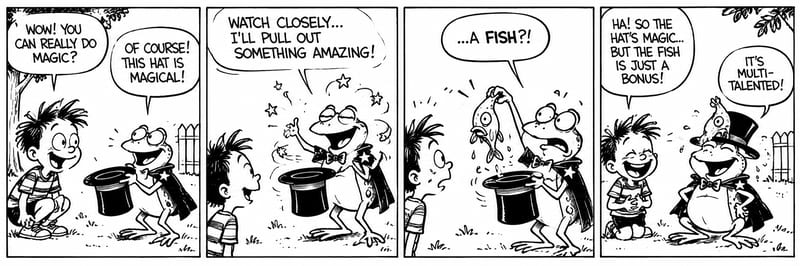
Turn story text into a black-and-white, four-panel comic storyboard with expressive characters and a humorous or emotional payoff.
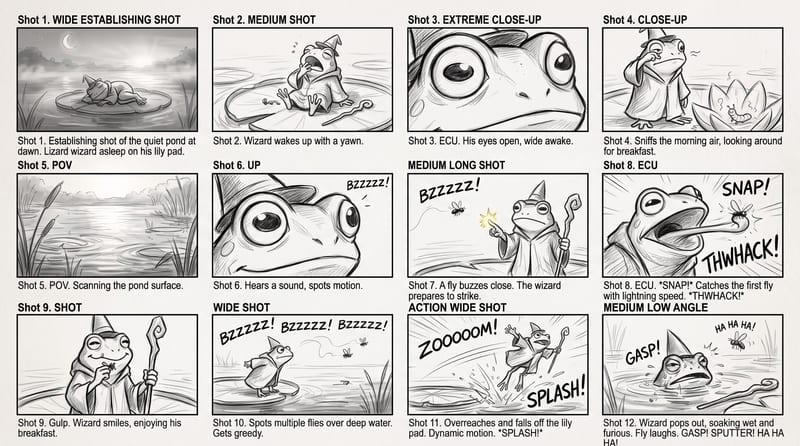
Use a rough story brief and visual reference to create a storyboard image showing the story’s sequence of actions.
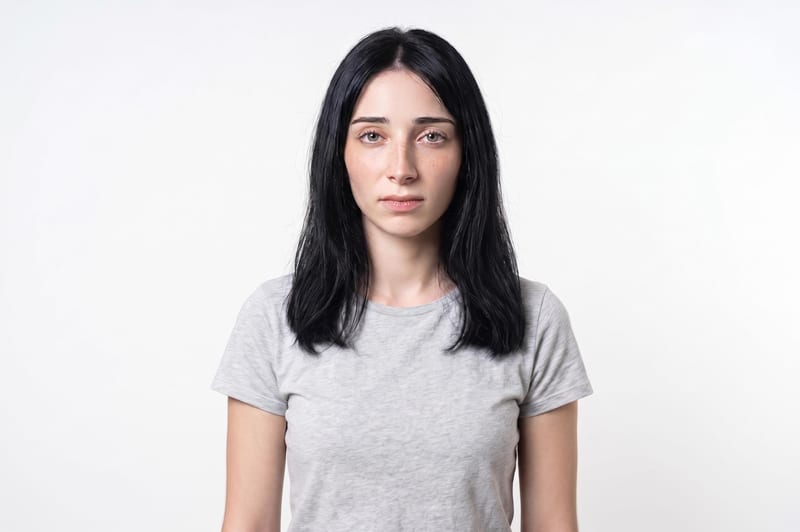
Upload one unretouched face photo to reduce blemishes, smooth uneven texture, and refine skin tone in two retouched outputs.


