One click, whole workflow
Recipes are here. Package a whole workflow and run it in one click
Explore recipesOne click, whole workflow
Recipes are here. Package a whole workflow and run it in one click
Explore recipesFacebook's official cover photo specs, why the same file is cropped differently on desktop and mobile, and a workflow for a cover that reads in both views. Group cover and profile picture sizes included.
All guides · Social media image sizes
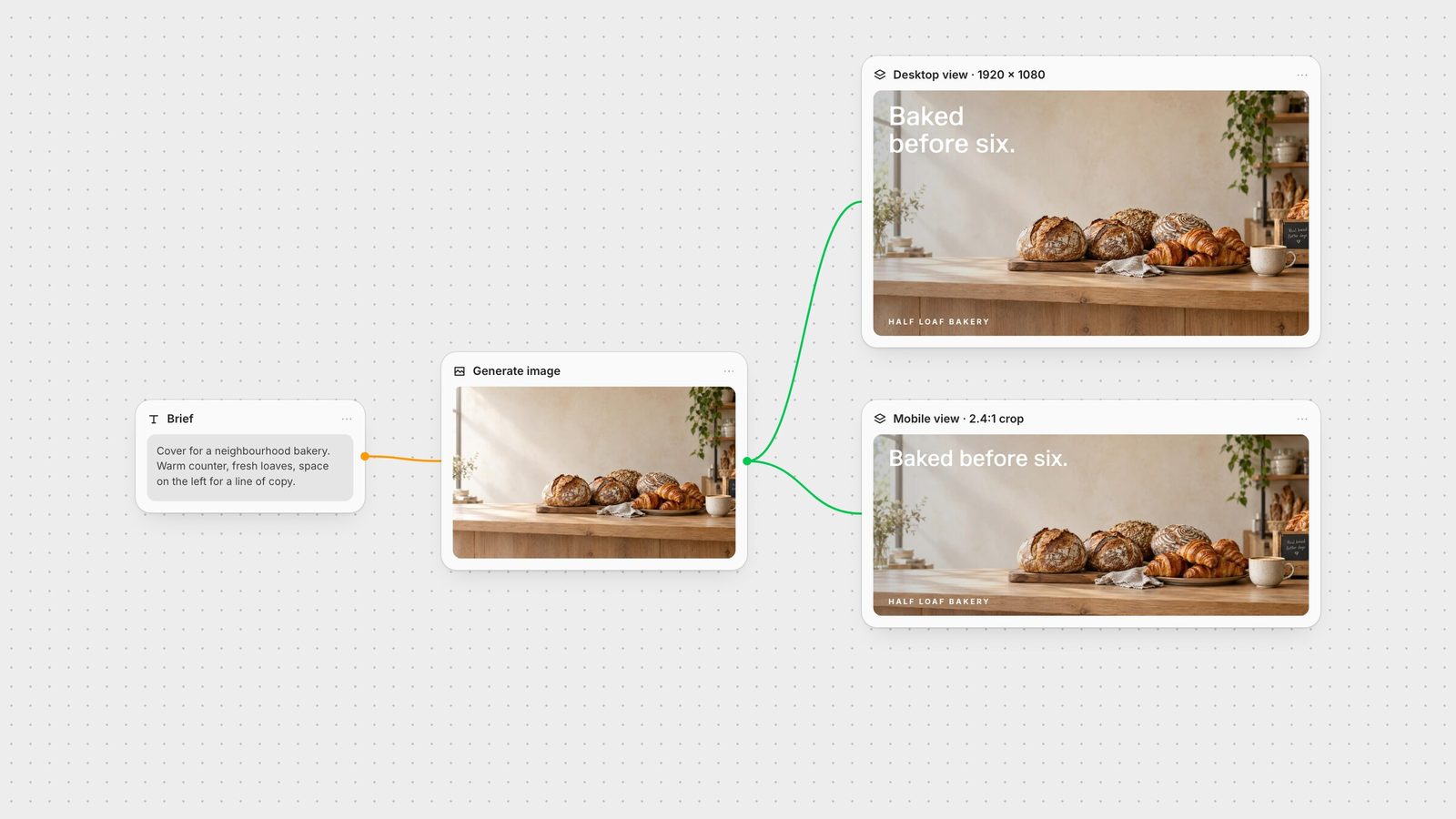
Quick answer: a Facebook Page cover photo must be at least 400 × 150 pixels, and Facebook says an sRGB JPG at 851 × 315 pixels under 100 KB loads fastest. The catch: Facebook displays the cover at 16:9 on desktop and 2.4:1 on mobile, both left-aligned and full bleed (Facebook Help). Design one image that works at both shapes.
Minimum: 400 × 150 px.
Fastest loading: 851 × 315 px, sRGB JPG, under 100 KB.
Desktop display: 16:9, left-aligned, full bleed.
Mobile display: 2.4:1, left-aligned, full bleed.
Group cover: 1640 × 856 px. Facebook advises keeping key content away from the edges because mobile may not show the whole image (Facebook Help).
Page profile picture: upload 320 × 320 px. It displays as a circle at 176 × 176 px on desktop and 196 × 196 px on smartphones.
Older guides quote 1640 × 859 for group covers; Facebook's own figure is 1640 × 856.
Because the two views use different ratios, one of them always crops the other. A 16:9 desktop frame is taller than a 2.4:1 mobile frame, so on a phone the top and bottom of a 16:9 image fall away.
Facebook only publishes the minimum, the fast-loading size and the two display ratios; it does not publish a single "correct" upload size. Our working approach:
Compose the full frame at 16:9 so desktop visitors see a complete image. We use 1920 × 1080 px.
Keep the headline and logo in the horizontal middle where a 2.4:1 view still shows them. Facebook does not document exactly where the mobile crop falls vertically, so leave generous space above and below.
Start from the left. Both views are left-aligned, so the left side is the most reliable place for text.
Export a compressed JPG. If load speed matters more than detail, the 851 × 315 figure is Facebook's own benchmark for a fast cover.
Avoid small text. On mobile the cover is a thin strip; one short line reads, a paragraph does not.
Mind the profile picture. Your Page's circular profile picture sits beside the cover, so avoid placing a second logo where the two will compete.
Use a PNG for flat graphics. Logos and sharp type compress better as PNG; photographs are lighter as JPG.
Preview on both. Check the cover on a desktop browser and a phone before you move on.
Generate the scene with space on the left and a calm top and bottom. In Fuser, use GPT Image or any image model on the canvas.
Set the Compositor canvas to 1920 × 1080 (or 851 × 315 if you want Facebook's fast-loading size). Width and Height accept anything from 1 to 4095 px (Compositor docs).
Place text as its own layer inside the middle band, then export a PNG at the canvas size (export docs).
Building covers in the Compositor next to your X header and LinkedIn banner keeps every profile consistent from the same source image.
From Facebook's help centre, checked on 28 September 2026.
| Placement | Size | Watch out for |
|---|---|---|
| Covers and profile | ||
| Page cover photo | Min 400 × 150 px; 851 × 315 px loads fastest | Shown at 16:9 on desktop and 2.4:1 on mobile. |
| Group cover photo | 1640 × 856 px | Keep key content away from the edges. |
| Page profile picture | Upload 320 × 320 px | Displays as a circle at 176 px (desktop) and 196 px (phone). |
Facebook requires at least 400 × 150 pixels and says an sRGB JPG at 851 × 315 pixels under 100 KB loads fastest. It displays the cover at 16:9 on desktop and 2.4:1 on mobile.
Desktop shows the cover at 16:9 and mobile at 2.4:1, so the phone view is a shorter strip of the same image. Keep text in the horizontal middle so both views show it.
Facebook recommends 1640 × 856 pixels for group covers and advises keeping important content away from the edges.
Upload 320 × 320 pixels. It displays as a circle at 176 × 176 pixels on desktop and 196 × 196 pixels on smartphones.
Facebook recommends an sRGB JPG under 100 KB for the fastest loading cover. PNG is better for covers with logos or sharp text.
Generate the image, compose each platform's cover and export exact sizes in Fuser.