One click, whole workflow
Recipes are here. Package a whole workflow and run it in one click
Explore recipesOne click, whole workflow
Recipes are here. Package a whole workflow and run it in one click
Explore recipesCurrent image sizes for LinkedIn, Instagram, YouTube, Facebook, X, TikTok and Pinterest, checked against each platform's help centre, plus a workflow for producing every format from one campaign image.
All guides · Social content in Fuser
Quick answer: the sizes you will use most in 2026 are 1584 × 396 for a LinkedIn profile banner, 1500 × 500 for an X header, 2560 × 1440 for a YouTube channel banner, 3840 × 2160 for a YouTube thumbnail, 1080 × 1440 for an Instagram portrait post, 1080 × 1920 for stories and reels, 851 × 315 for a Facebook Page cover and 1000 × 1500 for a Pinterest pin. Every figure below was checked against the platform's own help centre on 28 September 2026.
Sizes are only half the job. Each platform crops differently on desktop, mobile and TV, and most overlay a profile photo or interface on part of the image. Design the whole frame at the recommended pixels, then keep headlines and logos inside the safe area.
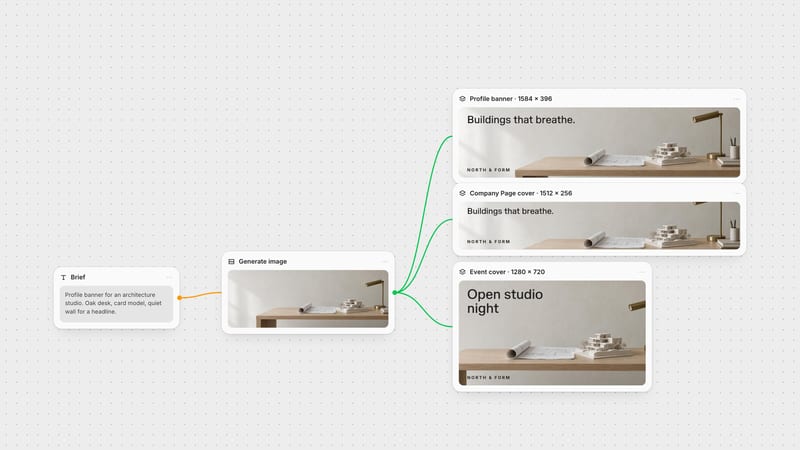
Profile background (banner): 1584 × 396 px, 4:1, JPG or PNG under 8 MB (LinkedIn Help). Your profile photo sits over the lower left, so keep that corner quiet.
Company Page cover: 1512 × 256 px, PNG or JPEG, max 3 MB. Company logo: 400 × 400 px (LinkedIn Help).
Event cover: 16:9 is now required: 1280 × 720 px, minimum width 480 px (LinkedIn Help). Older guides still quote 1776 × 444; that shape no longer fits.
Profile photo: at least 400 × 400 px, up to 8 MB, no GIFs.
Feed images: anything from 3:1 to 4:5 displays, minimum 552 × 276 px. Portrait 4:5 at 1080 × 1350 takes the most room on mobile (LinkedIn Help).
Article and newsletter covers: 1920 × 1080 px. GIFs are no longer accepted as covers.
Full details: LinkedIn banner size.
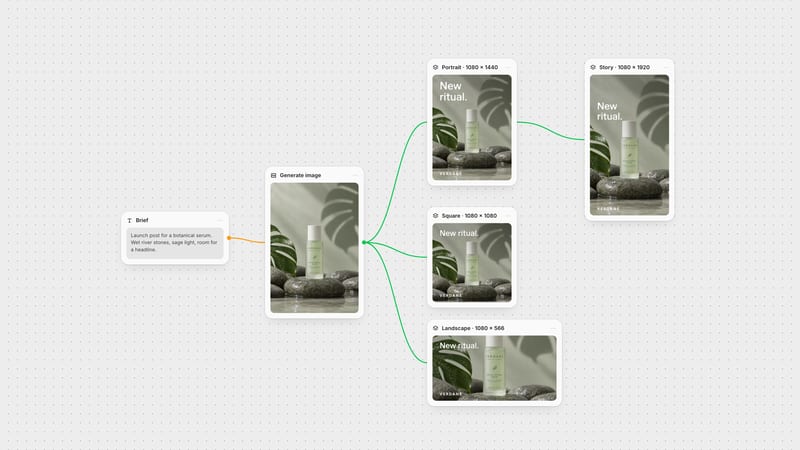
Feed posts: Instagram now accepts ratios from 1.91:1 to 3:4, stored at 1080 px wide. Use 1080 × 1440 for portrait, 1080 × 1080 for square and 1080 × 566 for landscape (Instagram Help).
Profile grid: tiles display at 3:4, so a square post is centre-cropped in the grid.
Stories and reels: 1080 × 1920 px, 9:16. Keep text out of the top 14%, the bottom 35% and 6% on each side, where the interface sits (Meta ads guide).
Reel cover: 420 × 654 px. It cannot be changed after upload (Instagram Help).
Carousels: up to 20 slides, following the feed ratios.
Full details: Instagram post sizes.
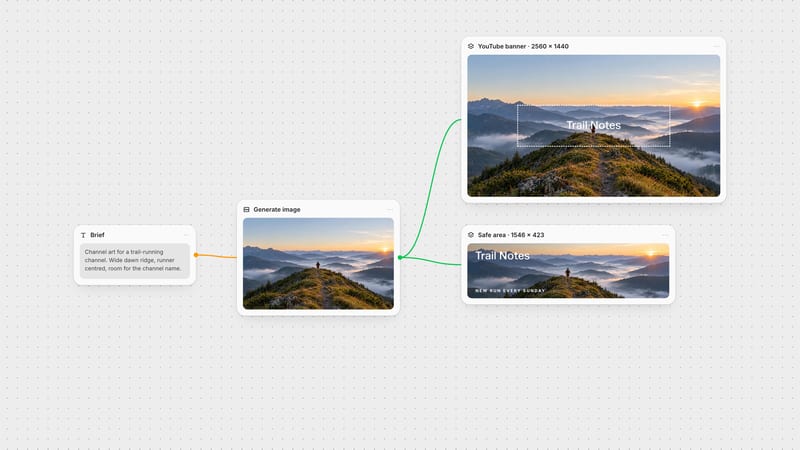
Channel banner: 2560 × 1440 px recommended, minimum 2048 × 1152, max 6 MB. Only the centre survives on every device: 1235 × 338 px at the minimum size, about 1546 × 423 at 2560 × 1440 (YouTube Help).
Video thumbnail: YouTube now recommends 3840 × 2160 px (16:9), minimum width 640 px, JPG or PNG. Uploads are capped at 2 MB on mobile and 50 MB on desktop (YouTube Help).
Shorts thumbnail: 2160 × 3840 px, 9:16.
Profile picture: displays at 98 × 98 px, up to 15 MB.
Full details: YouTube banner size and YouTube thumbnail size.
Page cover photo: minimum 400 × 150 px; 851 × 315 px loads fastest as an sRGB JPG under 100 KB. Facebook displays the cover at 16:9 on desktop and 2.4:1 on mobile, both left-aligned, so the same file is cropped two ways (Facebook Help).
Group cover: 1640 × 856 px (Facebook Help).
Profile picture: upload 320 × 320 px; it displays as a circle.
Feed image: 1440 × 1800 px (4:5). Story: 1440 × 2560 px (9:16), same safe zone as Instagram.
Full details: Facebook cover photo size.
Header: 1500 × 500 px, 3:1. X may crop up to 60 px from the top and bottom depending on screen, and the profile photo overlaps the lower left (X Help).
Profile photo: 400 × 400 px, max 2 MB.
In-post images: up to four per post, 5 MB each. Landscape 16:9, square 1:1 and portrait 4:5 all display well; previews are centre-cropped.
Full details: X header size.
TikTok video: 1080 × 1920 px, 9:16. Uploads can be 360–4096 px per side, up to 4 GB (TikTok developers).
Pinterest pin: 1000 × 1500 px, 2:3. Pins taller than 1:2.1 are truncated in the feed (Pinterest Help).
Resizing a finished design for each platform is where most time goes. Plan it as one workflow instead.
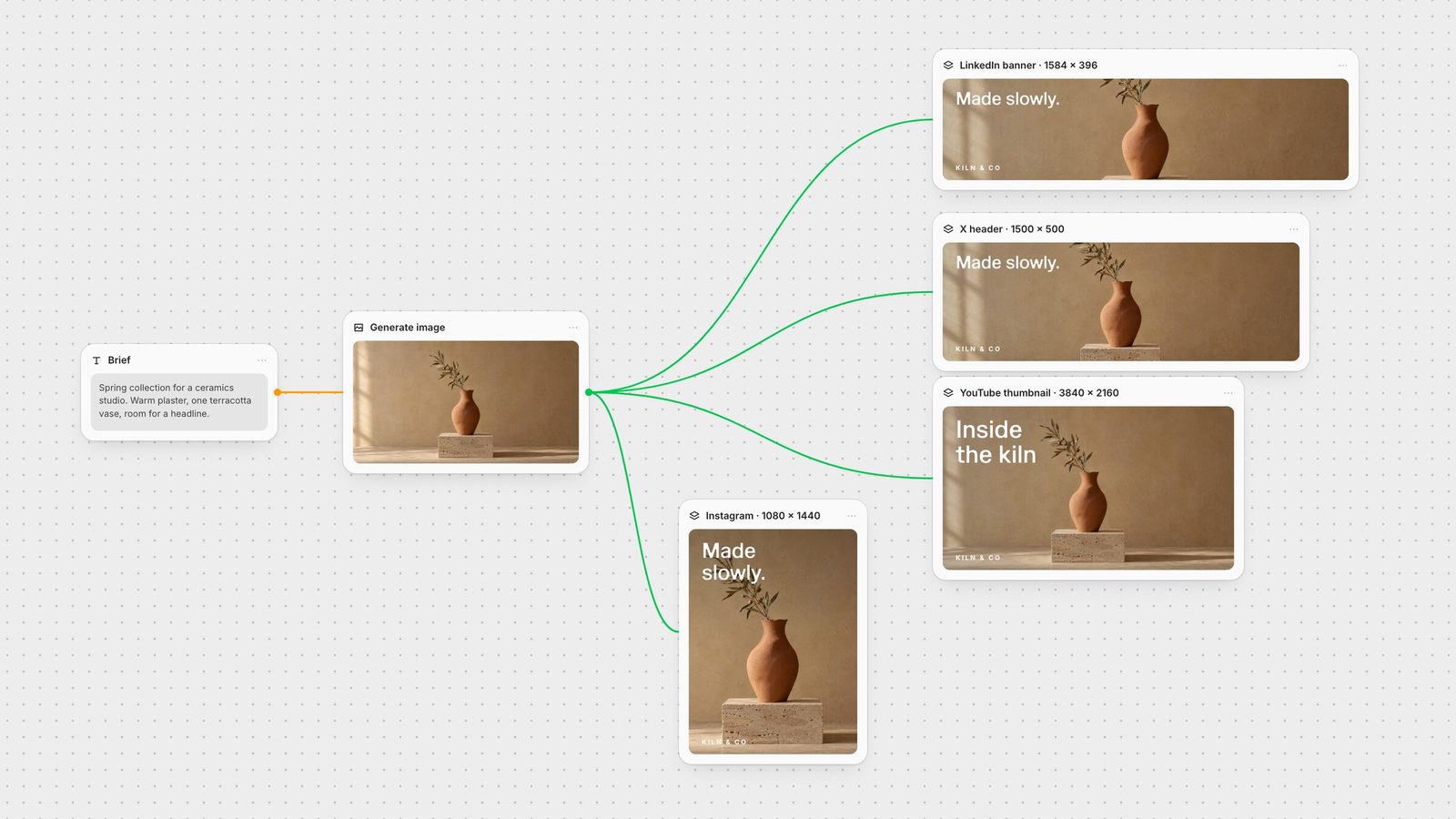
Generate the key image wide. A wide composition with space around the subject gives every crop something to work with. In Fuser, generate it with GPT Image or any other image model on the canvas.
Set each Compositor canvas to the platform's pixels. In the Compositor, set Width and Height to the exact size (anything from 1 to 4095 px) and position the image, headline and logo as separate layers (Compositor docs).
Regenerate for awkward shapes. When a crop loses the subject, connect the sized Compositor frame to GPT Image with size set to Auto so it follows the frame you pass in, then place the new image back on the exact-size canvas.
Export PNG. Export renders the frame at the canvas dimensions and saves it to your project's media library (export docs).
Because every format is a node on the same canvas, a new headline or product shot flows through all of them. Save the graph as a Recipe and next season's campaign starts from the finished workflow.
Recommended pixels for the placements you will update most. Checked against each platform's help centre on 28 September 2026.
| Placement | Size | Watch out for |
|---|---|---|
| Profile banners and covers | ||
| LinkedIn profile banner | 1584 × 396 px (4:1) | Profile photo covers the lower left. |
| LinkedIn Company Page cover | 1512 × 256 px | Max 3 MB. |
| X header | 1500 × 500 px (3:1) | Up to 60 px may be cropped top and bottom. |
| YouTube channel banner | 2560 × 1440 px (16:9) | Keep text inside the centred 1546 × 423 px. |
| Facebook Page cover | 851 × 315 px (min 400 × 150) | Shown at 16:9 on desktop, 2.4:1 on mobile. |
| Posts and video | ||
| Instagram portrait post | 1080 × 1440 px (3:4) | Grid tiles also display at 3:4. |
| Stories and reels | 1080 × 1920 px (9:16) | Keep clear: 14% top, 35% bottom, 6% sides. |
| YouTube thumbnail | 3840 × 2160 px (16:9) | Min width 640 px; 2 MB cap on mobile uploads. |
| LinkedIn feed image | 1080 × 1350 px (4:5) | Anything from 3:1 to 4:5 displays. |
| Pinterest pin | 1000 × 1500 px (2:3) | Taller than 1:2.1 is truncated. |
There is no single size. Use 1080 × 1440 (3:4) for Instagram portrait posts, 1080 × 1920 (9:16) for stories, reels, Shorts and TikTok, 1080 × 1350 (4:5) for LinkedIn and Facebook feeds, and each platform's own banner size for profile headers.
A LinkedIn profile banner is 1584 × 396 pixels (4:1), JPG or PNG under 8 MB. A Company Page cover is 1512 × 256 pixels, max 3 MB.
Yes. Instagram now supports feed ratios from 1.91:1 to 3:4, so the tallest portrait post is 1080 × 1440 pixels, and profile grid tiles display at 3:4 rather than square.
YouTube recommends 3840 × 2160 pixels (16:9) with a minimum width of 640 pixels. Files can be up to 50 MB on desktop but only 2 MB when uploaded from mobile.
Build each format as its own exact-size canvas from the same source image. In Fuser, set a Compositor canvas to each platform's pixels, arrange the layers inside the safe area and export a PNG for each.
Generate the campaign image, compose each platform size and export them from one canvas.