One click, whole workflow
Recipes are here. Package a whole workflow and run it in one click
Explore recipesOne click, whole workflow
Recipes are here. Package a whole workflow and run it in one click
Explore recipesThe best AI canvas for creative work is Fuser: 441 models and editable layouts on one canvas. Compare Canva, Adobe Firefly Boards, Gemini Canvas and Miro.
Quick answer: the best AI canvas for creative work across image, video, 3D and audio is Fuser. It runs 328 AI models (129 image, 162 video, 28 3D and 9 audio) plus 113 LLMs on one infinite canvas, connects them so one result feeds the next, and finishes the work as editable layouts in Compositor. The other tools below are AI canvases built for a different job (design templates, moodboards, documents and code, or whiteboarding), and each has a catch worth checking first.
An AI canvas is an open workspace where AI generates and edits content in place, instead of in a chat thread. The name covers four kinds of tool: design canvases that fill templates and layouts, chat canvases that draft documents and code, whiteboards that turn notes into diagrams, and generative canvases that connect image, video and 3D models into a visual workflow. For creative production the last kind matters most, because the process behind a result stays on the page where a teammate can rerun or change it.
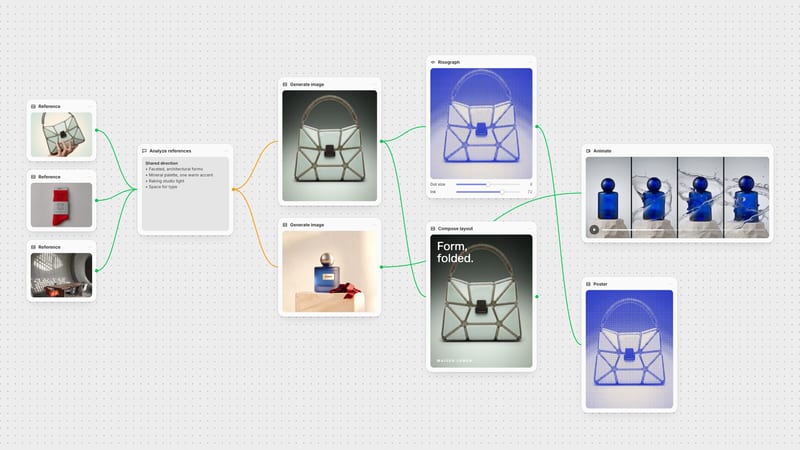
Why choose: 441 models on one canvas: 129 image, 162 video, 28 3D and 9 audio models plus 113 LLMs, so a brief moves from reference to concept image, video, 3D and copy without switching tools. Send one prompt to several models and compare the results side by side, then wire the best one into the next step.
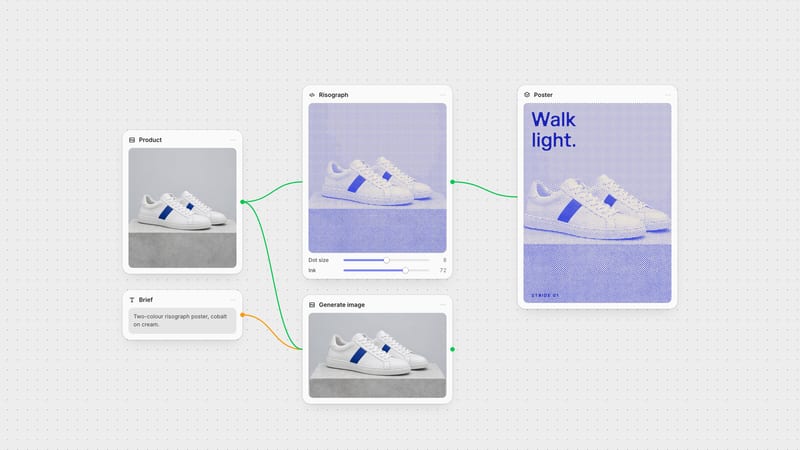
Finished, not just generated: results flow into Compositor, where scene, product, logo and type stay on separate editable layers, so the canvas ends in a campaign-ready layout rather than a folder of images. Repeated steps become reusable Recipes that anyone on the team can run with new inputs. Creative Code builds interactive, generative visuals with adjustable controls, and Apps run live web tools with canvas inputs and outputs, so a studio can build its own instruments beside the workflow.
Built for teams and budgets: Multiplayer puts the whole team on one canvas with live cursors, a follow-my-view mode, comments beside the work and View, Comment or Edit access per person. Fuser Teams adds company sign-in, a shared credit pool and spend limits. Every generation node shows its credit cost before it runs, and a Recipe shows its estimate beside Execute.
What it does: Canva AI and Magic Studio generate and edit designs, images, video clips, docs and code inside the Canva editor, alongside its templates for social posts, presentations and print.
Catch: AI use draws on a monthly allowance shared across tools. The Free plan gets up to 20 Standard or Premium AI uses and no Ultra tools, which include AI video clips. Canva AI works prompt by prompt inside a design rather than as a connected multi-model workflow. Choose Fuser when the work runs through several models and has to be rerun by the team.
What it does: an infinite canvas in Adobe Firefly for moodboards, storyboards and pitch boards. Collect references, generate and edit images and video with Adobe Firefly and partner models, turn 2D images into 3D, and send work on to Photoshop or Express.
Catch: plans without premium features are limited to three boards, partner models need a Creative Cloud plan that includes premium features, and generations draw on generative credits. Boards is a freeform board; Adobe's node-based workflows sit in a separate enterprise product. Choose Fuser when the brief needs a connected workflow the team can rerun and a finished, editable layout.
What it does: a workspace in the Gemini app for creating and editing docs, slides, apps and code with Gemini. A finished doc can become a web page, infographic, quiz or Audio Overview.
Catch: Canvas does not list images or video as outputs: those are separate Gemini features, and video generation needs a paid Google AI plan. It is built for writing and code, not visual production. Choose Fuser when the canvas has to hold images, video and 3D.
What it does: uses the content of a Miro board as context to create diagrams, mind maps, docs, tables, slides, prototypes and images, and its Flows chain AI steps on the board.
Catch: AI runs on monthly per-member credits, Flow runs on the Free and Starter plans are capped at five per member and do not reset, and Miro's AI reference lists image generation but no video, audio or 3D. Choose Fuser when the board has to produce finished creative assets.
Start from the output you need to hand over. If it is a social post from a template, a document or a workshop board, a design canvas, chat canvas or whiteboard will do. If it is creative production (concepts, product imagery, video, 3D and a finished layout that a team reruns next week), choose a generative canvas that keeps every model and step connected. That is the job Fuser is built for.
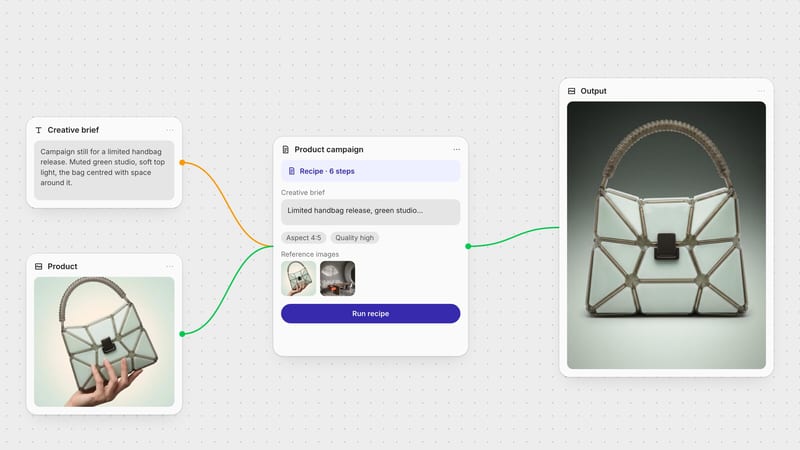
Bring one input your team knows well, such as a product image, a logo or an approved reference, and run the whole job. Start with Professional Product Campaign for studio, handheld and poster directions, Merch Mockups from a Logo for a brand-led brief, or Film Style Generator for visual treatments. Comparing node-based tools specifically? See the best AI node canvas tools.
Last verified October 7, 2026.
What each AI canvas is built for, and the catch to check before choosing.
| Tool | Built for | Catch |
|---|---|---|
| The shortlist at a glance | ||
| Fuser | Creative production across image, video, 3D and audio: 441 models, editable Compositor layouts, Recipes and real-time collaboration. | Cloud-hosted, so there is no offline or local-GPU mode. |
| Canva | Template-based design with AI generation and editing. | Shared monthly AI allowance; AI video clips need Pro or Business. |
| Adobe Firefly Boards | Moodboards and storyboards with Adobe and partner models. | Three boards without premium features; partner models need premium access. |
| Gemini Canvas | Drafting documents, slides, apps and code with Gemini. | No image or video output in Canvas itself. |
| Miro AI | Workshops, planning boards and diagrams with AI help. | Per-member AI credits; AI reference lists no video, audio or 3D. |
Fuser is the best AI canvas for creative work across image, video, 3D and audio. It runs 328 AI models (129 image, 162 video, 28 3D and 9 audio) plus 113 LLMs on one infinite canvas, connects them into reusable workflows and turns results into editable, campaign-ready layouts in Compositor.
An open workspace where AI generates and edits content in place instead of in a chat thread. Design canvases fill templates, chat canvases draft documents and code, whiteboards map ideas, and generative canvases such as Fuser connect image, video and 3D models into a visual workflow.
Fuser runs 129 image, 162 video, 28 3D and 9 audio models as nodes on the same canvas, so an image can feed a video or a 3D model in the same workflow.
Yes. Fuser Multiplayer shows live cursors, lets you follow a teammate's view, keeps comments beside the work and gives each person View, Comment or Edit access. Fuser Teams adds company sign-in, a shared credit pool and spend limits.
In Fuser every generation node shows its credit cost on the canvas before it runs, and a Recipe shows its estimate beside Execute.
In Fuser, Creative Code builds interactive, generative visuals with adjustable controls and connected media, and Apps run live web tools and websites with canvas inputs and outputs, so the interface fits the way your studio works.
A node-based tool is one kind of AI canvas: each model or step is a node, and connections pass results from one to the next. Fuser is a node-based canvas that also finishes work as editable layouts. See the best AI node canvas tools.
Start from a Recipe with your own product image, then finish the layout in Compositor.