One click, whole workflow
Recipes are here. Package a whole workflow and run it in one click
Explore recipesOne click, whole workflow
Recipes are here. Package a whole workflow and run it in one click
Explore recipesThree typography prompts with every character counted, and two edits measured pixel by pixel. FLUX.3 Image and GPT Image 2.5 Flare both got all 583 characters right. In edits, FLUX.3 Image changed far less of what it was told to keep.
Quick answer: on typography, we could not separate them. FLUX.3 Image and GPT Image 2.5 Flare each reproduced all 583 requested characters across a jazz poster, a café menu and a dense back label, with nothing added, dropped or repeated. On editing, FLUX.3 Image left more of the picture alone. When we swapped a paper cup for a mug in a café photo, GPT Image 2.5 changed 7.7% of the pixels outside the cup area by more than a small tolerance: hair, skin texture, the jacket, the window. FLUX.3 changed 0.4% there, no more than resizing the photo does on its own. When we changed one date on a poster, FLUX.3 also changed about half as many pixels as GPT Image (12.9% against 25.0%), though neither left the poster untouched. At Fuser's default 1K, a FLUX.3 image costs about the same as a GPT Image 2.5 image at High. Pick either for text-heavy layouts, and use FLUX.3 when the rest of an image has to survive an edit.
FLUX.3 Image is the image model in Black Forest Labs' FLUX 3 family. BFL's docs describe one model that generates images from text, edits specific details and combines up to ten reference images. BFL's editing guide puts it plainly: "There is no edit mode, mask, or strength setting: the prompt says what to do with the images." For exact regions, it takes bounding boxes written into the prompt itself as a JSON list, each box given as top, left, bottom and right on a 0 to 1,000 grid. In Fuser, the FLUX.3 Image node offers 512 px, 768 px, 1K, 2K and 4K resolution tiers (1K by default), 14 aspect ratios plus Auto, including 3:4, and an Expand Prompt switch that is off by default.
GPT Image 2.5 Flare is the default model in Fuser's GPT Image node. OpenAI describes it as "fast, high-quality everyday image generation" (snapshot gpt-image-2.5-flare-2026-09-08), with quality settings from low to max and support for both generation and edits, including inpainting. The node also takes a mask, which must match the image in size and format and include an alpha channel. OpenAI's image generation guide says that masking "is entirely prompt-based" and that the model "may not follow its exact shape with complete precision". The same guide notes that the model "can still struggle with precise text placement and clarity".
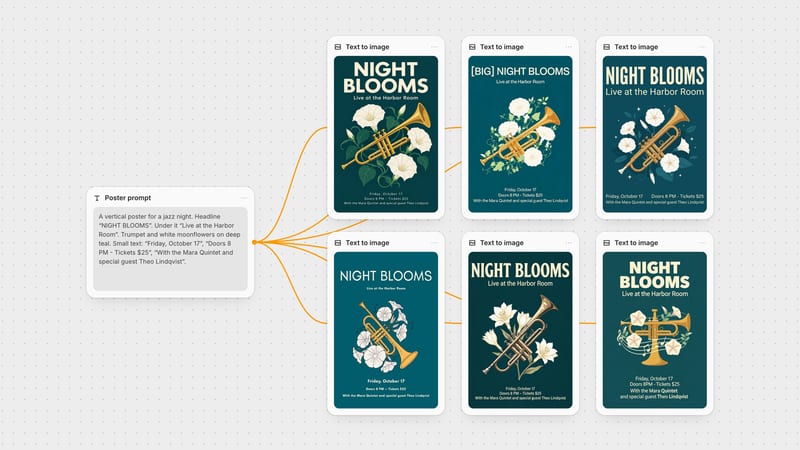
Typography: three prompts with every required string in quotation marks. The jazz poster (111 characters, spaces excluded) and the café menu (172 characters) are the prompts from our eight-model text-in-images test, copied verbatim. The granola back label (300 characters, with nested brackets, an allergen line and a postcode) comes from our Ideogram 4.5 vs GPT Image test. The GPT Image 2.5 Flare outputs are the ones published in those tests: High quality, one run each, 768 × 1024 for the poster and menu (28 September 2026), 1024 × 1024 for the label (2 October 2026). We ran FLUX.3 Image on 2 October 2026 with the same text: 3:4 for the poster and menu, 1:1 for the label, 1K, Expand Prompt off, one run each, no retries. FLUX.3's 3:4 outputs are 880 × 1184, about a third more pixels than GPT's 768 × 1024, which helps small print. Fuser's GPT Image node offers 1024 × 1536 as its portrait size.
Counting: we read every output at full resolution and counted the requested characters that came out right, spaces excluded. Case changes, swapped punctuation and anything added are logged separately.
Editing: the same source image and the same sentence for both models, with no mask and no boxes. GPT Image 2.5 Flare ran at High with the size left on Auto. FLUX.3 Image ran at 1K with the aspect ratio on Auto. Fuser scales images on the canvas to fit 1,024 pixels before sending them to FLUX.3, so we prepared the references the same way. To measure drift, we compared each result with its source pixel by pixel and counted the pixels that moved by more than 3.2%, the tolerance from our Ideogram 4.5 vs GPT Image test. Where an output came back at a different size, we resized it to the source size first. Resizing alone accounts for little of the drift: a round trip through the 1,024-pixel reference moves about 1% of the poster's pixels and 0.4% of the café photo's at this tolerance.
GPT Image 2.5 Flare: 111/111, with the hyphen in the "Doors 8 PM" ticket line and the sentence case of the small print exactly as typed. FLUX.3 Image: 111/111, also with the hyphen and the case as typed, and "Lindqvist" spelled correctly. Neither added text. FLUX.3 set the three small lines larger than GPT did, which made them easier to read at poster size. One difference outside the text: the prompt asked for moonflowers, and GPT drew trumpet-shaped moonflowers while FLUX.3 drew star-shaped lilies.
We ran FLUX.3 once more with the method BFL recommends for posters: a short caption plus one box per text block, each box quoting its words. That run also scored 111/111. The headline came out on one line, because we drew its box across the full width.
Verdict: tie. Both printed every character as typed.
GPT Image 2.5 Flare: 172/172, with eight items, prices in a right-aligned column, a framed card and the footer in small print. FLUX.3 Image: 172/172, with exactly eight items and none repeated, a double-ruled frame, prices in a clean column and the footer line "Open daily 7:30 to 16:00, 14 Wexford Lane" intact, comma included. The prompt named no typeface; both chose a serif for the price list.
Verdict: tie. Both menus could go to print without a text fix.
Both models scored 300/300, with the brackets, the colon in "Best before:" and the postcode "BS1 4QA" as typed, and the case as written. GPT Image 2.5 Flare centred the text inside a green border. FLUX.3 Image set it left-aligned on an off-white card against the white background, flat and facing the camera. At full size its letters carry a faint light halo, visible on close inspection; GPT's lettering is clean.
Verdict: tie. Across all three typography prompts, neither model made a character error. That is a small sample, and BFL's own guide still advises you to "proofread every quoted string", especially small print.
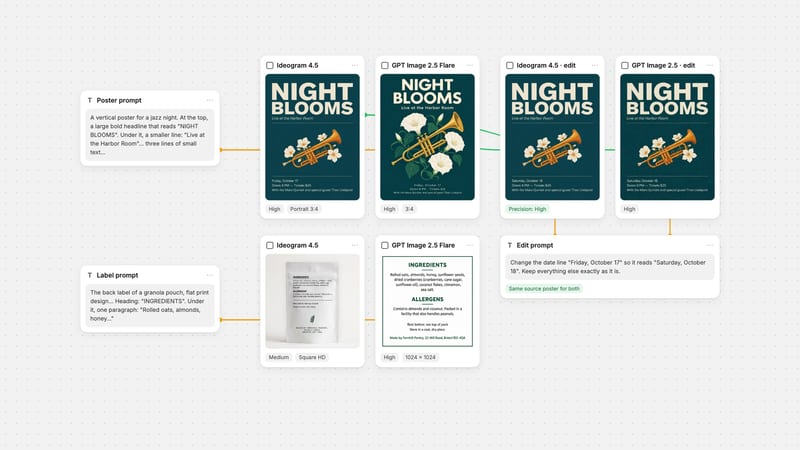
We reused the source from our Ideogram test: an Ideogram 4.5 poster at 864 × 1152, so neither model was editing its own work. Instruction for both: "Change the date line "Friday, October 17" so it reads "Saturday, October 18". Keep everything else exactly as it is."
Both edits read "Saturday, October 18", and both kept the rest of the text, including the long dash the source already had. GPT Image 2.5 Flare returned 864 × 1152, and 25.0% of its pixels moved by more than the tolerance, spread across the background texture, the headline and the trumpet. FLUX.3 Image returned 880 × 1168, a slightly different size, and 12.9% of its pixels moved, mostly along the edges of the type and the illustration and in the background grain. A second FLUX.3 run with the reference sent at full size gave the same 12.8%. A third, with box rows that marked the date as the only new element and every other element as one to keep, also gave 12.8%.
Verdict: FLUX.3 Image, narrowly. It changed half as much, but neither result is a clean patch. For a pure text fix in finished artwork, our Ideogram 4.5 vs GPT Image test found Ideogram 4.5 left 95.4% of this poster bit-identical.
The source is an AI-generated café photo (1392 × 752) from our image editing roundup. Instruction for both: "Replace the paper takeaway cup in her hands with a white ceramic mug. Keep everything else in the image exactly as it is."
Both models swapped the cup for a white mug and returned the source size. They differed in what else changed. GPT Image 2.5 Flare moved 9.7% of all pixels beyond the tolerance, 7.7% of them outside the cup area. The difference map traces her hair, her face, the jacket, the bag strap and the window frames. At full size, her freckles are denser and her skin texture has been redrawn, though the face is still recognisably hers. FLUX.3 Image moved 2.1% of all pixels, about four-fifths of them inside the cup area: the mug and her hands, which it re-posed around the larger mug. Outside the cup area, 0.4% moved, the same amount a round trip through the 1,024-pixel reference causes on its own. When we sent the photo at full size instead, 96.4% of the pixels came back bit-identical to the source.
Verdict: FLUX.3 Image. It is the one to use when the face, the product or the background has to stay as it was. BFL's editing docs say pixels outside the edited boxes "usually stay the same", but that "shadows, reflections, or nearby lighting may still change", so check the area around the edit. If you need GPT Image's edit in a fixed region, its mask input is the tool to try. We did not test masks here, and OpenAI describes them as guidance rather than an exact boundary.
From Fuser's credit costs for the settings we used: a FLUX.3 Image at 1K costs slightly more than a GPT Image 2.5 Flare image at High in the 1024 × 1536 portrait size, and slightly less than one at High in 1024 × 1024. GPT Image at Medium costs about a quarter as much as either. For edits, a FLUX.3 edit at 1K costs about two-thirds of a GPT Image edit at High with the size on Auto. FLUX.3's price is per resolution tier, so its 2K tier costs about twice its 1K tier, and 4K about twelve times. GPT Image's price changes with both quality and size.
For posters, menus and labels where every word must be right, both models passed every test we ran. Choose on layout and on what comes next. GPT Image 2.5 Flare suits work that needs a mask, Sunburst in the same node, or the 2560 × 1440 and 3840 × 2160 sizes. FLUX.3 Image gives you aspect ratios such as 3:4 and 2:3, 4K output, and bounding boxes when the placement of each text block matters. For edits to photos and finished artwork, start with FLUX.3 Image. In our two edit tests it changed less of everything we asked it to keep.
Both run side by side on a Fuser canvas: connect one prompt to a FLUX.3 Image node and a GPT Image node, run them together and keep the better result. For prompt detail, see the FLUX.3 Image prompt guide, the FLUX.3 Image editing guide and the GPT Image prompt guide. For setting fine print as real text instead of generating it, see the AI poster typography workflow.
Last verified October 2, 2026.
One run per setting, same prompts and source images. Character counts exclude spaces.
| Test | FLUX.3 Image | GPT Image 2.5 Flare |
|---|---|---|
| Typography | ||
| Poster (111 chars) | 111/111 at 1K, hyphen and case as typed. Also 111/111 with one box per text line. | 111/111 at High, hyphen and case as typed. |
| Menu (172 chars) | 172/172, exactly eight items. | 172/172, exactly eight items. |
| Back label (300 chars) | 300/300, flat label. | 300/300, flat label. |
| Editing | ||
| Change one date line | Correct; 12.9% of pixels changed by more than 3.2%; returned 880 × 1168. | Correct; 25.0% changed by more than 3.2%; returned 864 × 1152. |
| Swap a cup for a mug | Correct; 0.4% changed outside the cup area. | Correct; 7.7% changed outside the cup area, including hair and skin. |
| Cost and controls in Fuser | ||
| Relative cost | 1K image about the same as GPT High; edit about two-thirds of a GPT High edit. | Varies with quality and size; Medium about a quarter of High. |
| Region control | Bounding boxes written into the prompt. | Mask image with an alpha channel. |
| Sizes | 14 aspect ratios plus Auto; 512 px to 4K. | 1024 × 1024, 1536 × 1024, 1024 × 1536, 2560 × 1440, 3840 × 2160 or Auto. |
Not in our test. Both reproduced all 583 requested characters across a poster, a menu and a 300-character label, with nothing added or dropped. FLUX.3 Image ran at 1K and GPT Image 2.5 Flare at High, one run each.
FLUX.3 Image, in our two tests. Swapping a cup for a mug, it changed 0.4% of the pixels outside the cup area, against 7.7% for GPT Image 2.5 Flare. Changing a date on a poster, it changed 12.9% of all pixels against 25.0%.
No. Black Forest Labs says FLUX.3 Image has no edit mode, mask or strength setting. You write the change as an instruction and, for an exact region, add bounding boxes to the prompt.
Black Forest Labs recommends one box per text block for posters, packaging and signage. In our poster test the plain prompt and the boxed prompt both scored 111 of 111; the boxes changed where the text went, not whether it was spelled right.
They are close. A FLUX.3 image at 1K costs about the same as a GPT Image 2.5 Flare image at High, and a FLUX.3 edit at 1K costs about two-thirds of a GPT Image edit at High. GPT Image at Medium is cheaper than both.
Yes. Connect one text node to a FLUX.3 Image node and a GPT Image node, run them together and compare the outputs on the canvas before you edit or export the one you keep.
Run the same copy through FLUX.3 Image and GPT Image 2.5, compare the lettering, then edit the winner without losing the rest.