One click, whole workflow
Recipes are here. Package a whole workflow and run it in one click
Explore recipesOne click, whole workflow
Recipes are here. Package a whole workflow and run it in one click
Explore recipesA practical Veo 3.1 prompt guide: the elements Google recommends, how to write speech and sound effects, ten copyable prompts, and how first frames, last frames and reference images change the result.
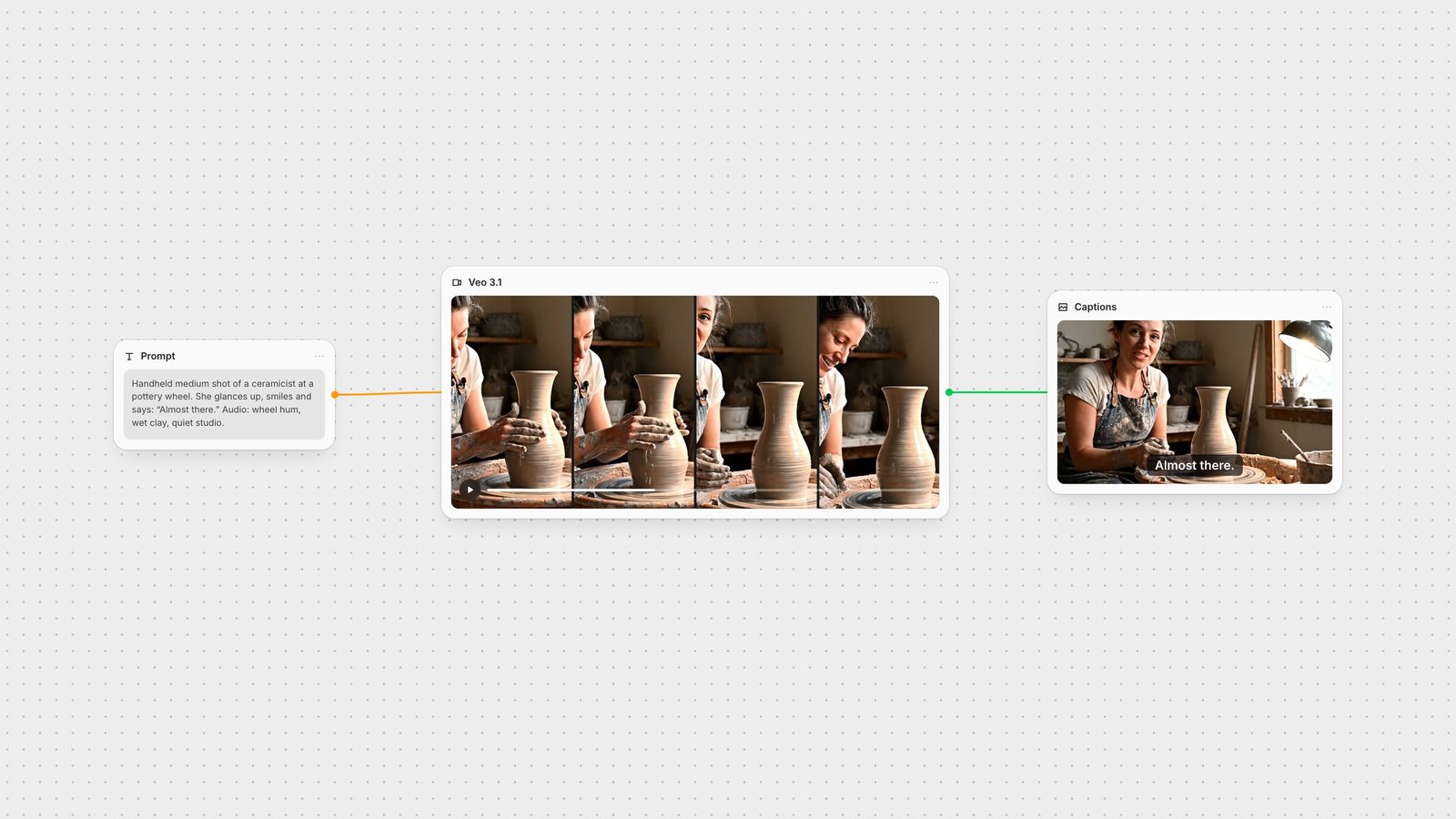
Quick answer: describe the subject and context, the action, the style, the camera and composition, and the ambiance, then write the sound. Put spoken lines in quotes, describe sound effects explicitly and describe the background soundscape. That is the structure Google recommends in its Veo 3.1 documentation, and it is the fastest way to get usable dialogue scenes.
Google's guide lists the elements that make a Veo prompt work (Gemini API: Veo):
Subject and context: the person, object or scenery, and where it is.
Action: what the subject does: walking, turning, pouring.
Style: creative direction such as documentary, film noir, stop-motion or cartoon.
Camera and composition: aerial view, eye-level, top-down, dolly shot; wide shot, close-up, two-shot.
Ambiance and lens: shallow or deep focus, macro or wide-angle lens, and colour: blue tones, warm tones, night.
Google's advice is to use descriptive language: adjectives and adverbs that paint the picture.
Veo 3.1 generates audio with the video. Google's documented syntax:
Dialogue: use quotes for speech. 'This must be the key,' he murmured.
Sound effects: describe them explicitly. Tires screeching loudly, engine roaring.
Ambient noise: describe the soundscape. A faint, eerie hum resonates in the background.
Keep a line short enough to say in the clip. In our six-second test, Veo 3.1 spoke a two-word line cleanly at about three seconds and kept the speaker on screen while she said it.
Dialogue close-up: "Close-up of a detective in a rain-soaked alley, neon reflecting on his face. He looks at the photo in his hand and mutters, 'She was here.' Audio: steady rain, distant siren."
Product reveal: "Slow dolly shot around a glass perfume bottle on black marble, a single beam of light catching the facets. Macro lens, shallow focus. Audio: soft chime as the light hits the glass."
Nature documentary: "Eye-level wide shot of a red fox stepping through fresh snow at dawn, breath visible. Documentary style, cool blue tones. Audio: crunching snow, a faint wind."
Street interview: "Handheld medium shot of a young man on a busy city street, facing the camera. He grins and says, 'Honestly? Best coffee in town.' Audio: traffic, chatter, a bus braking."
Food: "Top-down shot of hands tossing noodles in a flaming wok, sauce hissing. Warm tungsten light, steam rising. Audio: sizzling, the clang of the wok."
Travel drone: "Drone shot following a turquoise river through a canyon at sunrise, rising slowly to reveal the valley. Warm light, long shadows. Audio: rushing water, birdsong."
Stop-motion: "A whimsical stop-motion animation of a tiny robot watering glowing mushrooms on a miniature planet. Soft studio light. Audio: gentle clicks and a music-box melody."
Two-shot conversation: "Two-shot of an old couple on a porch swing at sunset. She says softly, 'Same time tomorrow?' He smiles and answers, 'Always.' Audio: creaking swing, crickets."
Sports: "Low-angle tracking shot of a sprinter exploding out of the blocks on a wet track, spray kicking up. Slow motion. Audio: starter pistol, crowd roar."
Explainer: "Eye-level medium shot of a teacher at a whiteboard drawing a simple circuit. She turns to camera and says, 'Here's the trick.' Bright classroom light. Audio: marker squeak, quiet room."
Veo 3.1 can start from an image, interpolate between a first and a last frame, or take up to three reference images of a single person, character or product (Gemini API: Veo). Google suggests choosing a first image "closest to what you envision as the first scene".
In Fuser's Veo node:
Image sets the first frame. Last frame needs a first frame and a Veo 3.1 model.
Ingredients takes up to three reference images; aspect ratio is ignored when you use them, and they can't be combined with first or last frames.
When you use images, Veo generates eight seconds.
Words garbled or cut off: shorten the line and give it room in the action: "pauses, then says".
Wrong person speaks: describe who speaks immediately before the quote: "The woman looks at him and whispers…".
Sound you didn't want: describe the full soundscape so Veo isn't guessing; use the Negative Prompt field for things to avoid.
Camera doesn't move: name the move and its speed: "slow dolly-in", "drone orbit, rising".
Look drifts from your brand: start from a first frame or add ingredients instead of describing the product in words.
Model: Veo 3.1 Fast (default), Veo 3.1, Veo 3 Fast or Veo 3.
Duration: 4, 6 or 8 seconds.
Aspect ratio: auto, 16:9 or 9:16.
Resolution: 720p or 1080p.
Generate audio (on by default), seed and auto fix.
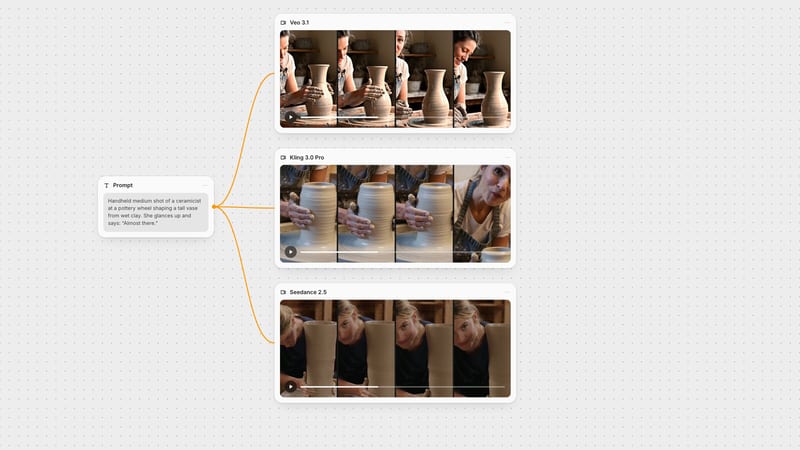
Veo's audio is part of the clip, so the rest of the edit can happen downstream. In Fuser, connect the Veo node to Auto Caption for subtitles, add effects with ElevenLabs SFX, and place the result in the Compositor with your titles. Keep the prompt in its own text node and run it through other image-to-video models to compare, as we did in Seedance vs Kling vs Veo.
Google's recommended elements, with what to write for each.
| Element | Write | Example |
|---|---|---|
| The prompt | ||
| Subject and context | Who or what, and where. | Two hikers on a ridge above the clouds |
| Action | What happens, in order. | one points, then turns to the other |
| Style | Genre or look. | documentary realism |
| Camera and composition | Angle, shot size, movement. | wide drone shot, slow orbit |
| Ambiance | Light, colour, lens. | cold blue shadows, warm first light |
| Audio | Quoted speech, sounds, soundscape. | Wind gusts. She says, "Worth the climb." |
Put the spoken line in quotes and say who speaks it, for example: The woman turns and says, 'Worth the climb.' Keep lines short enough to fit the clip length.
Veo 3.1 generates 4, 6 or 8 seconds per clip. Google requires 8 seconds for 1080p and when using reference images.
Yes. Veo 3.1 accepts up to three reference images of a single person, character or product, or a first frame and optional last frame. In Fuser these are the Ingredients, Image and Last frame inputs.
Yes. Veo 3.1 generates dialogue, sound effects and ambient audio with the video. Describe the sounds in the prompt; in Fuser, Generate Audio is on by default.
Fast trades some quality for speed and cost. Use Fast to explore prompts and switch to Veo 3.1 for the final render; both are available on Fuser's Veo node.
Generate with Veo, caption and compose it on the same canvas.