One click, whole workflow
Recipes are here. Package a whole workflow and run it in one click
Explore recipesOne click, whole workflow
Recipes are here. Package a whole workflow and run it in one click
Explore recipesThree tests, one run each: Kling O3 and Veo 3.1 on a product camera move, a spoken line and a start frame with a hand turning a vase. What each produced, which won each test and how their credit costs compare.
All guides · Best image-to-video models
Quick answer: in our three tests, Kling O3 followed physical direction more literally than Veo 3.1: it made the slow push-in on a product shot and actually turned a vase in a hand when asked, where Veo 3.1 barely moved the camera and lifted the vase without turning it. On a speaking character the two were close: both kept one continuous take with the face in frame and delivered the line, and Veo 3.1 had the fuller background sound. At our settings, Veo 3.1 (standard) used nearly three times the credits of Kling O3 Pro, while Veo 3.1 Fast and Kling O3 Standard cost about the same. Each test is one run per model, so read this as each model's tendencies, not a ranking.
Tests 1 and 2 reuse the exact prompts and Veo 3.1 clips from our Seedance 2.5 vs Kling 3.0 vs Veo 3.1 test (generated 28 September 2026). We ran Kling O3 on the same prompts on 2 October 2026 and added a third, start-frame test that both models ran that day. Every clip is a single run; nothing was re-rolled or picked from several takes.
Tests 1 and 2 (text to video): Veo 3.1 standard tier at 720p against Kling O3 Pro, both 6 seconds, 16:9, audio on. Kling O3 has no resolution setting in Fuser; Pro returned 1920×1080.
Test 1 prompt: "Slow dolly-in on a matte terracotta vase standing on a travertine plinth in a sunlit plaster room. Late-afternoon light slides slowly across the wall as dust drifts through the beam. Calm, premium product film, shallow depth of field. Audio: soft room tone and a faint breeze."
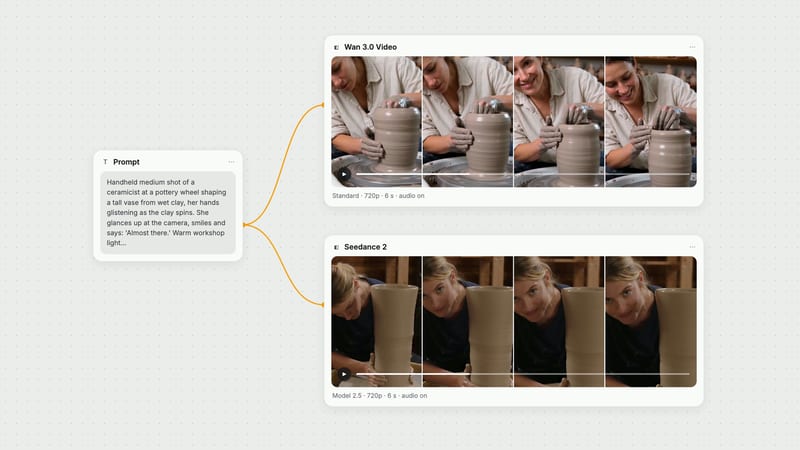
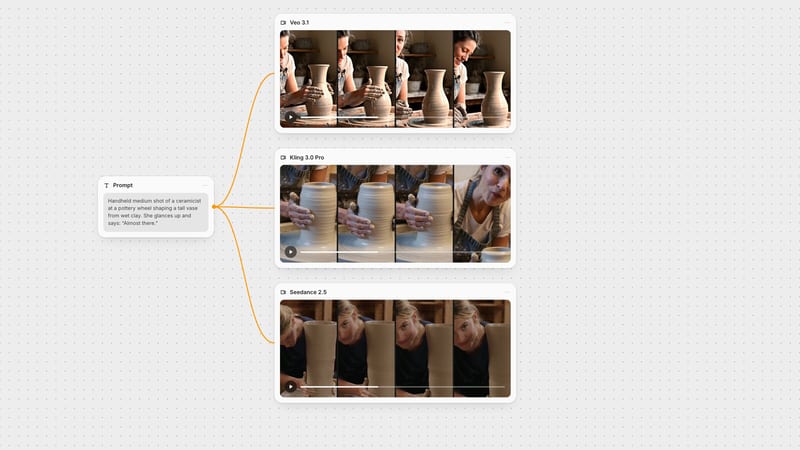
Test 2 prompt: "Handheld medium shot of a ceramicist at a pottery wheel shaping a tall vase from wet clay, her hands glistening as the clay spins. She glances up at the camera, smiles and says: 'Almost there.' Warm workshop light. Audio: steady wheel hum, wet clay sounds, quiet studio ambience."
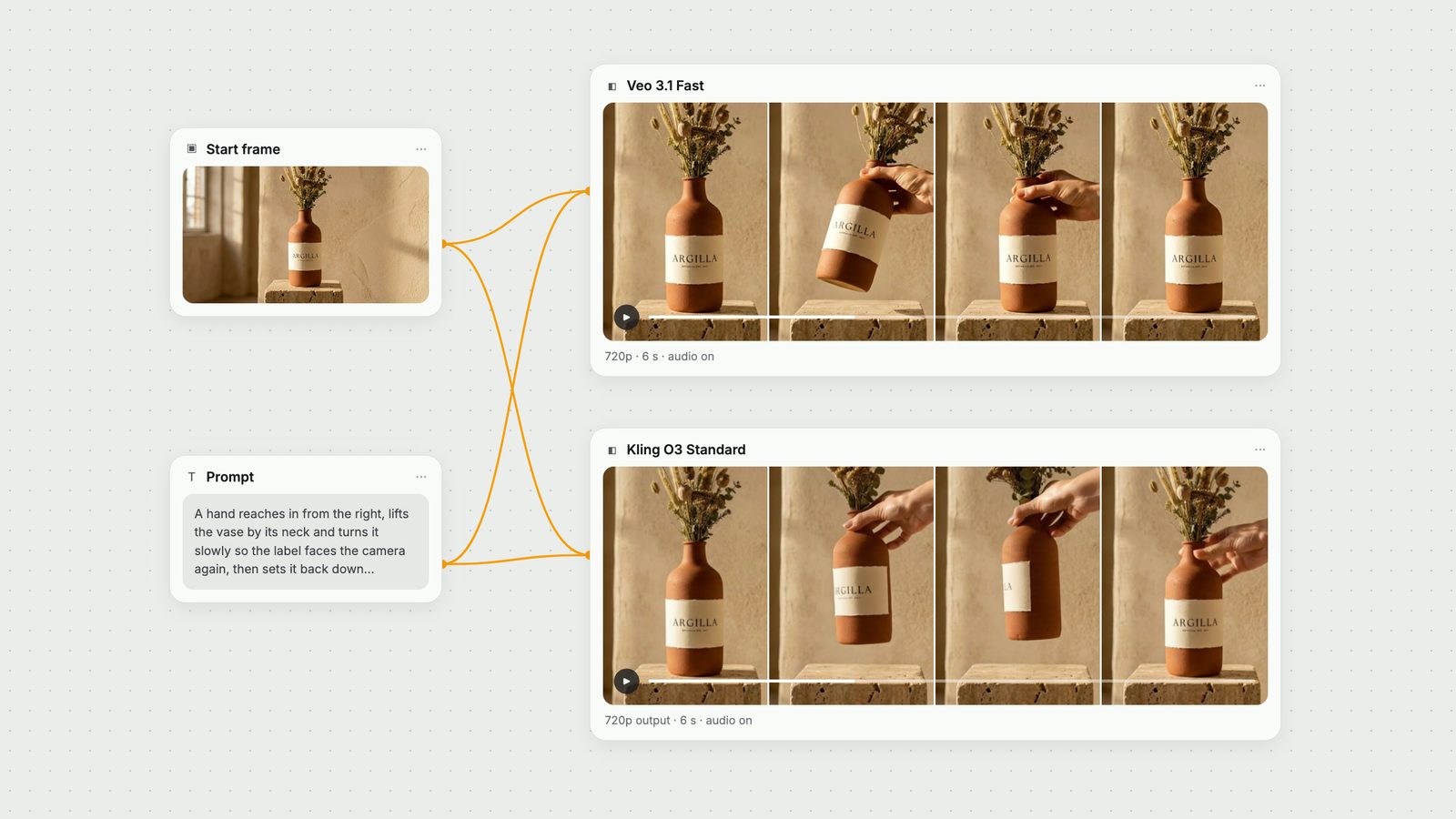
Test 3 (start frame): each node's default tier in Fuser, Veo 3.1 Fast at 720p against Kling O3 Standard (which returned 1284×716), both 6 seconds, 16:9, audio on, from the same start frame made with Nano Banana 2: a terracotta bottle vase with a cream label reading ARGILLA on a travertine plinth.
Test 3 prompt: "A hand reaches in from the right, lifts the vase by its neck and turns it slowly so the label faces the camera again, then sets it back down on the plinth. The camera holds still. Audio: the soft scrape of ceramic on stone and quiet room tone."
We judged frames by eye, checked for cuts with frame-difference scene detection, transcribed the dialogue clip to time the spoken line and measured audio levels. All clips were generated with the same model versions Fuser runs.
Veo 3.1 gave the more atmospheric frame: a strong window-light pattern and dust visibly drifting in the beam. The camera barely moved, so the requested dolly-in is hard to see, and the plinth came out as a thin shelf rather than a block.
Kling O3 Pro made a slow, steady push-in that visibly brings the vase closer over the six seconds, on a travertine block plinth with a raking patch of sun on the wall, in one shot with no cuts. No dust was visible, and the soundtrack was close to silent (peaks around −39 dBFS), so the requested room tone and breeze barely registered.
Verdict: Kling O3. It executed the camera move the prompt asked for; Veo 3.1 had the nicer light but ignored the dolly. Our Kling O3 prompt guide covers camera language for O3.
Veo 3.1 held one continuous shot with the potter's face and clay-covered hands in frame throughout. She looks up and says "Almost there" at about three seconds, over wheel hum and clay sounds.
Kling O3 Pro also held one continuous take (scene detection found no cuts). She works with her head down, looks into the lens and says "Almost there" at 3.3 seconds, then smiles. Face and hands stay in frame. The workshop was lit more dimly than Veo's, and the ambience before the line was about 8 dB quieter than Veo's.
Verdict: close, with Veo 3.1 ahead on sound. Both delivered the brief; Veo's mix carried more of the requested wheel and clay sounds. For comparison, Kling 3.0 Pro added an unrequested cut on this same prompt in our earlier test, while O3 kept the single take. See Kling O3 vs Kling 3.0 for the upgrade in detail, and the Veo 3.1 prompt guide for writing dialogue.
Veo 3.1 Fast kept the room, the light and the label close to the start frame. The hand lifted the vase and tilted it towards the camera but never rotated it, so the "turn" in the prompt did not happen. The vase was back on the plinth by about the four-second mark and the hand was gone by the end.
Kling O3 Standard did the turn: the label swung side-on mid-clip, came back round to face the camera and the vase was set back down, with the hand still at its neck as the clip ended. ARGILLA and the small line beneath it were still legible in the final frame.
Verdict: Kling O3. Both preserved the start frame well, but only Kling O3 performed the full action. If your shot depends on a specific object interaction, O3 was the more literal of the two here. More on start and end frames in our first and last frame guide.
Veo 3.1: 4, 6 or 8 second clips at 24 fps in 16:9 or 9:16; 720p, with 1080p and 4K only at 8 seconds; image to video, first and last frame, and up to three reference images on the standard and Fast tiers (not Lite); audio is generated with the video, and output carries a SynthID watermark (Gemini API: Veo). Fuser's Veo node offers Veo 3.1, Veo 3.1 Fast (the default) and Veo 3.1 Lite, a first frame, a last frame, up to three "ingredients" images (8 seconds only), a negative prompt and a seed.
Kling O3 (Kling's VIDEO 3.0 Omni model, February 2026): Kling describes 1080p and 720p modes, single generations up to 15 seconds, native audio and multi-shot control (Kling VIDEO 3.0 Omni user guide). In our runs, Pro returned 1080p and Standard about 720p. Fuser's Kling O3 node takes 3 to 15 seconds in 1-second steps, 16:9, 9:16 or 1:1, a start image, an optional end image, and reference images you cite in the prompt as @Image1, @Image2 and so on.
One default to watch: Veo 3.1 generates sound with the video, but Kling O3's Generate Audio toggle is off by default in Fuser. Switch it on if you want sound from Kling O3, as we did here.
Both nodes charge by the second, so cost scales with duration. Compared at the exact settings we ran, using Fuser's credit rates:
Tests 1 and 2 (6 s, audio on): Veo 3.1 standard at 720p cost nearly three times as many credits as Kling O3 Pro. The gap is the same at 8 seconds and 1080p, since Veo 3.1 standard charges the same per second at both resolutions.
Test 3 (6 s, audio on): Kling O3 Standard cost about 12% more than Veo 3.1 Fast at 720p, close enough that cost should not decide between them.
Kling O3 without audio: turning audio off makes Pro 20% cheaper and Standard 25% cheaper per second.
Pick Kling O3 when the shot depends on direction being followed: a specific camera move, an object being handled a certain way, longer takes (up to 15 seconds), 1:1 output, or 1080p at a length other than 8 seconds (Kling O3 Pro returned 1080p at 6 seconds here; Veo 3.1 allows 1080p only at 8).
Pick Veo 3.1 when a speaking character and a full sound bed matter most, or when you want 4K at 8 seconds. Veo 3.1 Fast, the default tier in Fuser, costs about a quarter of the standard tier at 720p with audio.
Run both on the same canvas when in doubt: one prompt node, one start frame, two video nodes, then send the take you keep to an upscaler or Auto Caption.
One run per model per test, 6 seconds, 16:9, audio on.
| Test | Veo 3.1 | Kling O3 |
|---|---|---|
| Results | ||
| Product dolly-in (standard vs Pro) | Best light and visible dust; camera barely moved; plinth became a shelf. | Winner. Clear push-in, block plinth, one shot; near-silent audio. |
| Speaking character (standard vs Pro) | Narrow winner. One take, line at about 3 s, fullest sound bed. | One take, line at 3.3 s, face and hands in frame; quieter ambience. |
| Start frame + hand turns vase (Fast vs Standard) | Label intact; lifted and tilted the vase but never turned it. | Winner. Turned the vase and back; label legible at the end. |
| Relative cost at these settings | Standard: nearly 3× Kling O3 Pro. Fast: about the same as O3 Standard. | Pro about a third of Veo 3.1 standard; Standard about 12% above Veo Fast. |
For following physical direction, it was in our tests: Kling O3 made the requested camera move and turned an object when asked, where Veo 3.1 did not. For a speaking character the two were close, with Veo 3.1 producing a fuller sound bed. Each test was one run per model.
At 6 seconds with audio, Veo 3.1 standard used nearly three times the credits of Kling O3 Pro in Fuser. Veo 3.1 Fast and Kling O3 Standard cost about the same, with Kling O3 Standard roughly 12% higher.
Kling O3 generates 3 to 15 seconds in Fuser. Veo 3.1 generates 4, 6 or 8 seconds, and its 1080p and 4K outputs require 8 seconds.
Kling describes 1080p and 720p modes for VIDEO 3.0 Omni. In our runs, Kling O3 Pro returned 1920×1080 from text, and Kling O3 Standard returned 1284×716 when animating our start frame. Fuser does not expose a separate resolution setting for it.
Yes. Google documents Veo 3.1 as generating audio natively with the video. Kling O3 supports native audio too, but its Generate Audio toggle is off by default in Fuser, so switch it on if you need sound.
Yes. In Fuser, connect one prompt node (and a start frame if you have one) to a Kling O3 node and a Veo node on the same canvas, run both and keep the better take.
One prompt, one start frame, Kling O3 and Veo 3.1 side by side on one canvas.