One click, whole workflow
Recipes are here. Package a whole workflow and run it in one click
Explore recipesOne click, whole workflow
Recipes are here. Package a whole workflow and run it in one click
Explore recipesKling O3 (VIDEO 3.0 Omni) and Kling 3.0 are sibling models, not old and new. We ran O3 on the exact prompts and frames we had given Kling 3.0: what differed, a verdict per test, and how their costs compare.
All guides · Kling O3 in Fuser · Kling 3.0 Video in Fuser
Quick answer: Kling O3 is not a newer Kling 3.0. Kling introduced VIDEO 3.0 and VIDEO 3.0 Omni together as its 3.0 model series, with user guides for both dated 6 February 2026: VIDEO 2.6 was upgraded to VIDEO 3.0, and Kling's O1 model to VIDEO 3.0 Omni, which Fuser lists as Kling O3 (Kling VIDEO 3.0 guide). We ran O3 on the exact prompts and frames we had already given Kling 3.0, one run each. On plain text prompts and on a start and end frame, the two behaved very alike. In Fuser, pick O3 when you need reference images cited in the prompt as @Image1, or want sound for less; it costs the same as Kling 3.0 with audio off and less with audio on. Pick Kling 3.0 when you need a negative prompt, the CFG scale control or the Turbo tiers. Sound levels were close in two of our three audio tests; in the start-and-end-frame test, only Kling 3.0 produced an audible room tone.
Kling's own guides, both dated 6 February 2026, describe two lines that moved to version 3.0 together. Kling describes VIDEO 3.0, the successor to 2.6, as a native audio upgrade with better element consistency and multi-shot narratives (Kling VIDEO 3.0 guide). VIDEO 3.0 Omni is the successor to O1: Kling calls it "all-in-one" multimodal input, where you mix images, elements and a reference video and cite them in the prompt with @, and says its video editing and prompt transformation work as they did in O1 (Kling VIDEO 3.0 Omni guide). Both run up to 15 seconds in 720p or 1080p modes. Kling's guide also says VIDEO 3.0 itself can take multi-image or video references as Elements; Fuser's Kling 3.0 Video node does not expose that input, so in Fuser, reference images are an O3 feature.
So the useful question is which one fits the shot. In Fuser, the difference shows up in the two nodes:
Kling O3 (model page): prompt, start image, end image and reference images; Standard or Pro; 3 to 15 seconds; 16:9, 9:16 or 1:1; Generate Audio toggle. With reference images attached the node switches to reference mode, and you cite each one as @Image1, @Image2 in the prompt. No negative prompt and no CFG control.
Kling 3.0 Video (model page): prompt, start image, end image, negative prompt and CFG scale (0 to 1); Standard, Pro, Turbo Standard and Turbo Pro; 3 to 15 seconds; the same three aspect ratios; Generate Audio toggle. The Turbo tiers take only a prompt, a start image, the aspect ratio and the duration. No reference-image input.
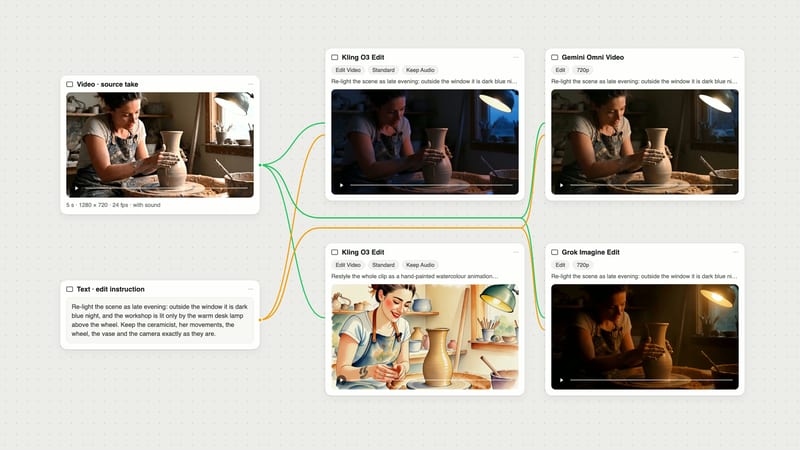
Editing an existing clip is a separate node, Kling O3 Edit, which takes a video and a text instruction; see the Kling O3 Edit guide.
Both nodes default to Standard, 5 seconds and audio off, so switch Generate Audio on if you want sound.
The Kling 3.0 clips are the ones we generated on 28 September 2026 for our three-model video test and our first and last frame guide. On 2 October 2026 we ran Kling O3 with the same prompt text, frames and settings, generated with the same model versions Fuser runs. Every clip below is the only run of that test; none was retried.
Test 1, product move, text-to-video, Pro, 6 seconds, 16:9, audio on: "Slow dolly-in on a matte terracotta vase standing on a travertine plinth in a sunlit plaster room. Late-afternoon light slides slowly across the wall as dust drifts through the beam. Calm, premium product film, shallow depth of field. Audio: soft room tone and a faint breeze."
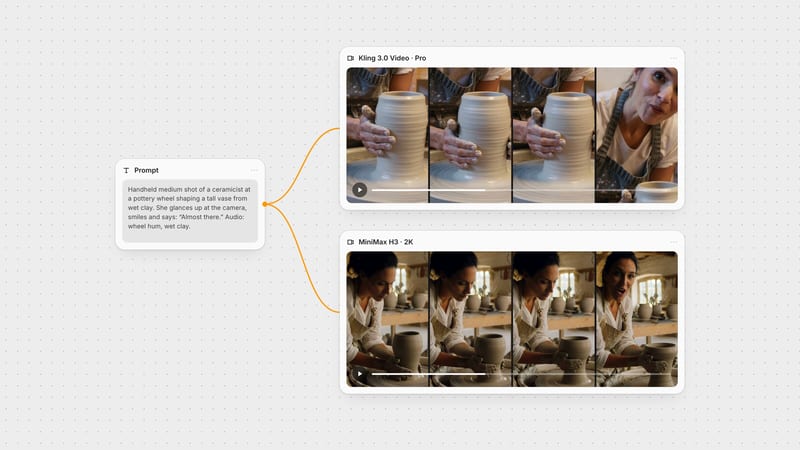
Test 2, person and dialogue, text-to-video, Pro, 6 seconds, 16:9, audio on: "Handheld medium shot of a ceramicist at a pottery wheel shaping a tall vase from wet clay, her hands glistening as the clay spins. She glances up at the camera, smiles and says: 'Almost there.' Warm workshop light. Audio: steady wheel hum, wet clay sounds, quiet studio ambience."
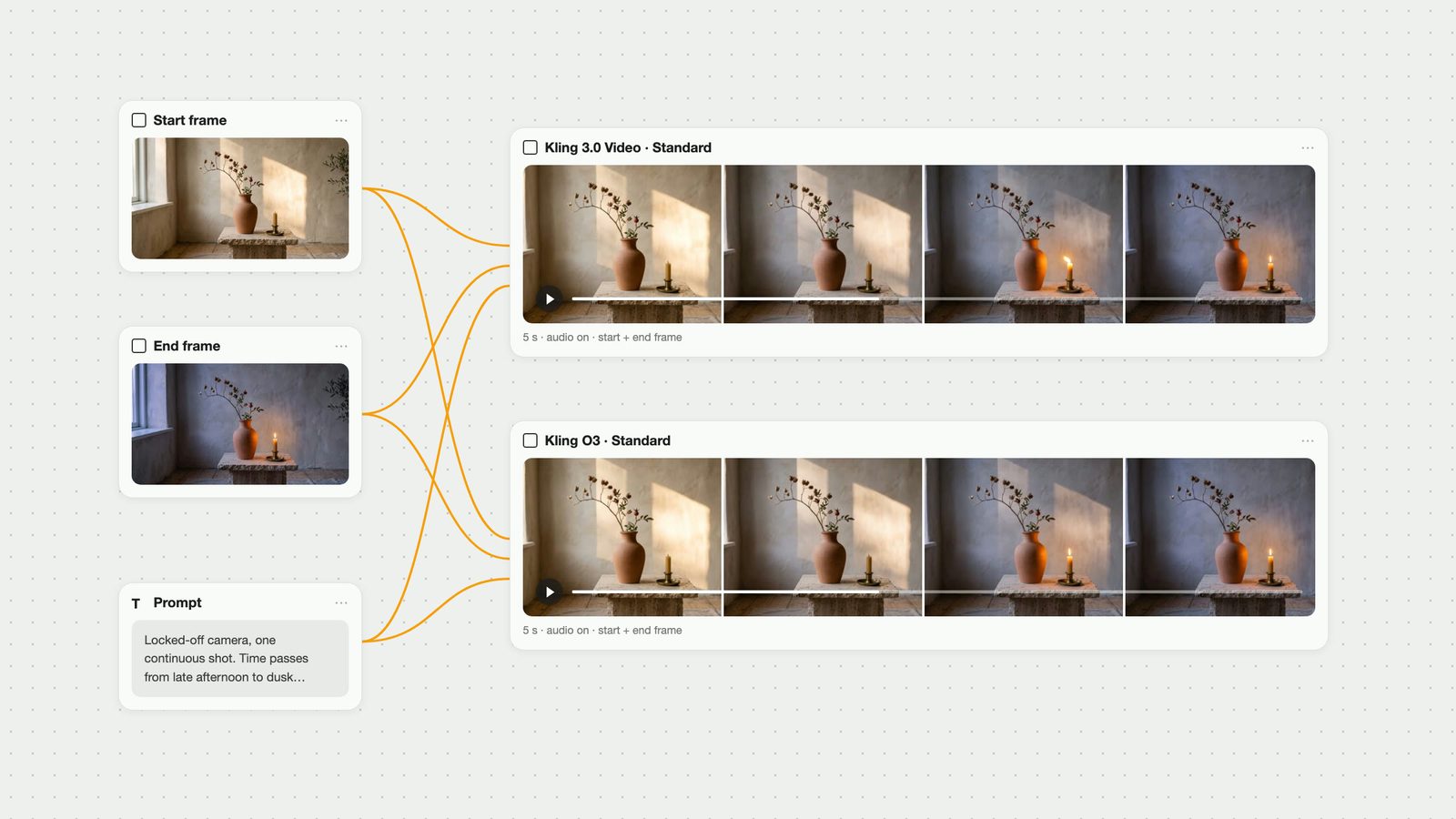
Test 3, start and end frame, Standard, 5 seconds, audio on, with a sunlit first frame and a dusk last frame of a vase and an unlit candle: "Locked-off camera, one continuous shot. Time passes from late afternoon to dusk: the patch of sunlight on the wall slowly slides and fades away, the room cools to a soft evening blue, and the candle beside the vase flickers alight and glows warmly. Audio: quiet room tone and faint distant birdsong."
Test 4, O3 only, because the Kling 3.0 node has no reference input: one reference image, Standard, 5 seconds, audio off.
We compared frames by eye, measured how far each clip's first and last frames sat from our input frames, tracked brightness in the candle and sunlight areas frame by frame, measured each soundtrack's level, and transcribed the speech with Whisper. Pro returned 1920 x 1080 from both models. Standard returned 1284 x 716 for the start-frame test, following our 16:9-ish input, and 1280 x 720 for O3's reference test.
Kling 3.0 Pro: a clear dolly-in, with the vase about one and a half times taller in the last frame than the first. It kept what we wrote: a plain, matte orange terracotta vase on a travertine block, with a raking patch of sun on the plaster.
Kling O3 Pro: an equally clear push-in (about 1.4 times), on a similar travertine plinth with sunlight on the wall and a window added at the right. The vase came out as a browner two-handled jar, which our prompt did not ask for.
Sound: both tracks were close to silent, about -58 dB on average for each.
Verdict: a near tie on camera work. Kling 3.0 followed the object description more literally.
Staging: almost the same from both. Each clip opens on her hands and the spinning clay with her face above the frame, then the shot rises to her face for the line. O3 had her face in frame from about 4.25 seconds, Kling 3.0 from about 4.5 seconds.
Speech: Whisper transcribed "Almost there." from both. By the audio level, O3 says it at about 5.2 seconds and Kling 3.0 at about 5.4 seconds, so in both clips the line lands in the last second. If speech must land earlier, ask for it early in the prompt and leave the clip some room after it.
Sound: both gave a wheel-and-room bed under the line at similar levels. Kling 3.0's bed was a couple of decibels louder in the first four seconds, and O3's spoken line came out a few decibels louder, so the voice stands slightly further clear of the background in O3's clip.
Verdict: a tie on picture and close on sound.
Both hit both frames. Each clip's first and last frame sat about as close to our inputs as the other's: an average difference of about 1% of full brightness for both.
The light fell the same way. The patch of sun on the wall faded on almost the same curve in both clips.
The candle differed. O3 lit it at about 3.0 seconds; after a brief flicker the flame stood upright within a few tenths of a second. Kling 3.0 lit it at about 3.6 seconds with a flame that leaned and flared sideways for about half a second before settling.
Sound: Kling 3.0's track averaged about 19 dB louder; O3's was close to silent.
Verdict: a tie on frame accuracy. O3's flame settled sooner; Kling 3.0 gave the livelier ignition and an audible room.
This is the part Kling 3.0's node cannot do in Fuser. We cropped one photo of the vase from our start frame, wired it into O3's Reference Images input and asked: "The terracotta vase with dried rosehip branches from @Image1 stands on a weathered wooden table on a sunny stone terrace overlooking the sea. Slow orbit around the vase from left to right. Keep the vase's shape, colour and branches exactly as in @Image1. Bright midday light, a gentle breeze moves the leaves."
O3 kept the vase's shape, colour and red-berried branches through a visible orbit, and put it by the sea as asked. It also carried over the brass candlestick that was only partly visible at the edge of our crop, and set the vase on a stone slab like the one in the photo instead of the wooden table we named. Treat everything in a reference image as material the model may reuse: crop it to the subject you want to keep.
Kling's guide allows up to seven images or elements per generation without a reference video, and up to four with one (Kling VIDEO 3.0 Omni guide). Fuser's O3 node takes reference images; video-driven work goes through Kling O3 Edit. For prompt patterns, see the Kling O3 prompt guide, and for keeping a subject stable across shots, consistent characters in AI video.
Per second of video at the same tier, from the prices Fuser charges for each model:
Audio off: identical. O3 Standard costs the same as Kling 3.0 Standard, and O3 Pro the same as Kling 3.0 Pro.
Audio on: O3 is cheaper. Kling 3.0 Standard costs about an eighth more than O3 Standard, and Kling 3.0 Pro about a fifth more than O3 Pro. Our Pro tests 1 and 2 cost a fifth more on Kling 3.0; test 3 cost an eighth more.
Tier and sound: Pro costs a third more than Standard on both models with audio off. Turning audio on adds half again to Kling 3.0's price at either tier, but only a third to O3 Standard and a quarter to O3 Pro.
Across tiers: O3 Pro with audio costs a little more than Kling 3.0 Standard with audio, so a Pro O3 clip is not a saving over a Standard Kling 3.0 one.
Use Kling O3 when the subject, product or style comes from an image you already have and must appear in a new scene, when you want to cite several images in one prompt, or when you need sound and want the lower price.
Use Kling 3.0 when you want to rule things out with a negative prompt, tune how literally the prompt is followed with CFG scale, or try the Turbo tiers.
For a plain text prompt or a start and end frame, our runs gave no reason to switch. Keep the model you already use.
For how both compare with other models, see Kling O3 vs Veo 3.1, the Kling 3.0 prompt guide and the best image-to-video models.
Put the prompt in a Text node and, if you use frames, add your start and end images. Wire them into a Kling O3 node and a Kling 3.0 Video node on the same canvas, set both to the same tier and duration, and turn Generate Audio on in both. Run them side by side and keep the take that fits. If you only need the sound from one and the picture from the other, the video can go on to a sound-effects or music node in the same graph; see the best AI video generators with audio for options.
One run per test, per model. Kling 3.0 clips from 28 September 2026, Kling O3 from 2 October 2026, same prompts, frames and settings.
| Test | Kling 3.0 | Kling O3 |
|---|---|---|
| Results | ||
| Product dolly-in (Pro, 6 s) | Clear push-in; plain matte terracotta vase as written. Near-silent track. | Clear push-in; vase came out as a two-handled jar. Near-silent track. |
| Person speaking (Pro, 6 s) | Face in frame from about 4.5 s; line at about 5.4 s; wheel bed slightly louder. | Face in frame from about 4.25 s; line at about 5.2 s; line slightly louder. |
| Start and end frame (Standard, 5 s) | Both frames hit; candle at about 3.6 s with a flaring flame; audible room. | Both frames hit; candle at about 3.0 s, flame settles quickly; near-silent track. |
| Reference images | Not available on the Fuser node. | Kept the referenced vase through an orbit, plus extras from the reference. |
| Price per second | Same as O3 with audio off; an eighth (Standard) to a fifth (Pro) more with audio on. | The cheaper of the two whenever audio is on. |
| Pick it when | You need a negative prompt, CFG scale or the Turbo tiers. | You need image references cited in the prompt, or cheaper clips with sound. |
No. Kling introduced both together as its 3.0 model series, with user guides for each dated 6 February 2026. VIDEO 3.0 succeeded VIDEO 2.6, and VIDEO 3.0 Omni, listed in Fuser as Kling O3, succeeded Kling O1.
In Fuser, the Kling O3 node takes reference images you cite in the prompt as @Image1, and its sibling node Kling O3 Edit edits existing video. The Kling 3.0 Video node instead offers a negative prompt, CFG scale and Turbo tiers. Both take start and end frames, generate audio and run 3 to 15 seconds.
Not on plain prompts in our test. With identical prompts and frames, one run each, the two produced near-identical staging and frame accuracy. They differed in details, such as how the candle lit and how loud the soundtrack was.
With audio off they cost the same per second at the same tier. With audio on, O3 is cheaper: Kling 3.0 costs about an eighth more at Standard and a fifth more at Pro.
No. Fuser's Kling 3.0 Video node takes a start and an end image only. For reference images cited in the prompt, use the Kling O3 node.
One prompt and the same frames into Kling O3 and Kling 3.0, side by side, then keep the take that fits.