One click, whole workflow
Recipes are here. Package a whole workflow and run it in one click
Explore recipesOne click, whole workflow
Recipes are here. Package a whole workflow and run it in one click
Explore recipesChoose audio models by job: ElevenLabs SFX for sounds from a prompt, MMAudio and Mirelo for sound synced to video, ElevenLabs v3 and F5-TTS for voice, and MiniMax Music for songs built from a reference track.
All guides · Best image-to-video models
Quick answer: use ElevenLabs SFX for sound effects from a text prompt, MMAudio or Mirelo SFX to add Foley that follows the action in a silent AI video, ElevenLabs TTS for expressive voiceover, F5 TTS to clone a voice from a short sample, and MiniMax Music to write a song over the style of a reference track. Most AI video still arrives silent, so the sound pass is where a clip starts to feel finished.
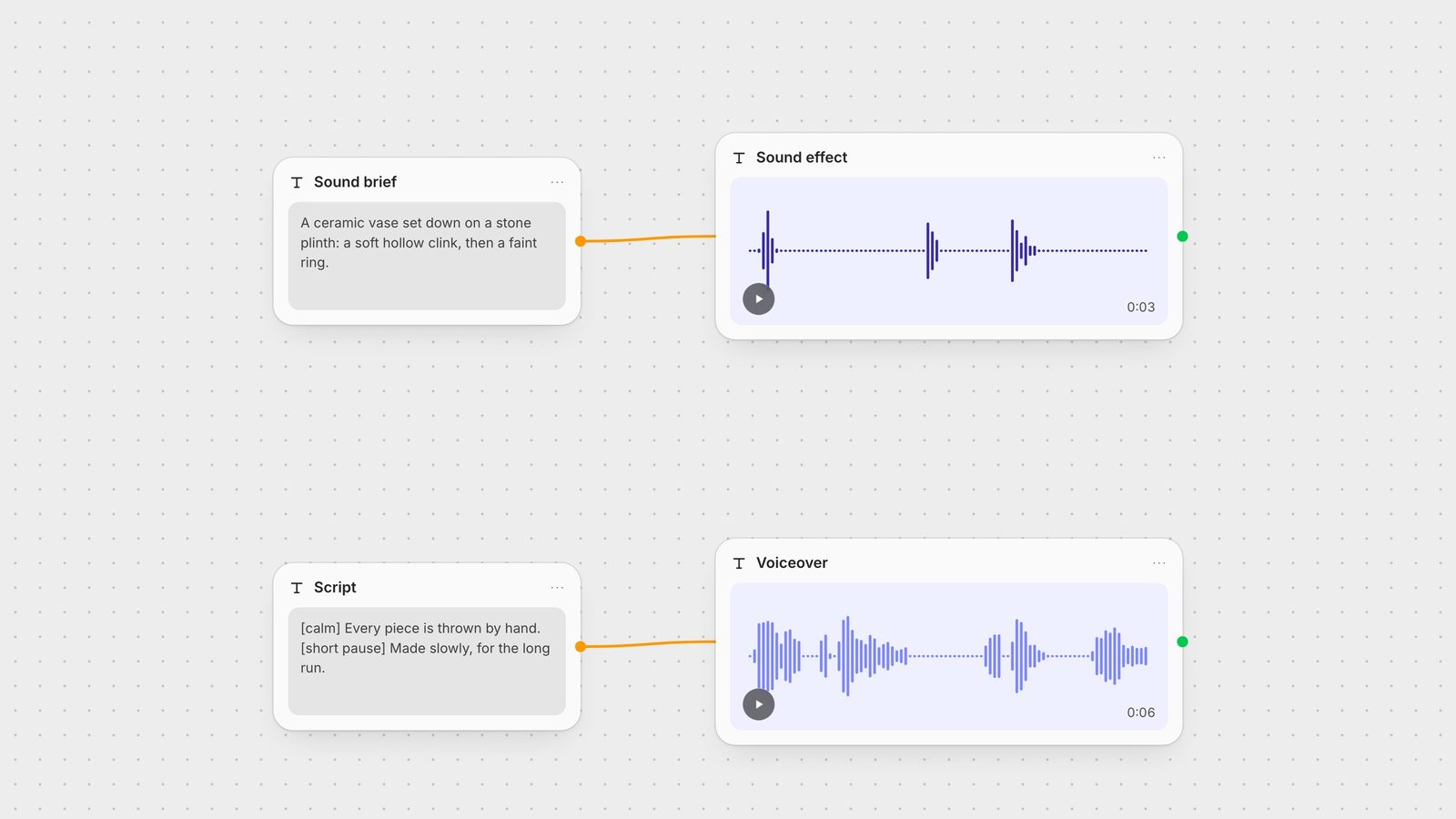
ElevenLabs sound effects turn a description into Foley, impacts, UI cues, risers and room tone. In Fuser you can set a duration from 0.5 to 22 seconds. Describe the material, the action and the space. The effect on the canvas above came from one sentence: a ceramic vase set down on a stone plinth, a soft hollow clink, then a faint ring. It is the wrong tool for full songs or intelligible dialogue.
When you already have the clip, let the model watch it. MMAudio analyses the motion and generates synchronised effects and ambience; in Fuser it returns the video with the new track, from 1 to 30 seconds. For longer shots, split the clip into short segments, because sync drifts on long inputs. It also has a text-to-audio mode when there is no video. Mirelo SFX is built for the same job on commercial cuts, trailers and social video, handles up to 60 seconds and accepts an optional prompt to steer the sound. Neither generates music or speech.
ElevenLabs v3 is the choice for expressive narration and character dialogue. Audio tags such as [calm] or [short pause] direct the performance inside the script, as in the voiceover above. Split long scripts into sections to keep the voice consistent.
F5-TTS clones a voice from a clean reference clip of around ten seconds, including across languages. Adding the reference transcript speeds up generation. Keep each line under about 30 seconds, and do not expect it to invent crying or shouting that is not in the sample.
Fuser's MiniMax Music node takes lyrics (up to 600 characters) and a reference song longer than 15 seconds with vocals and music, and returns a new song in that style. It suits demos, genre flips and campaign jingles. It is not a text-only music generator and is not built for instrumentals, so bring a reference track you have the right to use.
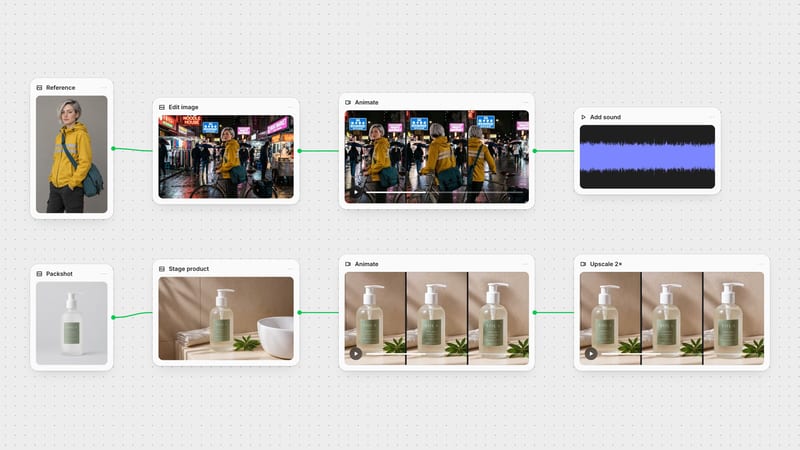
In Fuser, keep the audio nodes next to the image and video steps they belong to. Generate a still, animate it, then send the clip to MMAudio or Mirelo and your script to ElevenLabs, so a new cut picks up fresh sound without re-exporting anything. See the full multi-model workflow, and save the graph as a Recipe to reuse it for every edit.
Last verified September 28, 2026.
Match what you are starting from to the right node.
| Model | Reach for it when | Watch out for |
|---|---|---|
| Effects and Foley | ||
| ElevenLabs SFX | Effects from a text prompt, 0.5 to 22 seconds. | Not for songs or speech. |
| MMAudio | Synced effects for a silent clip, 1 to 30 seconds. | Sync drifts on long clips; no music or speech. |
| Mirelo SFX | Foley for commercial cuts and social video, up to 60 seconds. | Effects only; no score or dialogue. |
| Voice and music | ||
| ElevenLabs TTS (v3) | Expressive narration directed with audio tags. | Split long scripts to avoid drift. |
| F5 TTS | Cloning a voice from a clean ~10-second sample. | Keep lines under ~30 seconds. |
| MiniMax Music | Songs from lyrics plus a 15-second-plus reference track. | Needs a reference with vocals; not for instrumentals. |
ElevenLabs SFX is the strongest choice when you start from a text description. If you already have a silent video, MMAudio or Mirelo SFX generate effects that follow the action on screen.
Send the clip to a video-to-audio model such as MMAudio or Mirelo SFX. They analyse the motion and return the video with a synchronised effects track. Split long clips into short segments for tighter sync.
Yes, with limits. Fuser's MiniMax Music node writes a song from your lyrics in the style of a reference track longer than 15 seconds. It is not designed for instrumentals or for text-only prompts.
ElevenLabs v3 is built for expressive, directed performances using audio tags. F5-TTS is the better fit when you need to clone a specific voice from a short sample.
Yes. In Fuser, connect a script to a voice node, a clip to a video-to-audio node and a prompt to a sound effect node on the same canvas, then swap or rerun any of them.
Generate effects, voice and music next to your images and video, then reuse the workflow.