One click, whole workflow
Recipes are here. Package a whole workflow and run it in one click
Explore recipesOne click, whole workflow
Recipes are here. Package a whole workflow and run it in one click
Explore recipesWhy no single AI model finishes a creative job, and how to connect image, video, audio and upscaling models into one workflow you can rerun, compare and hand to your team.
All guides · Best node-based AI tools
Quick answer: chaining AI models means feeding one model's output straight into the next model's input, so an image becomes the first frame of a video, the video becomes the input for sound, and the result goes to an upscaler. On a node canvas like Fuser, each model is a node and each connection is a typed socket, so you build the chain once, rerun any step, swap models to compare, and save the whole thing as a reusable Recipe.
Every model is good at a narrow job. Video models such as Kling 3.0 are strong at cinematic motion but weak at rendering on-screen text. Video-to-audio models such as Mirelo SFX produce synced effects and ambience, not dialogue or music. Upscalers sharpen footage but cannot fix a bad frame. A finished asset usually needs three to six of these jobs in sequence.
Doing that across separate apps means downloading, renaming and re-uploading at every step, and losing track of which prompt produced which file. Chaining keeps the steps connected, so the provenance of every output is the graph itself.
Most creative chains are built from a handful of reliable connections:
Text → image. A brief or prompt drives a generator such as GPT Image. An LLM node such as ChatGPT or Claude can expand a rough brief into several prompts first.
Image → image. Reference-led editors such as Gemini Image and FLUX.1 Kontext move a subject into new scenes while keeping it recognisable.
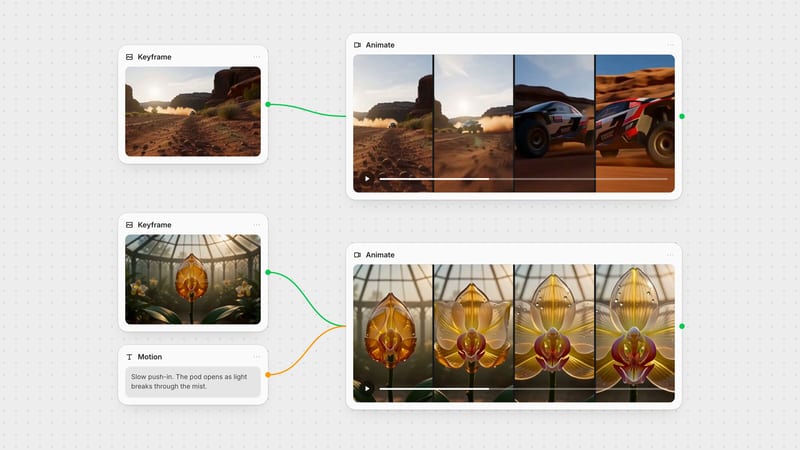
Image → video. An approved still becomes the first frame for Kling 3.0, Veo or Seedance 2, which keeps far more identity than text-to-video.
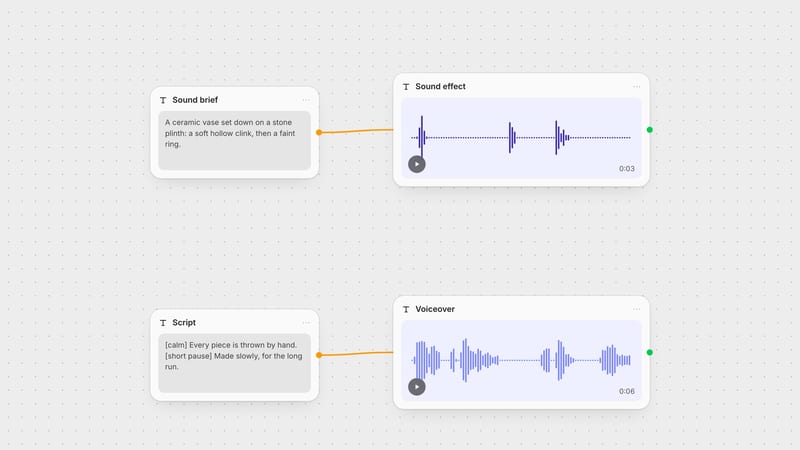
Video → audio. Mirelo SFX and MMAudio generate sound synced to the motion in a clip. For narration, send text to ElevenLabs TTS.
Video → video. Topaz and SeedVR upscale; Auto Caption burns in subtitles.
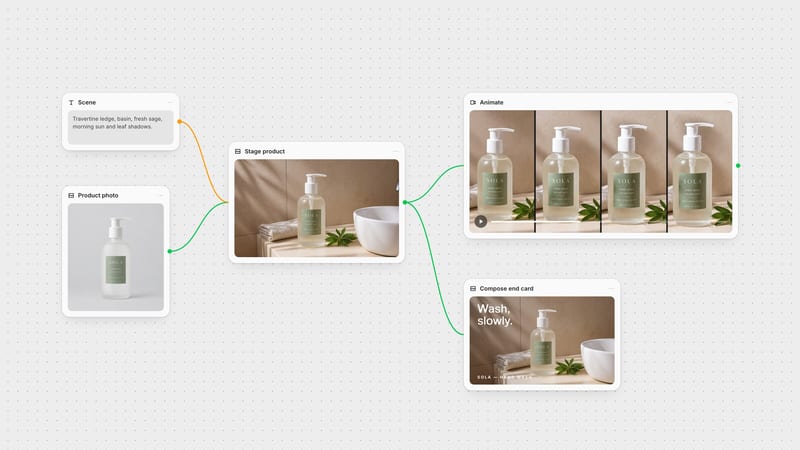
Anything → Compositor. The Compositor layers images, video and text, and its output feeds downstream nodes like any other image or video (docs).
In Fuser these connections are sockets: coloured ports whose colour tells you the data type, text, image, video or audio, so a chain only connects where the types match (sockets docs).
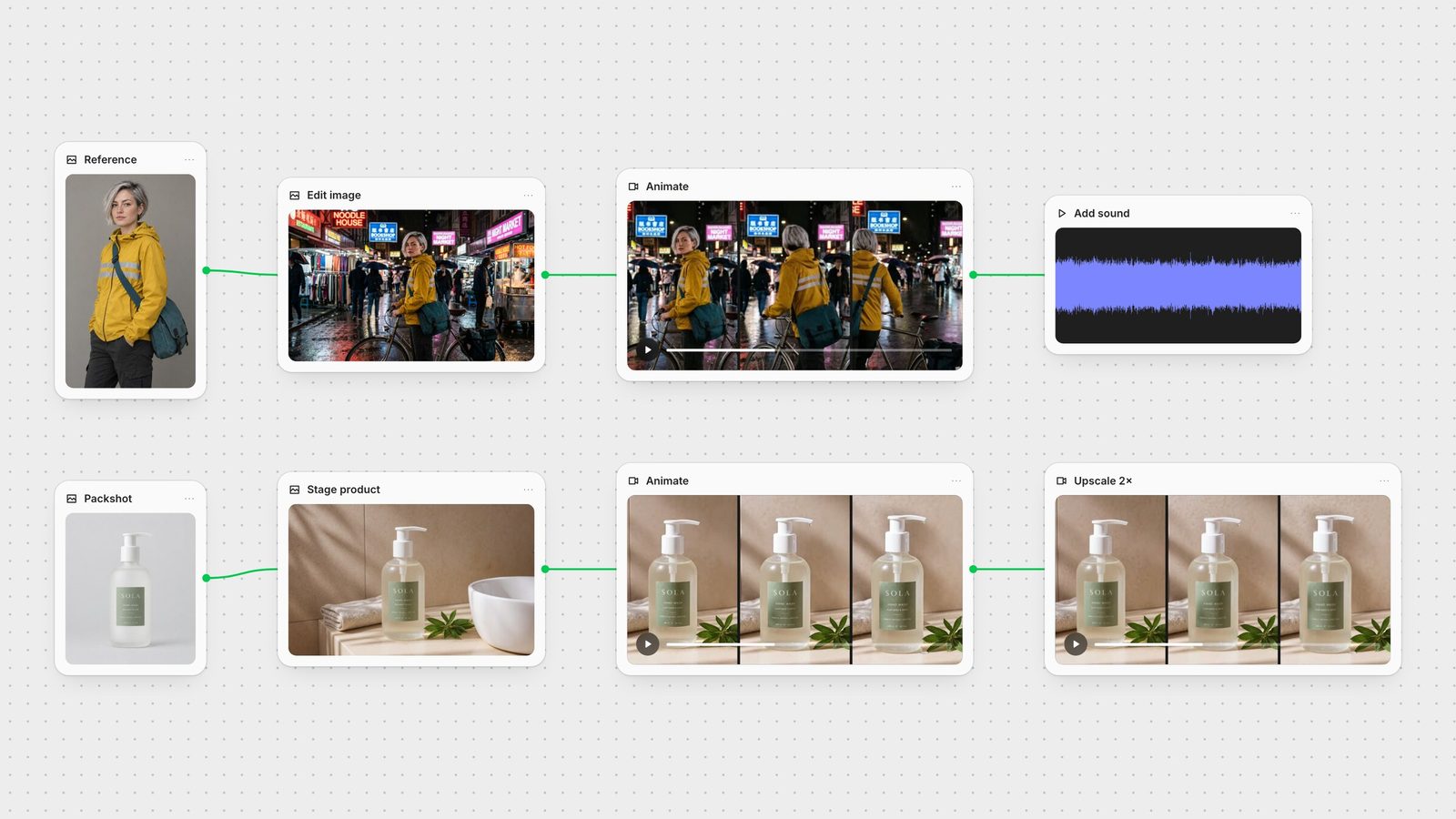
Character to scored shot. A GPT Image 2.5 reference of a fictional courier went into Gemini 3.1 Flash Image to place her in a rainy night market. That still became the first frame of a five-second Kling 3.0 clip generated without audio, and the clip went into Mirelo SFX with a short prompt for rain, bicycle and street chatter, which returned two synced sound variants to choose from. The full walkthrough is in how to keep AI characters consistent.
Packshot to upscaled ad. A product packshot was staged on a sunlit ledge with FLUX.1 Kontext [pro], animated with Seedance 2.0 Fast at 720p, which returned the clip with its own ambient audio, and upscaled 2× with SeedVR. The edit step softened the label text, a reminder to check every link before passing it on. See how to turn a product photo into a video ad.
Approve before you propagate. Each step multiplies the one before it. Pick the best still before animating, and the best clip before scoring or upscaling.
Give each node one job. A generator generates, an editor edits, an upscaler upscales. Small steps are easier to swap and debug.
Choose the aspect ratio at the start. Generate in the ratio you will publish; reframing video after the fact wastes the best part of the shot.
Branch to compare. Connect one input to two models side by side, then carry forward the winner. On a canvas that is a second wire, not a second project.
Finish on real layers. Put logos, legal copy and exact packaging on top in the Compositor rather than asking a model to render them.
Save the graph. Turn a proven chain into a Recipe with the inputs that change, such as brief, reference or product, exposed and everything else locked (Recipes docs).
For the next steps, see AI storyboard to animatic and the AI image generation glossary.
Every link below is a connection between two nodes in Fuser.
| Link | Models to try | What it adds |
|---|---|---|
| Build the look | ||
| Brief → prompts | ChatGPT, Claude, Gemini chat nodes | Turns a rough brief into specific prompts. |
| Prompt → image | GPT Image, Gemini Image, FLUX | The first frame or key visual. |
| Image → new scene | Gemini Image, FLUX.1 Kontext, Qwen Image Edit | Same subject, new setting. |
| Make it move and sound | ||
| Image → video | Kling 3.0, Veo 3.1, Seedance 2 | Motion that starts from an approved frame. |
| Video → sound | Mirelo SFX, MMAudio | Effects and ambience synced to the motion. |
| Text → voice | ElevenLabs TTS | Narration or a voiceover line. |
| Video → finish | Topaz, SeedVR, Auto Caption, Compositor | Resolution, subtitles, logos and end cards. |
Chaining means connecting models so the output of one becomes the input of the next, for example an image generator feeding a video model, which feeds a sound model and then an upscaler. It turns separate tools into one repeatable workflow.
Each model is strongest at a narrow task. Video models are weak at on-screen text, sound models do not write dialogue, and upscalers cannot fix a bad frame. Chaining lets you use the best model for each step.
Yes. On a node canvas such as Fuser, each model is a node and you connect outputs to inputs with wires. Sockets are typed by colour, so image, video, text and audio only connect where they fit.
Connect the same input to two different model nodes side by side, review both outputs and carry the better one forward. The rest of the chain stays unchanged.
Yes. Save the graph as a Recipe, expose the inputs that change, like the brief, reference or product photo, and run it again with new inputs.
Connect image, video, sound and finishing models on one canvas.